
cm-chs-patch
 cm-chs-patch copied to clipboard
 aidenlx
A patch for Obsidian's built-in CodeMirror Editor to support Simplified Chinese word splitting Obsidian内置编辑器的(简体)中文分词支持
Word Splitting for Simplified Chinese in Edit Mode
A patch for Obsidian's built-in CodeMirror Editor to support Simplified Chinese word splitting
增加 Obsidian 内置编辑器的(简体)中文分词支持,使得编辑模式的双击可以选中中文
Special Thanks to @fengkx for jieba-wasm module
注意:从v1.8.0开始,默认分词引擎由结巴分词更换为系统自带分词引擎,结巴分词不再是必须组件,若你需要结合omnisearch插件使用,或仍需要使用结巴分词提供的更精确的分词结果,以及新词发现、自定义词库功能,请在设置打开选项后重启obsidian,并按照弹窗提示进行安装(若系统不提供分词引擎,无论选项本插件仍会提示安装结巴分词)
手动安装结巴分词组件:在设置中启用结巴分词后,从蓝奏云或GitHub下载并解压得到jieba_rs_wasm_bg.wasm,将wasm文件放在obsidian库的.obsidian或者其它指定的配置文件夹下后重启obsidian
Demo
| Obsidian's Default Word Splitting 默认分词 |
Patched 安装插件后 |
|---|---|
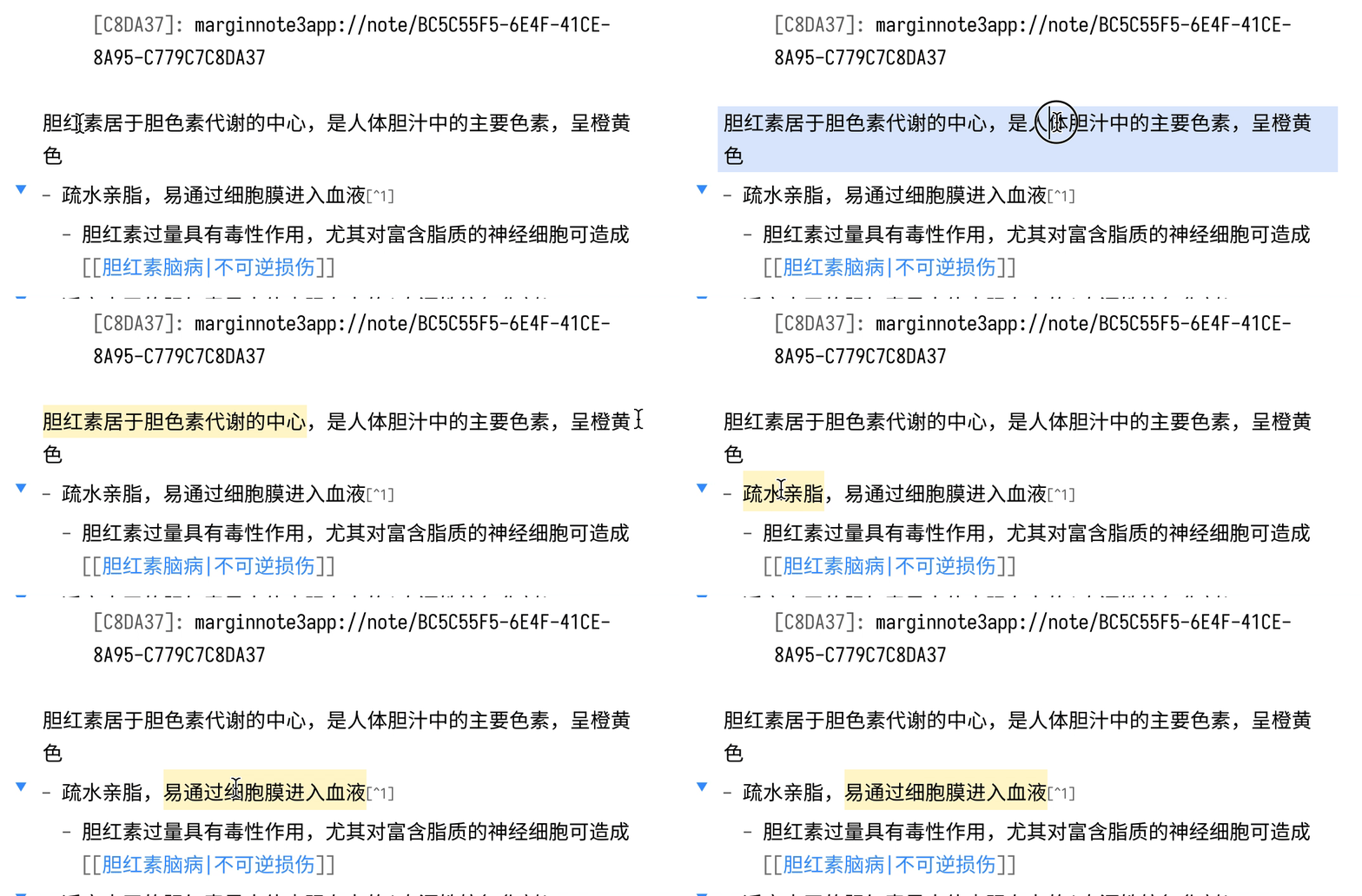 |
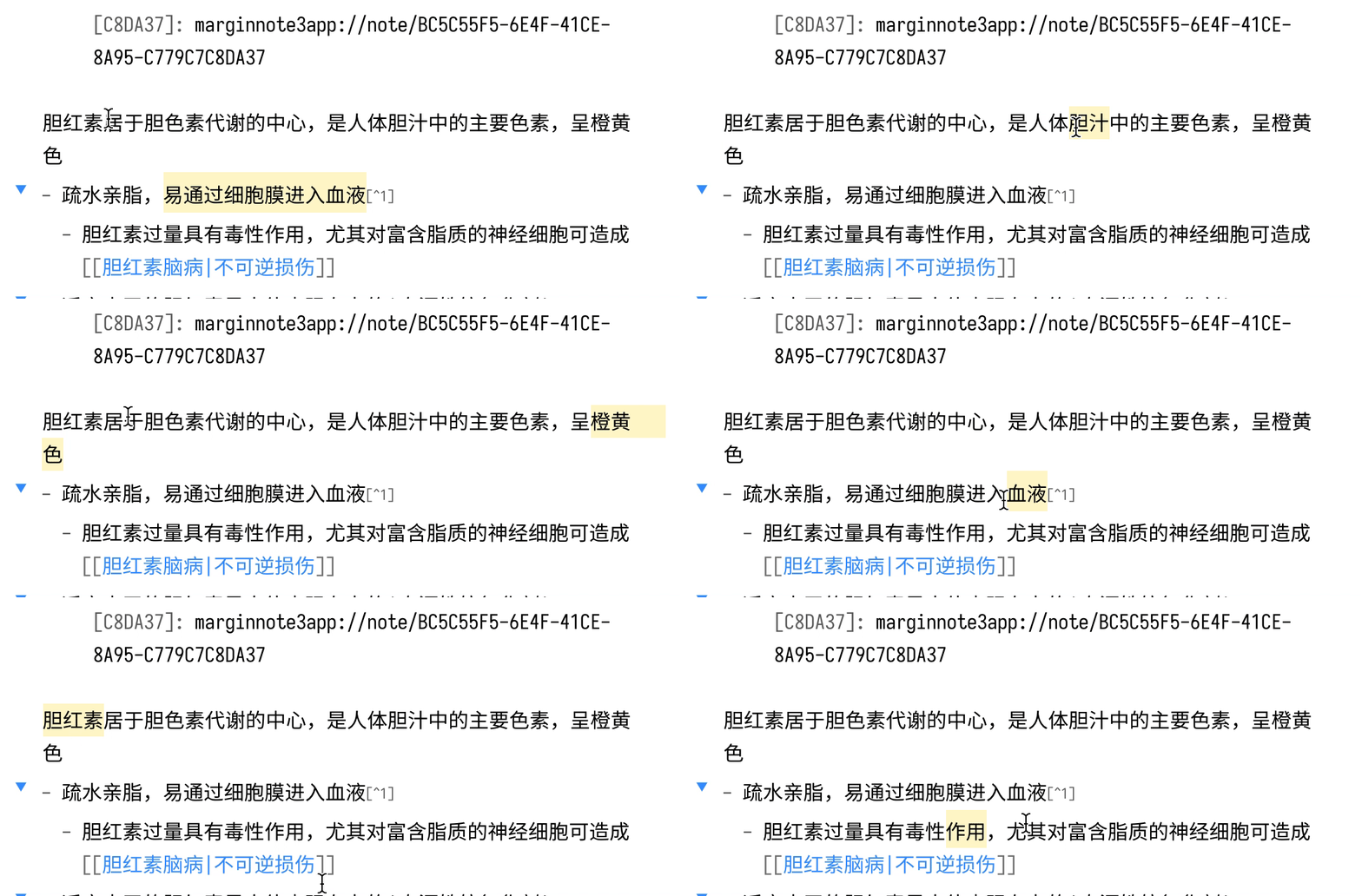 |
Compatibility 兼容性
The required API feature is only available for Obsidian v0.13.8+.
本插件仅支持v0.13.24以上的版本
Installation 安装
From Obsidian
- Open
Settings>Third-party plugin - Make sure Safe mode is off
- Click
Browse community plugins - Search for this plugin
- Click
Install - Once installed, close the community plugins window and the patch is ready to use.
- 打开
设置>第三方插件 - 确保安全模式为
关闭 - 点击
浏览社区插件 - 搜索此插件
- 点击
安装 - 安装完成后,关闭安装窗口,插件即可使用
From GitHub
- Download the Latest Release from the Releases section of the GitHub Repository
- Put files to your vault's plugins folder:
<vault>/.obsidian/plugins/cm-chs-patch - Reload Obsidian
- If prompted about Safe Mode, you can disable safe mode and enable the plugin. Otherwise head to Settings, third-party plugins, make sure safe mode is off and enable the plugin from there.
Note: The
.obsidianfolder may be hidden. On macOS you should be able to pressCommand+Shift+Dotto show the folder in Finder.
- 从GitHub仓库的Releases下载最新版本
- 把文件放在对应Vault的插件文件夹下:
<vault>/.obsidian/plugins/cm-chs-patch - 重新加载Obsidian
- 如果出现有关安全模式的提示,则可以禁用安全模式并启用插件。否则,请转到
设置→第三方插件,确保关闭安全模式,然后从第三方插件启用插件
注意,
.obsidian文件夹为隐藏文件夹,在macOS的Finder下可以按Command+Shift+.以显示隐藏文件夹
 aidenlx