

 adobe
adobe
[Dialog] Content area can clip focus rings.
Description
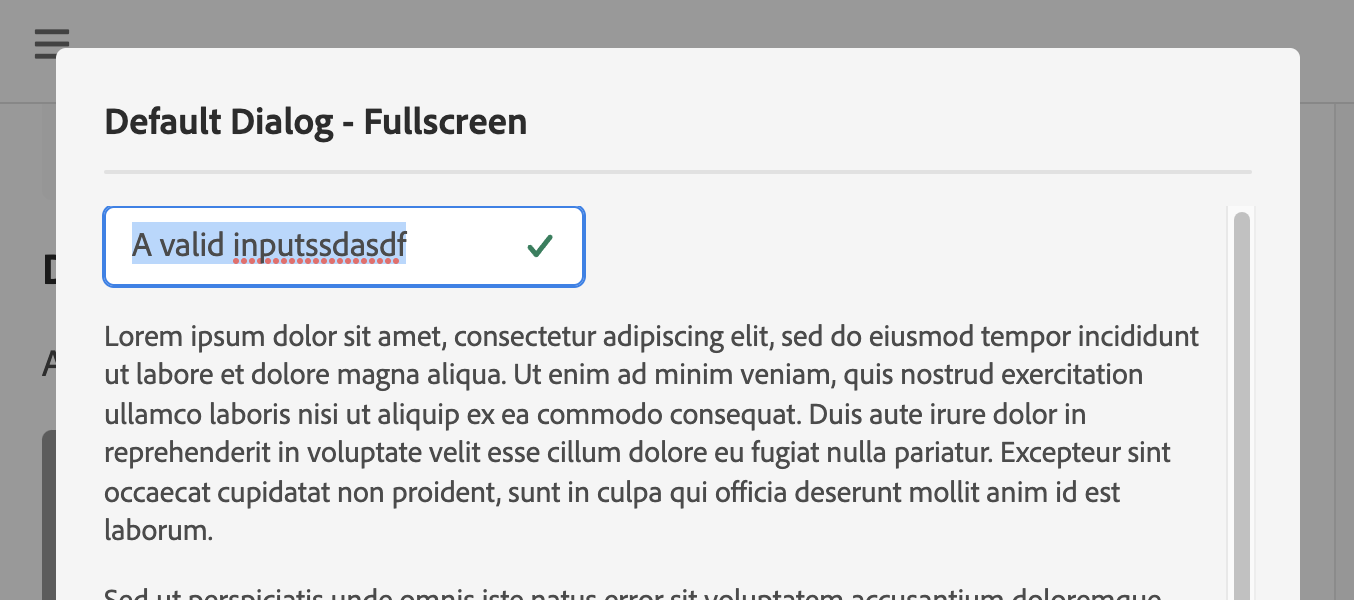
When the first item in the content area of a dialog can have a focus ring, it will get clipped by the current CSS application.
Steps to reproduce
- Go to https://opensource.adobe.com/spectrum-css/dialog.html#dialog-fullscreen
- Click on "Open Fullscreen Dialog"
- Place a focusable pattern, e.g. a Text Field at the top of the content area therein
- Focus the pattern with the keyboard
- Observer the clipped focus ring
Expected behavior
The ring should not be clipped.
Screenshots
Environment
- Spectrum CSS version: Current
- Browser(s) and OS(s): MacOS Chrome Current
Additional context
You'll also note that when scrollbars are visible, they will display in a pretty floaty way here. I think that both issues can be mitigated by taking the margin off of the bottom of the Divider or Headline proceeding the content area and converting that to padding within the top of the content area.
synced to jira: https://jira.corp.adobe.com/browse/CSS-79


I discussed this with design and they would like to talk about it more in design workshop.
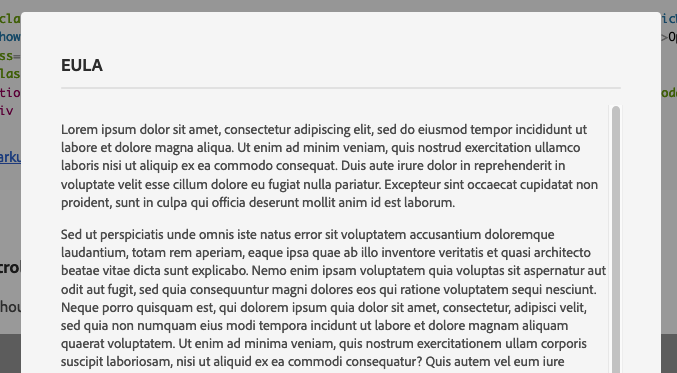
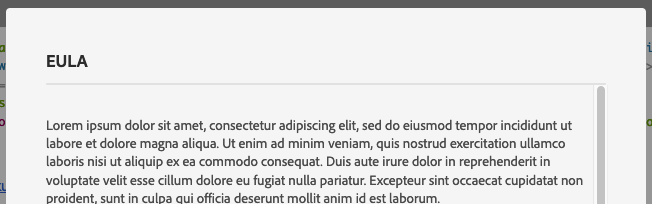
The current proposal I'm giving them is to use the divider margin as the content padding.
Current:
Proposal:

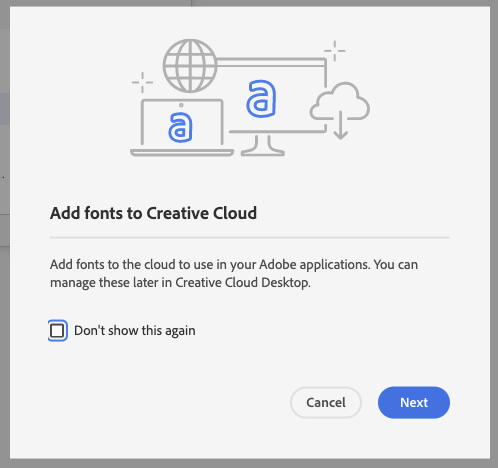
This applies in some cases to the left edge of the content area as well:
CC: @joekukish
I've just encountered this on the Express theme with buttons and checkboxes.
