

 actions
Setting Environment Variable does not work on a self hosted runner on windows 11
Describe the bug On a self hosted runner on windows this documented feature does not work. i.e. the environment varaibles set from one step are not available in the following steps.
To Reproduce Steps to reproduce the behavior:
- Go to 'this public workflow'
- Look at the last run also attached the build log here
Expected behavior as per this documented feature, This should output 'yellow', but it dow not
Runner Version and Platform
Runner 2.299.1 From what I have observed, this used to work fine till 2.298.x (late Oct 2022)
OS of the machine running the runner? Windows 11 Pro
What's not working?
screen shot
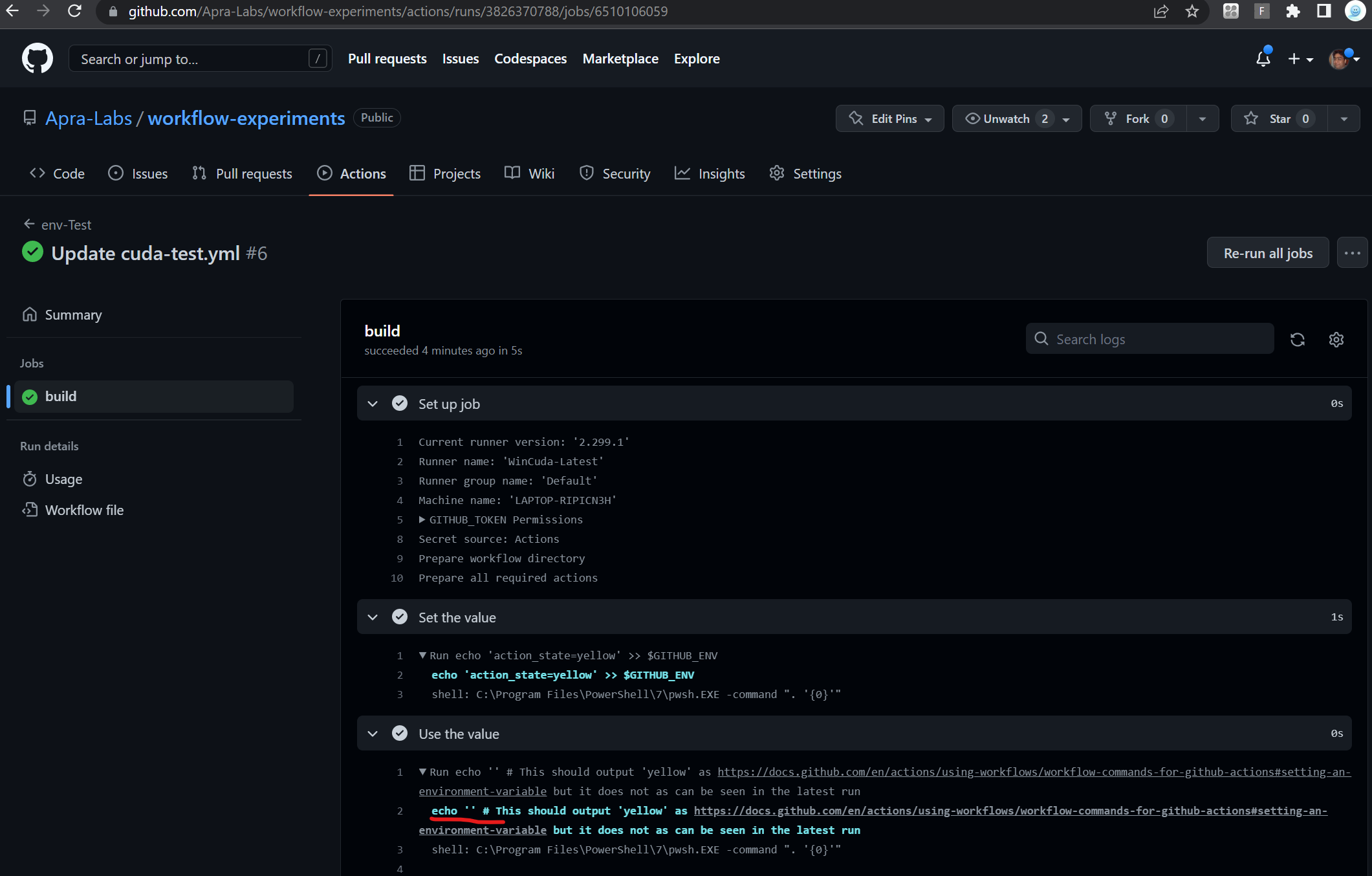
Job Log Output
Runner and Worker's Diagnostic Logs
If applicable, add relevant diagnostic log information. Logs are located in the runner's _diag folder. The runner logs are prefixed with Runner_ and the worker logs are prefixed with Worker_. Each job run correlates to a worker log. All sensitive information should already be masked out, but please double-check before pasting here.

To access an environment variable under Windows runners, you must use $Env:ENV_VARIABLE. The Github documentation is confusing about this for Windows.
Try using echo "key=value" >> $Env:GITHUB_ENV.

This issue is stale because it has been open 365 days with no activity. Remove stale label or comment or this will be closed in 15 days.
![github-actions[bot] avatar](https://avatars.githubusercontent.com/in/15368?v=4 "Published by a pub.dev verified publisher")
This issue was closed because it has been stalled for 15 days with no activity.