

 actions
##[error]Bad credentials Someone can help me ? Thanks.
This my workflow yaml. I think there is no error. `
- name: Gzip
  run: |
    mkdir openwrt-img-${{ github.run_id }}
    cp -rf /home/runner/work/openwrt-cc/openwrt-cc/openwrt/bin/targets/x86/64/openwrt-x86-64-combined-squashfs.img.gz openwrt-img-${{ github.run_id }}
    tar -czvf openwrt-img-${{ github.run_id }}.tar.gz openwrt-img-${{ github.run_id }}

- name: Create Release
  id: create_release
  uses: actions/create-release@v1
  env:
    GITHUB_TOKEN: ${{ secrets.GITHUB_TOKEN }}
  with:
    tag_name: ${{ github.run_id }}
    release_name: Release ${{ github.ref }}
    draft: false
    prerelease: false
- name: Upload Release Asset
  id: upload-release-asset
  uses: actions/upload-release-asset@v1
  env:
    GITHUB_TOKEN: ${{ secrets.GITHUB_TOKEN }}
  with:
    upload_url: ${{ steps.create_release.outputs.upload_url }} # This pulls from the CREATE RELEASE step above, referencing it's ID to get its outputs object, which include a `upload_url`. See this blog post for more info: https://jasonet.co/posts/new-features-of-github-actions/#passing-data-to-future-steps
    asset_path: /home/runner/work/openwrt-cc/openwrt-cc/openwrt-img-${{ github.run_id }}.tar.gz
    asset_name: openwrt-img-${{ github.run_id }}.tar.gz
    asset_content_type: application/zip
`
But it always fails. Someone can help me ? Thanks.


Note: When a workflow run or its jobs are queued for more than one hour, the token may expire before the job starts.
https://help.github.com/en/actions/configuring-and-managing-workflows/authenticating-with-the-github_token#about-the-github_token-secret

Note: When a workflow run or its jobs are queued for more than one hour, the token may expire before the job starts.
https://help.github.com/en/actions/configuring-and-managing-workflows/authenticating-with-the-github_token#about-the-github_token-secret my workflow run more than one hour,how to solve? can you help me?
@wctliu sorry, i only know why failed, i don't know how to fix it now
@wctliu I fixed it.
Create your own token, add to your repo settings, and change the name in your yaml.
For example https://github.com/0312birdzhang/ubports-ci/blob/flashable/.github/workflows/build.yml#L106
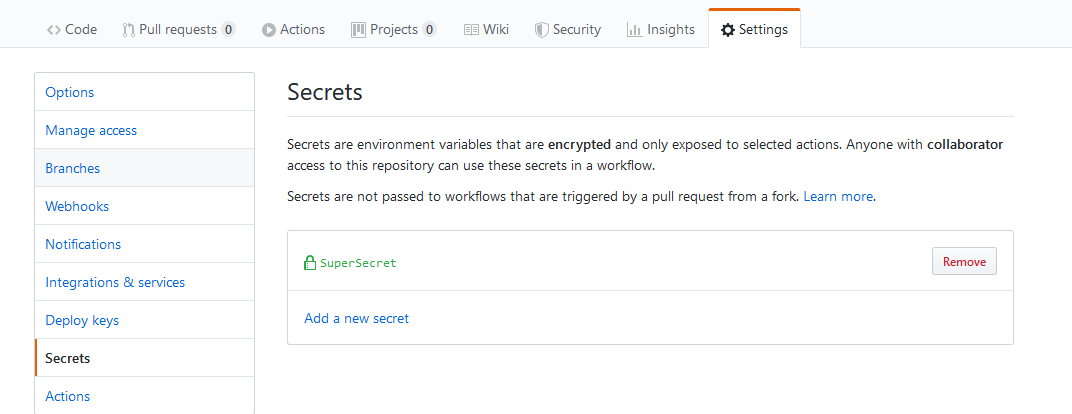
I am having a separate issue that is related. After creating my token and adding it to the repo settings I updated the yaml and it worked. The release was made. However, I have another action that is suppose to kick off on release/published but it is not. I can trigger if I make a release from the UI but not via the API. Any clues ?

I am having a separate issue that is related. After creating my token and adding it to the repo settings I updated the yaml and it worked. The release was made. However, I have another action that is suppose to kick off on release/published but it is not. I can trigger if I make a release from the UI but not via the API. Any clues ?
You need create a different private token, and use different name.
I thought I did? I created a SuperSecret token and update my yaml: GITHUB_TOKEN: ${{ secrets.SuperSecret }} and that part works, a new release is created. The issue I am having is my other action to push to docker hub is not kicking off after the release job has finished.
Having this same issue --- not sure why secrets.GITHUB_TOKEN does not work, since it's provided by GitHub for free (or so I thought).
