

 acheong08
[BUG] - Chromedriver bug: Cloudflare cookie not found
i've had this running before. i am using the cookie, and have updated it.
gets upt o "Browser Spawned" and then seems to just do nothing.
browser window showing the login screen.

It's meant to close automatically. If it doesn't, it could be a chromedriver issue

Any thoughts on troubleshooting this further? I had this working fine last week.
On Tue, 10 Jan 2023, 11:02 am Antonio Cheong, @.***> wrote:
It's meant to close automatically. If it doesn't, it could be a chromedriver issue
— Reply to this email directly, view it on GitHub https://github.com/acheong08/ChatGPT/issues/445#issuecomment-1376515067, or unsubscribe https://github.com/notifications/unsubscribe-auth/AH4NGEZCSW6ZJSL5CORCT2DWRSRKDANCNFSM6AAAAAATV7MWQA . You are receiving this because you authored the thread.Message ID: @.***>
Does it say "Found Cloudflare Cookie!"?
You can try updating your chrome version and chromedriver version
Check https://github.com/ultrafunkamsterdam/undetected-chromedriver/issues?q=is%3Aissue+is%3Aopen+sort%3Aupdated-desc if someone else has the same issue. You can add some print statements everywhere to log where exactly it gets stuck
It doesn't display the found cloudflare cookie, basically just opens the browser then sits there.
I'll have a crack at that in a bit and see what happens. It's odd as it worked last week.
On Tue, 10 Jan 2023, 11:11 am Antonio Cheong, @.***> wrote:
Does it say "Found Cloudflare Cookie!"?
You can try updating your chrome version and chromedriver version
— Reply to this email directly, view it on GitHub https://github.com/acheong08/ChatGPT/issues/445#issuecomment-1376524377, or unsubscribe https://github.com/notifications/unsubscribe-auth/AH4NGE7YXR6MHE6E4MQCWLDWRSSKHANCNFSM6AAAAAATV7MWQA . You are receiving this because you authored the thread.Message ID: @.***>
It worked locally for me, but when deploying it on a Ubuntu Server it's also stuck at "Browser spawned." Sept and it seems to be stuck at
self.get_cf_cookies() in line 472 in ChatGPT.py
I've added option.add_argument("--headless") to the Chrome Options but it didn't help...
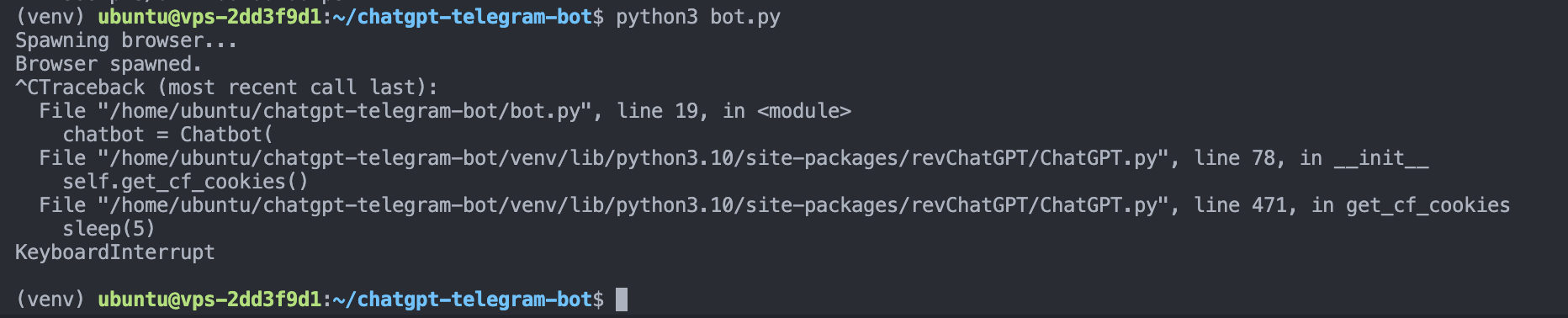
Chromedriver and Google Chrome both have the same version...

It might be stuck on captcha by Cloudflare. Can't solve that automatically yet
Yes. Without xvfb I could not even get above the "Browser spawned!" stage.
I basically followed this:
-
Install the X Virtual Framebuffer display server
apt install xvfb -y -
Set DISPLAY environmental variable to :1
export DISPLAY=:1 -
Start a Xvfb process in the background
Xvfb $DISPLAY -screen $DISPLAY 1280x1024x16 &
yea get the same bug, locally it works fine but via a VM in the cloud it hangs at "Browser Spawned" stage.

- Start a Xvfb process in the background
Xvfb $DISPLAY -screen $DISPLAY 1280x1024x16 &
For me this always failed with: Fatal server error: (EE) Cannot establish any listening sockets - Make sure an X server isn't already running(EE) (in a newly created docker container).
I could solve this by using a different display number (like export DISPLAY=:123)
