

 abpframework
CMS kit not render html content instead showing html code
Documentation
Please check the official documentation before asking questions: https://docs.abp.io
GitHub Issues
- Your ABP Framework version. 5.3.1
- Your User Interface type (Angular/MVC/React... etc.) if the issue is related to a specific UI: MVC
- Your database provider(EF Core/MongoDB) : EF Core
- Exception message and stack trace if available (check the logs).
- Steps needed to reproduce the problem.
I added a page with these code,

the page showing like this, it's not render the html content.
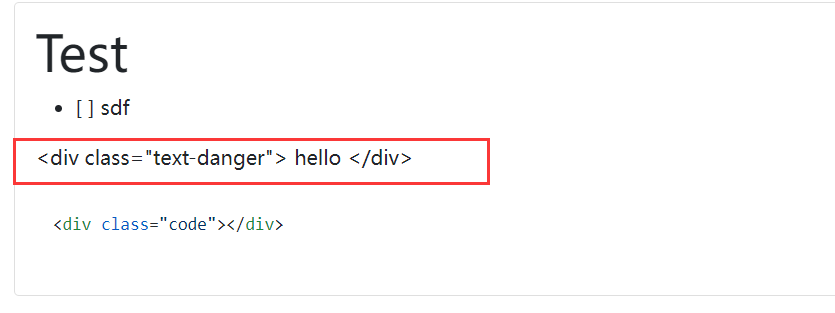

How can I render the html content? Thanks!


@maliming
- Create a new page in CMS. And add the Html code
<div class="text-danger">1233</div>. I want to show the 1233 in red. See the first image. - Then create a menu and link to the page.
- Open the page. it's showing the html code but not 1233 in red. (the second image).
- This code works:
Markdown.ToHtml(page.Content, MarkdownPipeline);
This might be related to https://github.com/abpframework/abp/pull/13082/files#diff-4e842adbbd7affc52ac0f2ed434255da13feeae68e6d739ab53732e8f84097b0R75
I'll check if this happens in earlier versions.

It happens here at https://github.com/abpframework/abp/blob/dev/modules/cms-kit/src/Volo.CmsKit.Public.Web/Renderers/MarkdownToHtmlRenderer.cs#L27
Maybe we can make it optional
Hi @juchunwei
allowHtmlTags parameter has been added to IMarkdownToHtmlRenderer, and it'll be true by default for all Pages & Blog Posts excluding Comments.
This change will be shipped in v6.0
@juchunwei you can achieve that in ABP 5.3 version with the following steps:
-
Create a file in your Web project,
/Pages/CmsKit/Shared/Components/Pages/Default.cshtml@addTagHelper *, Volo.Abp.AspNetCore.Mvc.UI.Bootstrap @using Volo.CmsKit.Public.Web.Renderers @inject IMarkdownToHtmlRenderer MarkdownRenderer @model Volo.CmsKit.Public.Web.Pages.CmsKit.Shared.Components.Pages.PageViewModel <abp-card> <abp-card-body> @if (!Model.Content.IsNullOrEmpty()) { @Html.Raw(await MarkdownRenderer.RenderAsync(Model.Content, preventXSS: false)) } </abp-card-body> </abp-card> -
Re-run the application and see it's working:
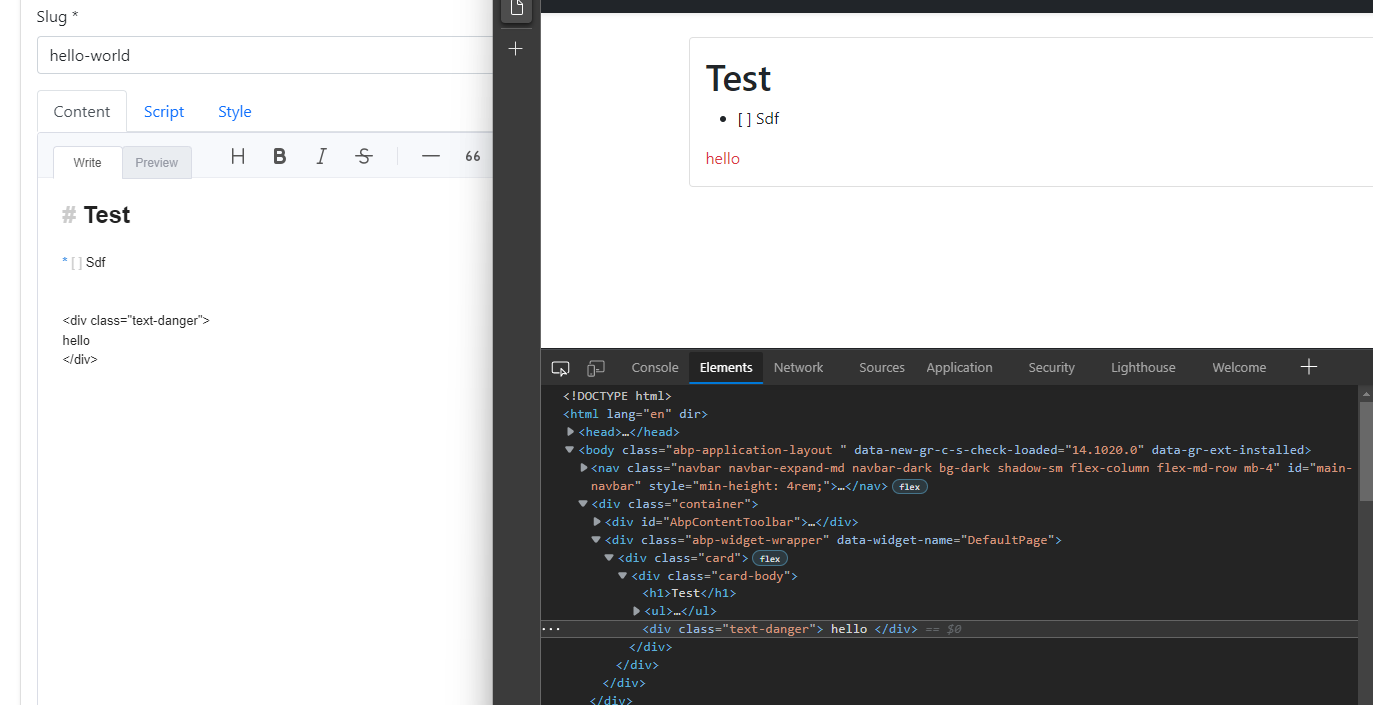
This issue has been automatically marked as stale because it has not had recent activity. It will be closed if no further activity occurs. Thank you for your contributions.
![stale[bot] avatar](https://avatars.githubusercontent.com/in/1724?v=4 "Published by a pub.dev verified publisher")