

 abhra0897
Host software startup process and Display driver issues
Problems encountered on startup,Share the schematic diagram of ST7789 connected to STM32F103 Can the windows system be used?

 Please help me, thanks!

Hi, I've added instructions for windows support in the README. Check that file inside host_python_scripts folder. Also, I've added pin mapping in the main README.

Hi,
- Firmware burning must be done by stlink. You need a stlink hardware and the flashing tool. Firmware flashing by usb is not supported.
- I've recently added detailed steps for the host setup. There are a total of two README files. You should file required information there.
Please let me know if you have any questions.
Best regards, Avra Mitra
On Fri, Jan 27, 2023 at 4:15 PM 38293312 @.***> wrote:
Hello, thank you very much for sharing such a good project, I am very interested in this project. Now I have a few questions, I would like your help 1: I am now burning the firmware you provided to the STM32F103 development board. Connect the computer USB, and now there is another device: Display. I did not find the driver for this device in the folder. 2: I am a stranger to python, and would like to ask you to provide a more detailed host software startup process. Thanks!
— Reply to this email directly, view it on GitHub https://github.com/abhra0897/stm32_tiny_monitor/issues/3, or unsubscribe https://github.com/notifications/unsubscribe-auth/AEDPTC4FEIX7QV3ZHHKDB4LWUORK5ANCNFSM6AAAAAAUIROWMY . You are receiving this because you are subscribed to this thread.Message ID: @.***>
Also, to use fast_host, you must build it for your os using cython. If cython is not already installed, install using pip. Then run the command to build the host given in README.
Also, to use fast_host, you must build it for your os using cython. If cython is not already installed, install using pip. Then run the command to build the host given in README. cython is installed
cython is installed
Hi, 1. Firmware burning must be done by stlink. You need a stlink hardware and the flashing tool. Firmware flashing by usb is not supported. 2. I've recently added detailed steps for the host setup. There are a total of two README files. You should file required information there. Please let me know if you have any questions. Best regards, Avra Mitra … On Fri, Jan 27, 2023 at 4:15 PM 38293312 @.> wrote: Hello, thank you very much for sharing such a good project, I am very interested in this project. Now I have a few questions, I would like your help 1: I am now burning the firmware you provided to the STM32F103 development board. Connect the computer USB, and now there is another device: Display. I did not find the driver for this device in the folder. 2: I am a stranger to python, and would like to ask you to provide a more detailed host software startup process. Thanks! — Reply to this email directly, view it on GitHub <#3>, or unsubscribe https://github.com/notifications/unsubscribe-auth/AEDPTC4FEIX7QV3ZHHKDB4LWUORK5ANCNFSM6AAAAAAUIROWMY . You are receiving this because you are subscribed to this thread.Message ID: @.>
I have successfully burned the firmware through stlink! The computer can check the "display" device
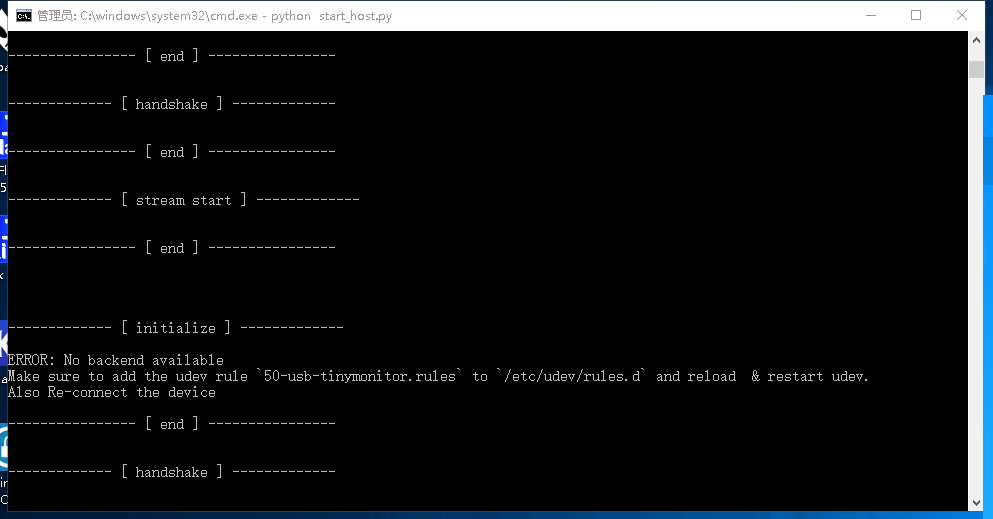
Now after I start the host software "python start_host.py", the following screenshot problem appears. Does the windows10 system have udev rules?Where should "50-usb-tinymonitor.rules" be added to the windows10 system?
ERROR: No backend available
Make sure to add the udev rule 50-usb-tinymonitor.rules to /etc/udev/rules.d and reload & restart udev.
Also Re-connect the device
You need to install libusb-win32 using zadig. Steps are mentioned here: https://github.com/abhra0897/stm32_tiny_monitor/blob/master/host_python_scripts/README.md.
udev rule 50-usb-tinymonitor.rules is for linux only. I'll change the error message for Windows.
From the README:
- Download zadig from https://zadig.akeo.ie/
- Plugin the device and run zadig.
- Select the device named "display" from the first dropdown. Make sure the USB ID shows: CAFE CEAF
- Select "libusb-win32" driver from the right drop down. Then click "Install Driver" button.
- It should take some time. After installation done, the display should show "USB connected. Config is set..."
- Run the host software.
From the README:
- Download zadig from https://zadig.akeo.ie/
- Plugin the device and run zadig.
- Select the device named "display" from the first dropdown. Make sure the USB ID shows: CAFE CEAF
- Select "libusb-win32" driver from the right drop down. Then click "Install Driver" button.
- It should take some time. After installation done, the display should show "USB connected. Config is set..."
- Run the host software.
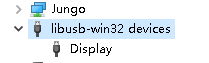
zadig has installed the "libusb-win32" driver. Starting start_host.py shows


You closed this issue, does that mean that you have solved it?
If not, did you try either of these after installing libusb-win32:
- Run slow host , and see if it's giving the same error about "no backend available".
- Recompiling the
.pyxusing cython and then run fast host.
You closed this issue, does that mean that you have solved it?
If not, did you try either of these after installing libusb-win32:
- Run slow host , and see if it's giving the same error about "no backend available".
- Recompiling the
.pyxusing cython and then run fast host.
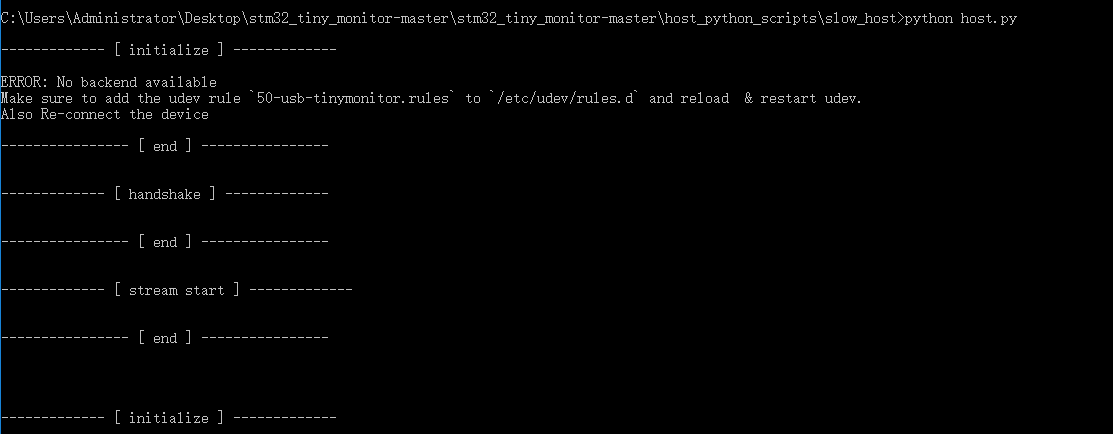
Thanks a lot for your help! The problem is not solved, I run SLOW HOST is the same result!
use cython to recompile the .pyx file and the following problem occurs
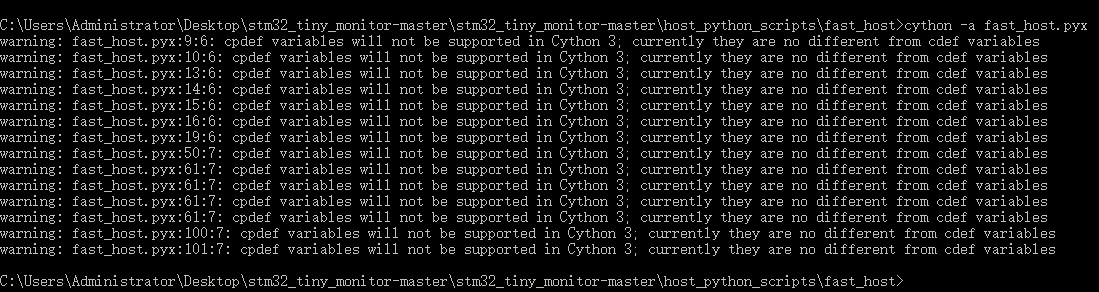
Modifying the "fast_host.pyx" file "cpdef" to "cdef" can compile and pass, but running the host "start_host.py" still has the following problems

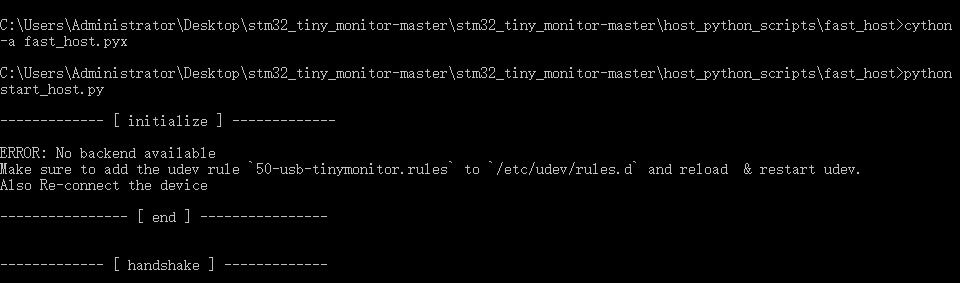
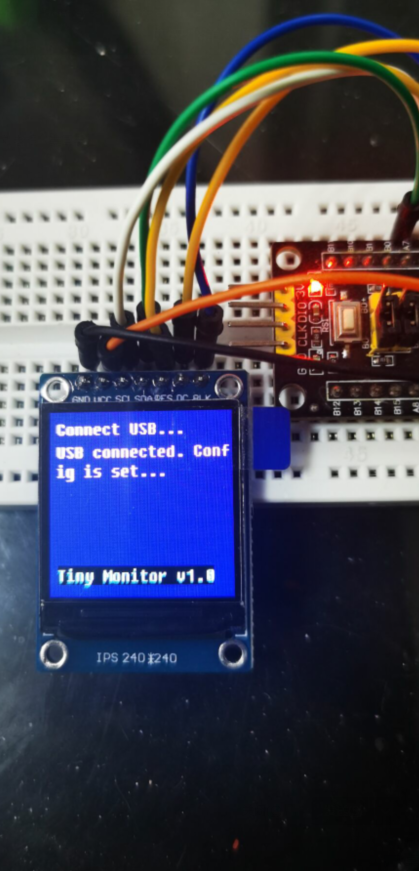
For me, the issue of "No backend available" was solved by installing libusb driver. In your case, libusb is working because the USB enumeration is successful. That's why the device display is showing "USB connected... Config is set" message.
Why is pyusb still not finding libusb (the backend), is a mystery. I'll try to dig deeper into it this weekend.
In the meantime, try removing "pyusb" and "libusb" python packages and reinstall them. Probably that'll not work, but you may give it a try.
I'll start deeper investigation soon.
In the meantime, try removing "pyusb" and "libusb" python packages and reinstall them. Probably that'll not work, but you may give it a try.
I'll start deeper investigation soon.
OK! Thanks a lot, I'll try it out!
This is the version of all relevant software that I installed. Could it be because the version is different from your software version?
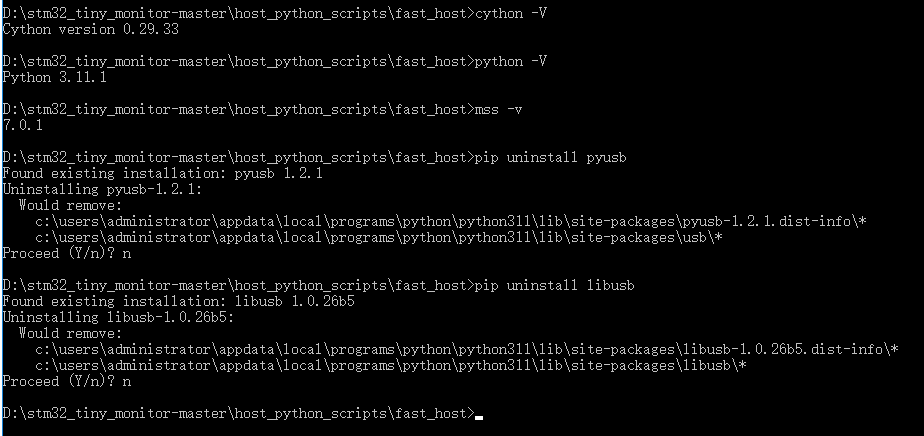
This is the version of all relevant software that I installed. Could it be because the version is different from your software version?
I'll check versions of my installed software. Also I'll try to install everything from scratch on a different windows 10 computer and update you.
This is the version of all relevant software that I installed. Could it be because the version is different from your software version?
I'll check versions of my installed software. Also I'll try to install everything from scratch on a different windows 10 computer and update you.
Great. thank you very much for your help. I tried two PC windows10 still the same result


I really want to give up, I hope you can develop software supported by WINDOWS system. There is no need to do such complicated startup preparation software.