
libredesk
 libredesk copied to clipboard
Published
3 months ago
•
 abhinavxd
abhinavxd
Modern, open source, self-hosted customer support desk. Single binary app.

Libredesk
Modern, open source, self-hosted customer support desk. Single binary app.
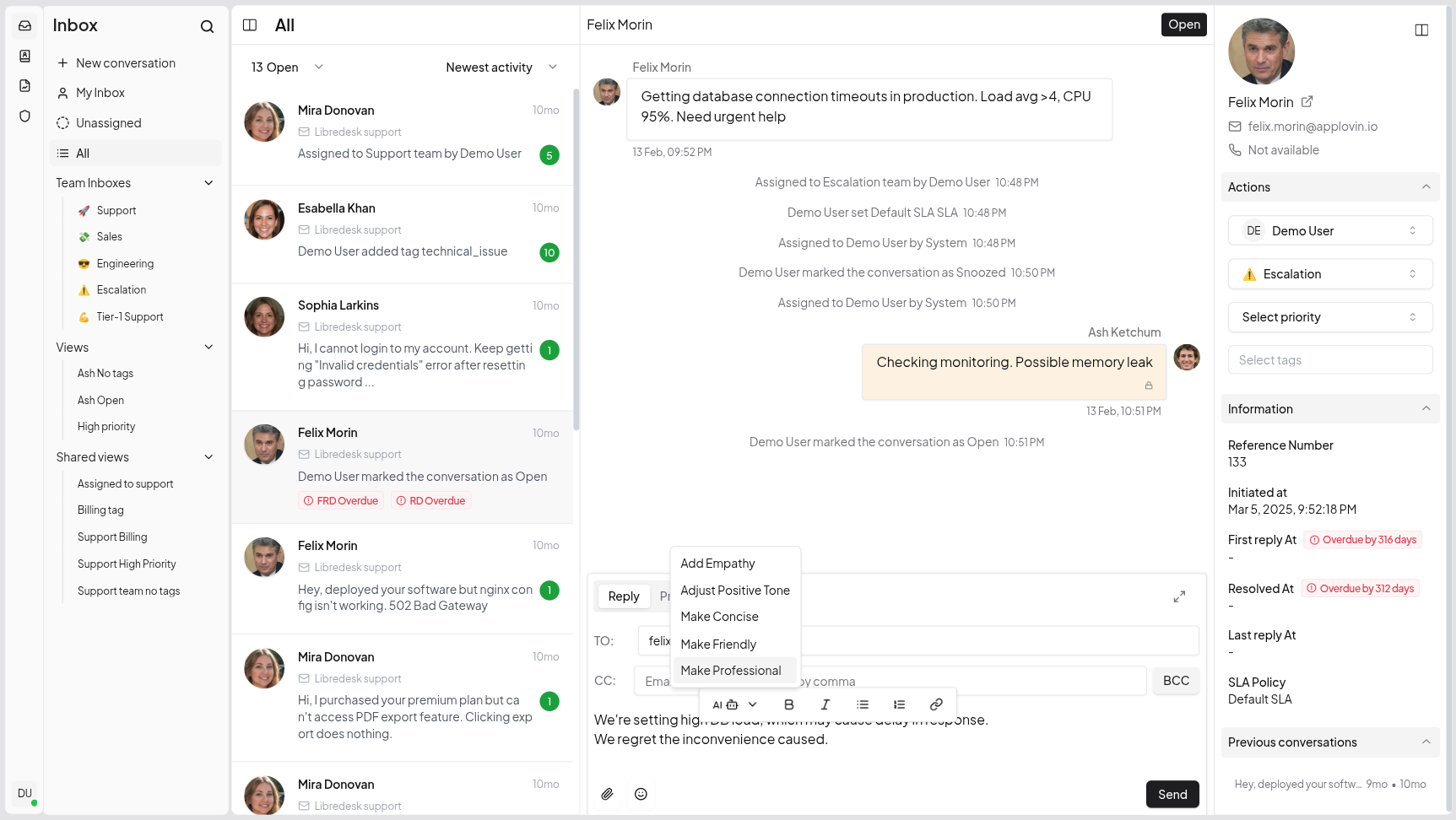
Visit libredesk.io for more info. Check out the Live demo.
Features
-
Multi Shared Inbox
Libredesk supports multiple shared inboxes, letting you manage conversations across teams effortlessly. -
Granular Permissions
Create custom roles with granular permissions for teams and individual agents. -
Smart Automation
Eliminate repetitive tasks with powerful automation rules. Auto-tag, assign, and route conversations based on custom conditions. -
CSAT Surveys
Measure customer satisfaction with automated surveys. -
Macros
Save frequently sent messages as templates. With one click, send saved responses, set tags, and more. -
Smart Organization
Keep conversations organized with tags, custom statuses for conversations, and snoozing. Find any conversation instantly from the search bar. -
Auto Assignment
Distribute workload with auto assignment rules. Auto-assign conversations based on agent capacity or custom criteria. -
SLA Management
Set and track response time targets. Get notified when conversations are at risk of breaching SLA commitments. -
Custom attributes
Create custom attributes for contacts or conversations such as the subscription plan or the date of their first purchase. -
AI-Assist
Instantly rewrite responses with AI to make them more friendly, professional, or polished. -
Activity logs
Track all actions performed by agents and admins—updates and key events across the system—for auditing and accountability. -
Webhooks
Integrate with external systems using real-time HTTP notifications for conversation and message events. -
Command Bar
Opens with a simple shortcut (CTRL+K) and lets you quickly perform actions on conversations.
And more checkout - libredesk.io
Installation
Docker
The latest image is available on DockerHub at libredesk/libredesk:latest
# Download the compose file and sample config file in the current directory.
curl -LO https://github.com/abhinavxd/libredesk/raw/main/docker-compose.yml
curl -LO https://github.com/abhinavxd/libredesk/raw/main/config.sample.toml

# Copy the config.sample.toml to config.toml and edit it as needed.
cp config.sample.toml config.toml

# Run the services in the background.
docker compose up -d

# Setting System user password.
docker exec -it libredesk_app ./libredesk --set-system-user-password
Go to http://localhost:9000 and login with username System and the password you set using the --set-system-user-password command.
Binary
- Download the latest release and extract the libredesk binary.
- Copy config.sample.toml to config.toml and edit as needed.
-
./libredesk --installto setup the Postgres DB (or--upgradeto upgrade an existing DB. Upgrades are idempotent and running them multiple times have no side effects). - Run
./libredesk --set-system-user-passwordto set the password for the System user. - Run
./libredeskand visithttp://localhost:9000and login with usernameSystemand the password you set using the --set-system-user-password command.
Developers
- If you are interested in contributing, please read CONTRIBUTING.md first.
- For local development and setup, refer to the developer setup.
- For planned features and project direction, see ROADMAP.md.
The backend is written in Go and the frontend is Vue.js 3 with Shadcn UI.
Translators
You can help translate Libredesk into your language on Crowdin.
 abhinavxd