
tiny-menu.el
 tiny-menu.el copied to clipboard
 aaronbieber
Run commands via a tiny menu.
Tiny Menu

Tiny Menu gives you the ability to define any number of menus that can be
presented on demand in the minibuffer. The net effect would be similar to
defining various prefix commands and using a package like which-key or
guide-key to display the available key maps upon pressing each prefix.
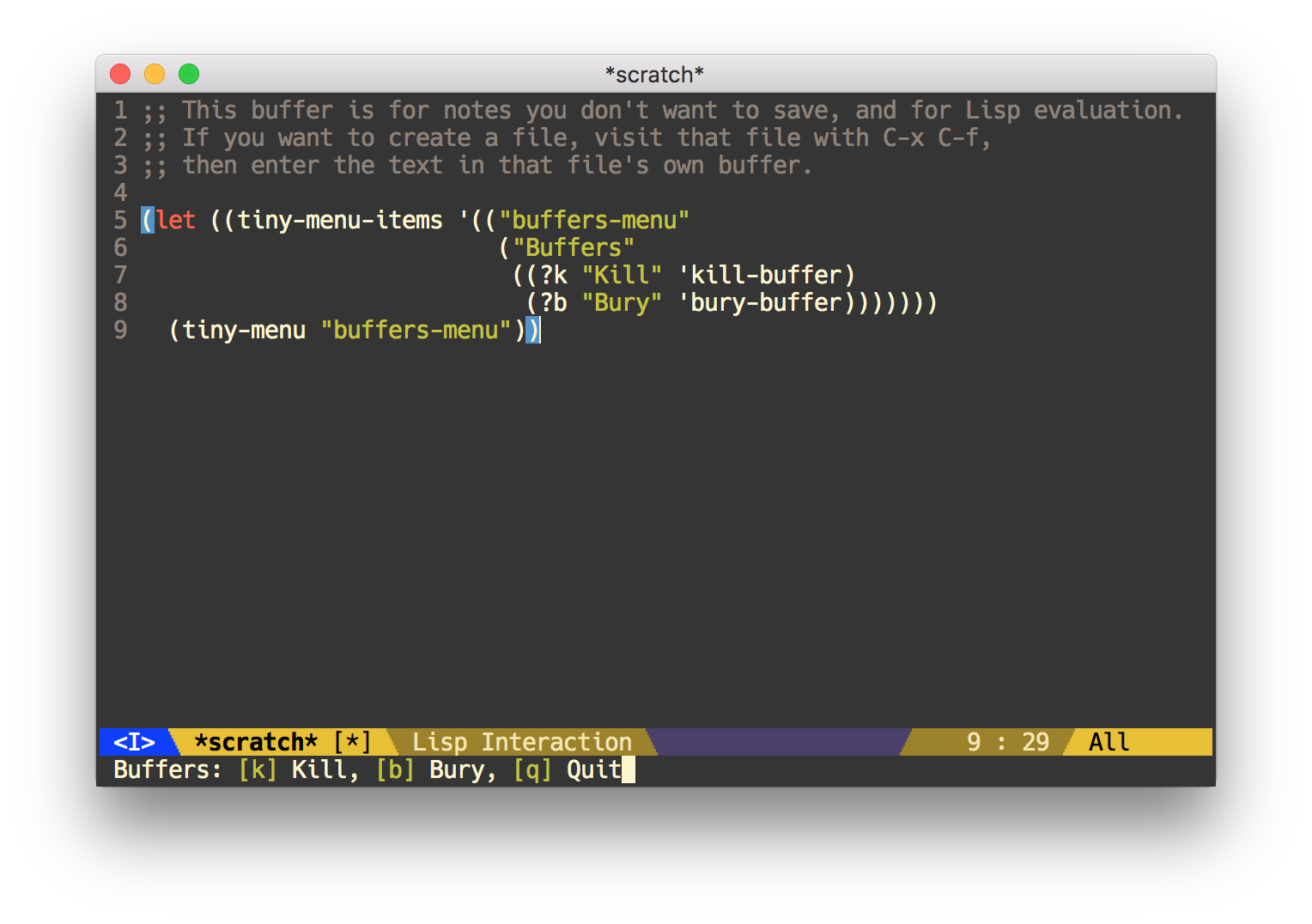
Menu items must be triggered by a single key press, and it is up to you whether you wish to create a key mapping to trigger the menus, or trigger them in some other fashion.
Installation
Installing Tiny Menu is no different from installing any other package; place
the tiny-menu.el script in your load path (or add its path to your load path),
and call (require 'tiny-menu).
The recommended method is to install this package from MELPA using the method of
your choice; I use John Wiegley's use-package macro, like this:
(use-package tiny-menu :ensure t)
Usage
To use the tiny menu, simply define the tiny-menu-items variable and then map
keys to the items using the tiny-menu-run-item function.
tiny-menu-items is an alist of menus ("items") where each menu key is the name
of the menu and its value is the menu contents. The menu contents is a list
whose car is the name of the menu and cdr is a list of menu items. Each menu
item is a list with three or four elements: the raw character code a user must
press to select the item, the display name for the item, the function to be
called when the item is selected, and (optionally) the menu to which to
unconditionally transition afterward. A value of "root" signals a transition to
the menu-of-menus, "quit" quits tiny-menu.
If tiny-menu-forever is non-nil, then any omitted menu transition leaves
tiny-menu on the current menu. If it is nil, then omitted transitions result in
a quit.
For example, it might look like this:
'(("buffer-menu" ("Buffer operations"
                  ((?k "Kill" kill-this-buffer "buffer-menu")
                   (?b "Bury" bury-buffer "root")
                   (?h "Goto help" nil "help-menu"))))
  ("help-menu"   ("Help operations"
                  ((?f "Describe function" describe-function "quit")
                   (?k "Describe key"      describe-key)))))
This value defines two menus, one named "buffer-menu" and another named
"help-menu". Calling tiny-menu with no arguments will display a menu of
available menus using alphabetical prompt keys. Calling tiny-menu with the
name of a menu will launch that specific menu.
If you want to add a key mapping for a specific menu, you can use the
tiny-menu-run-item function, like this:
(define-key some-map (kbd "<key>") (tiny-menu-run-item "buffer-menu"))
The function returns an anonymous interactive function suitable for key binding.
It may also be useful (though not required) to use a custom prefix key if all of the menus are related. This is covered in other Emacs documentation, but for the sake of convenience, this is how you could do that:
(define-prefix-command tiny-menu-map)
(define-key tiny-menu-map
  (kbd "<menu-key-1>") (tiny-menu-run-item "menu-1"))
(define-key tiny-menu-map
  (kbd "<menu-key-2>") (tiny-menu-run-item "menu-2"))
(define-key global-map (kbd "<prefix>") tiny-menu-map)
Contributing
Pull request are welcome! Please take care to squash your commits sensibly and
follow all of the style guidelines presented by flycheck-package, at the very
least.
License
Tiny Menu is free software; you can redistribute it and/or modify it under the terms of the GNU General Public License as published by the Free Software Foundation; either version 3, or (at your option) any later version.
Tiny Menu is distributed in the hope that it will be useful, but WITHOUT ANY WARRANTY; without even the implied warranty of MERCHANTABILITY or FITNESS FOR A PARTICULAR PURPOSE. See the GNU General Public License for more details.
You should have received a copy of the GNU General Public License along with Tiny Menu. If not, see http://www.gnu.org/licenses.
 aaronbieber