

 Zylann
How to get the material when the raycast collide with the terrain?
I want to achieve the footstep sounds according to the terrain texture,there are two videos mentioned this: https://youtu.be/WhMfocT9l-o https://youtu.be/8GbanksN7ro
how can i check the terrain material with raycast? sorry for my poor english......

This will depend on which shader you are using, but pretty much, you need to get the splatmap image (with get_image()), query the pixel under your feet and decode the values, then pick the highest weight.
If you use the classic4 shader, the RGBA values will basically be how much of each texture there is.
If you use the multisplat16 shader, you will have to query 4 splatmaps (there is an index in get_image), and do the same thing over 4 sets of RGBA components.
In code it could look like this:
const HTerrain = preload("res://addons/zylann.hterrain/hterrain.gd")
const HTerrainData = preload("res://addons/zylann.hterrain/hterrain_data.gd")

static func get_texture_index_at(terrain: HTerrain, world_pos: Vector3) -> int:
	var world_to_local_transform := terrain.get_internal_transform().affine_inverse()
	var local_pos = world_to_local_transform.xform(world_pos)

	var data : HTerrainData = terrain.get_data()
	var splatmap : Image = data.get_image(HTerrainData.CHANNEL_SPLAT, 0)

	splatmap.lock()
	var color = splatmap.get_pixel(local_pos.x, local_pos.z)
	splatmap.unlock()

	var highest_index = 0
	var highest_weight = 0.0
	for i in 4:
		var w = color[i]
		if w > highest_weight:
			highest_weight = w
			highest_index = i

	return highest_index
(not tested, just wrote from memory)
This also requires to keep splatmaps loaded in RAM. When using multisplat16 it could be a bit wasteful, since that requires 4 splatmaps, but only a small integer would be needed. It could be optimized by baking an index grid, assuming the terrain doesn't change at runtime.

This will depend on which shader you are using, but pretty much, you need to get the splatmap image (with
get_image()), query the pixel under your feet and decode the values, then pick the highest weight.If you use the classic4 shader, the RGBA values will basically be how much of each texture there is. If you use the multisplat16 shader, you will have to query 4 splatmaps (there is an index in
get_image), and do the same thing over 4 sets of RGBA components.In code it could look like this:
const HTerrain = preload("res://addons/zylann.hterrain/hterrain.gd")
const HTerrainData = preload("res://addons/zylann.hterrain/hterrain_data.gd")

static func get_texture_index_at(terrain: HTerrain, world_pos: Vector3) -> int:
	var world_to_local_transform := terrain.get_internal_transform().affine_inverse()
	var local_pos = world_to_local_transform.xform(world_pos)

	var data : HTerrainData = terrain.get_data()
	var splatmap : Image = data.get_image(HTerrainData.CHANNEL_SPLAT, 0)

	splatmap.lock()
	var color = splatmap.get_pixel(local_pos.x, local_pos.z)
	splatmap.unlock()

	var highest_index = 0
	var highest_weight = 0.0
	for i in 4:
		var w = color[i]
		if w > highest_weight:
			highest_weight = w
			highest_index = i

	return highest_index
(not tested, just wrote from memory)
This also requires to keep splatmaps loaded in RAM. When using multisplat16 it could be a bit wasteful, since only a small integer would be needed. It could be optimized by baking an index grid, assuming the terrain doesn't change at runtime.
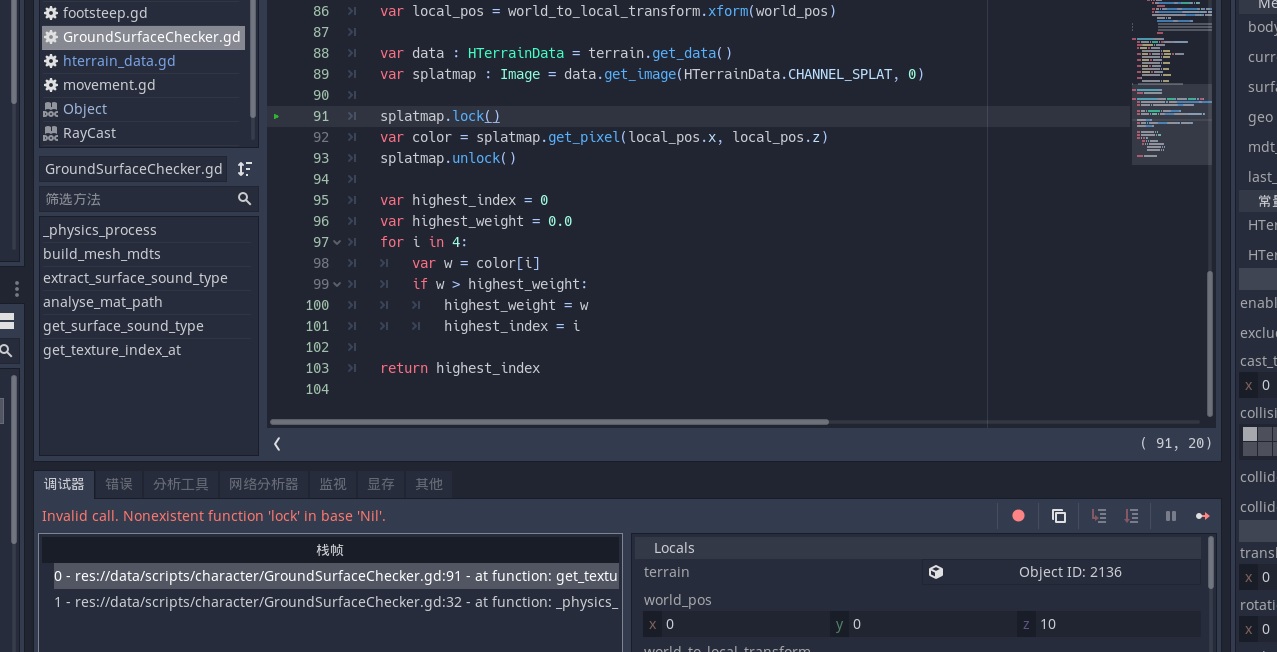
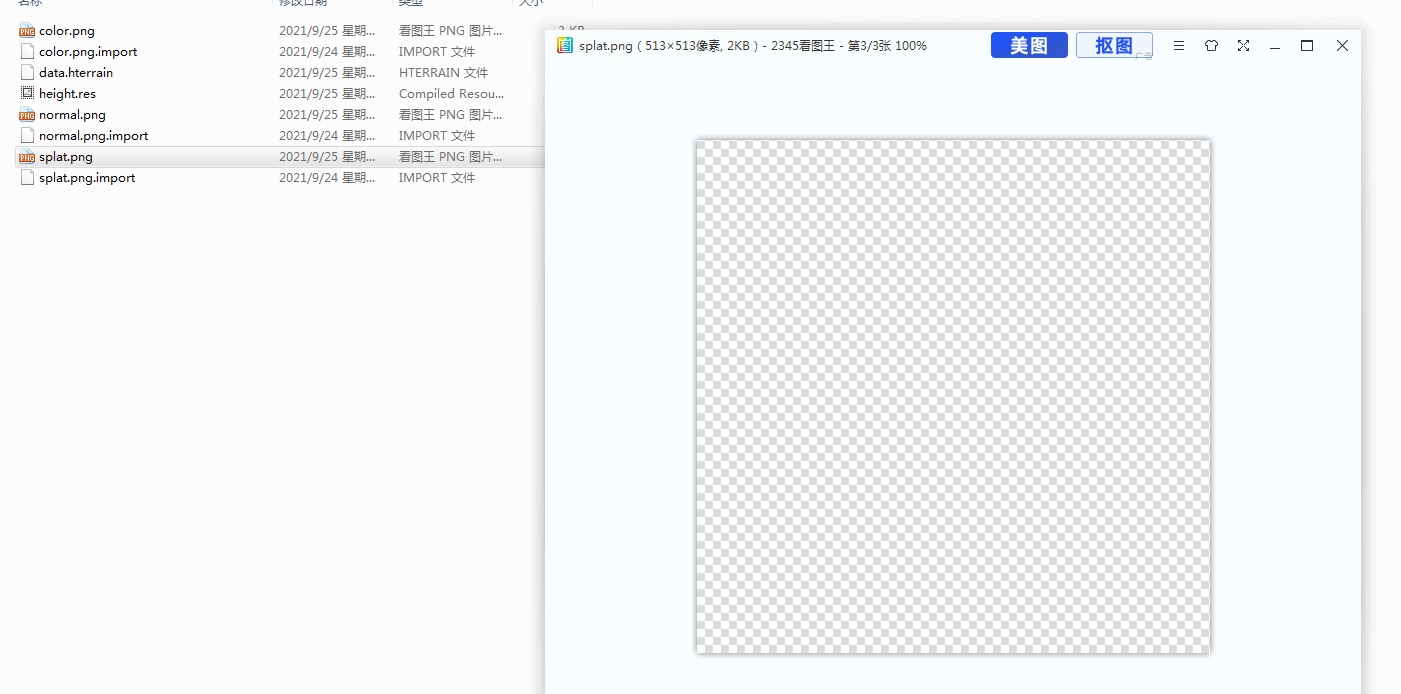
I use the code, but splatmap is null.....
 .
.
Yeah I think that's because maps other than the heightmap did not need to be in RAM so far. In game, the plugin just loads a StreamTexture from the resources (that's how Godot imports them), and this comes without an Image, so it is null. A quick workaround is to do get_texture(...).get_data() instead, but it is extremely slow because that means downloading the whole splatmap from the graphics card on every call. Instead you could also just load images from the terrain folder (they are just pngs) with Image.load, though it's a bit of boilerplate. There should probably be an option to keep images loaded if they are needed by the game.
Another way is to bake the global map, then load it as an image, so the CPU can read it, and get the color value. Then you can compare against a dictionary of color values for footstep sounds. The default shader uses the globalmap as a texture, so if you want to continue using that, you can convert it to an ImageTexture. However I don't use it that way at all.
This didn't require any changes to the plugin, I just baked the globalmap, removed it from the shader, changed the import type to image, then loaded it as a resource to read the pixel values directly.
