Yggdroot
Documentation request
in your README.md file the line that states "You can also use one of ¦, ┆, │, ⎸, or ▏ to display more beautiful lines. However, these characters will only work with files whose encoding is UTF-8."
Can you please put the UTF-8 codes to create those characters, I have looked online and cannot find the one in the 3rd position from the left, the taller | (pipe) symbol.

Those appear to be (in order):
- 166
- 9478
- 9474
- 9144
- 9615
I found those with the following Python 3 code:
for a in "¦┆│⎸▏":
    print(ord(a))

I can't get these characters to add without the '\' slashes.
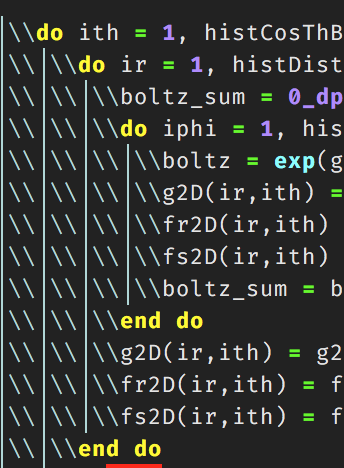
How do i get these to go away? in my .vimrc file i currently have this line:
set list lcs=tab:\│\
Where the charafter is the taller pipe character, 9474.

I can't get these characters to add without the '' slashes.
How do i get these to go away? in my .vimrc file i currently have this line:
set list lcs=tab:\│\Where the charafter is the taller pipe character, 9474.
indentLine
This plugin is used for displaying thin vertical lines at each indentation level for code indented with spaces. For code indented with tabs I think there is no need to support it, because you can use :set list lcs=tab:\|\ (here is a space).