

 Workday
Adjust fade effect in Tabs to work with non-white backgrounds
🐛 Bug Report
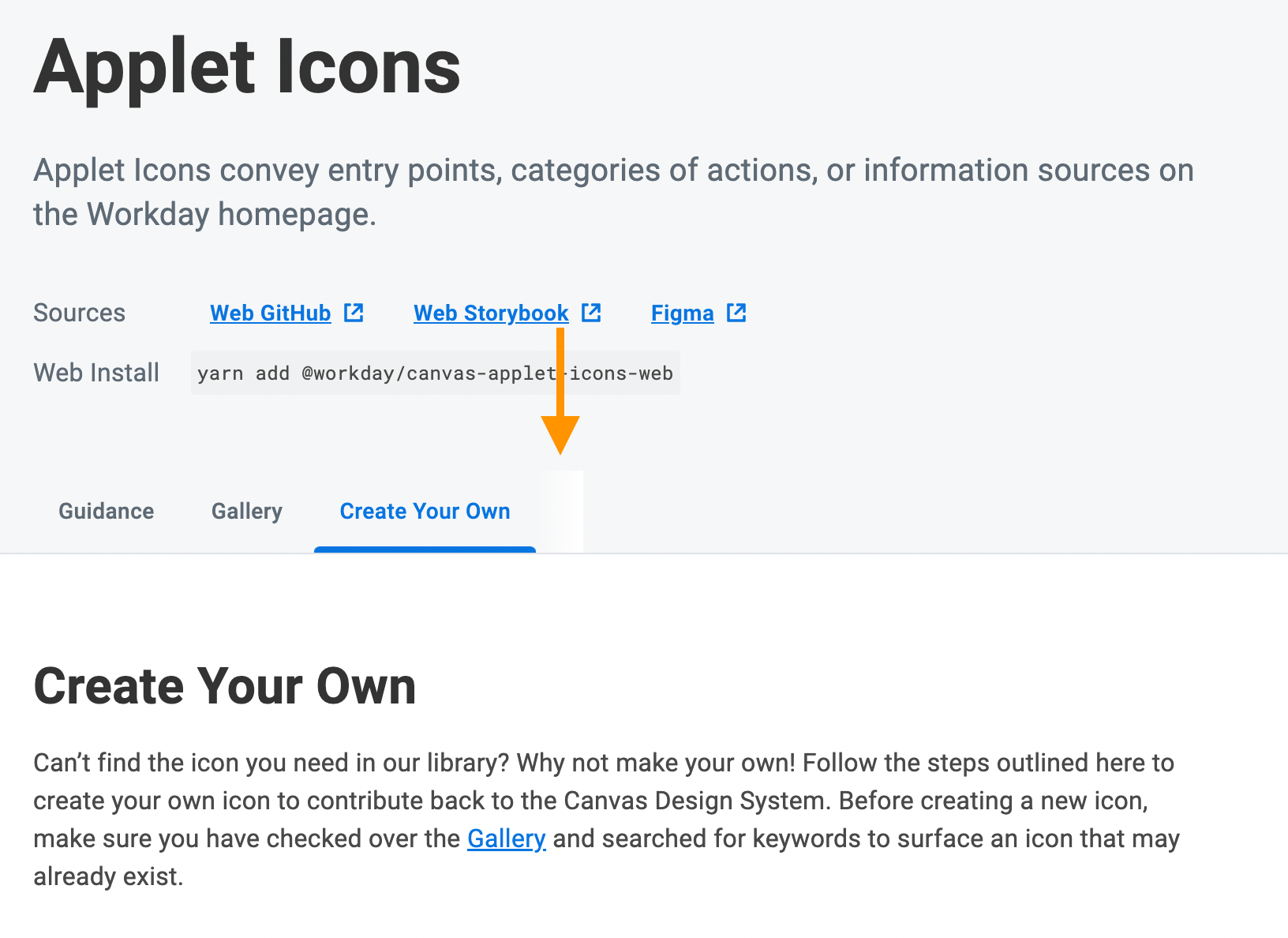
The Tabs component displays a white gradient after the last tab in the Tabs.List as a result of the linear-gradient added here to render a fade-out effect for overflow tabs when viewed on a mobile touch device (spec screenshot).
This gradient is imperceptible if the Tabs are displayed on a white background, but it creates a visual issue if they're displayed on non-white background:
To Reproduce
Render the tabs component on any non-white background.

Consider using mask-image. mask-image is not supported in IE11, but it's unlikely that any touch device will be running IE11 (the fade effect is only needed for touch devices ).
Example code using mask-image to achieve a fade effect: https://www.digitalocean.com/community/tutorials/css-masking-with-mask-image#masking-using-gradients