

 WWBN
WWBN
Live Streaming
From the videos it seemed that this would just work. But I cannot get live streaming to work. The only info I have found is: https://github.com/WWBN/AVideo/wiki/Set-up-my-own-Stream-Server It seems that this is a setup for a separate server, not just running on the Streamer. Is this true? Should the Live plugin just work, by turning it on? I don't think so without the nginx install. ???
I tried the above wiki and had it connecting to vMix, but the stream will not appear in AVideo. What am I missing?
Do livestreams only show in the bell or can they be like VOD clips in a channel?
I appreciate any help.
I am also interested in the ovenmedia connection as I am looking for SRT inputs into a system like this. I cannot find much advanced information on these things, is there a good resource or is it just to buy time from Daniel in some way.
I would like to know as much as I can about this software and its future. Thanks, Steve

Hi, the thing is ...
Install the Apache webserver for the streamer and encoder Install Nginx webserver/live server
Both web servers Apache/Nginx can coexist on the same server just make sure they have different ports

https://github.com/WWBN/AVideo/wiki/Set-up-my-own-Stream-Server#making-it-clear
Thanks but something is still not right. The wiki says to change the port to 444. Should this be 8443? ( have SSL pem setup.)
I have tried 8443 also and no go. I want to buy the save recorded plugin, but have to make this work first.
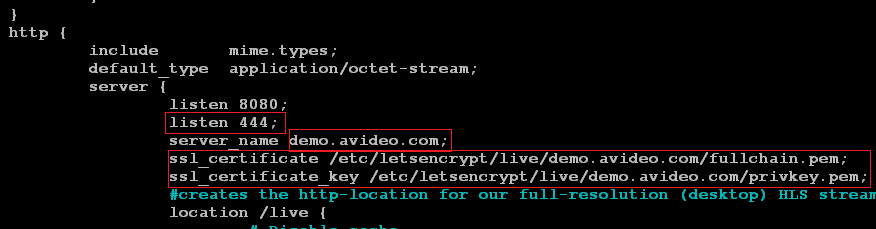 also 444 is on this image. (I had to add this line - is it needed?)
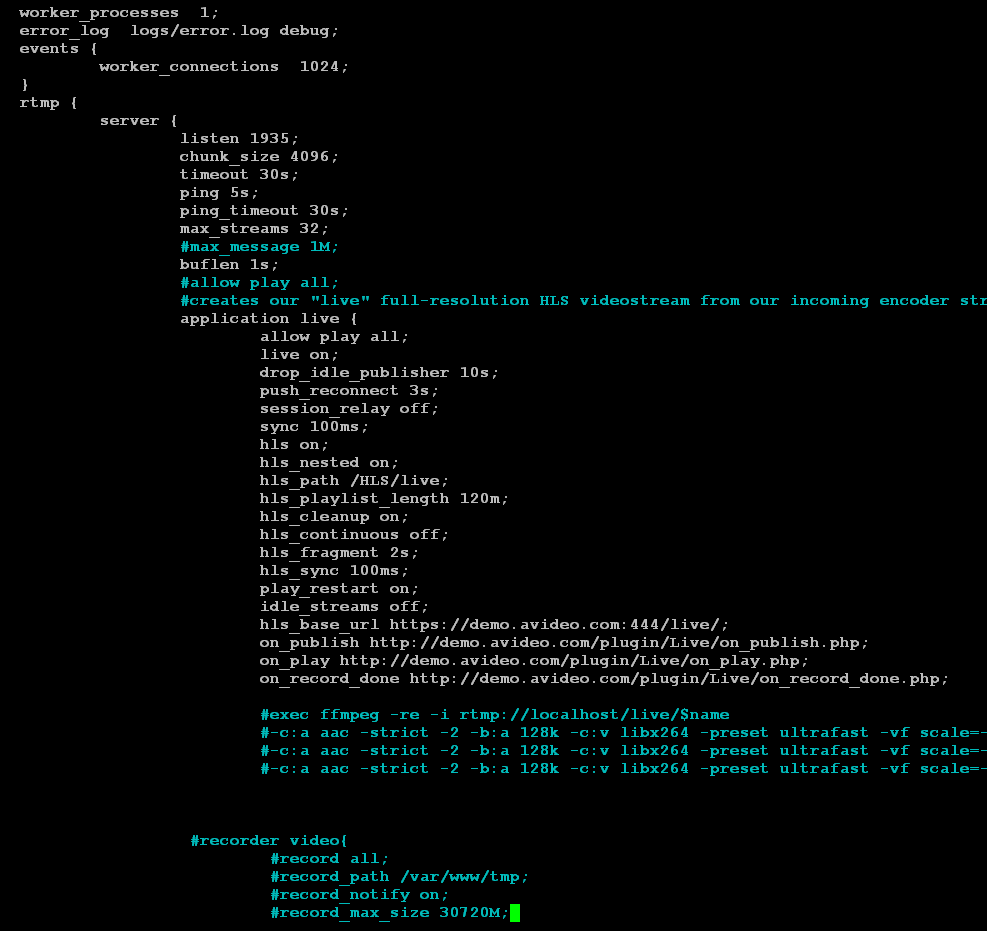
I have even tried streaming to the demo site:
https://demo.avideo.com/plugin/Live/
This also does not work...
I know I am missing something simple.
You may want to check you firewall settings. Make sure that the proper ports are open. These are the ports that I have open. TCP: 22, 80, 443, 444, 1935, 2053, 8080, 8443 | UDP: 2053

This issue has been automatically marked as stale because it has not had recent activity. It will be closed if no further activity occurs. Thank you for your contributions.
![stale[bot] avatar](https://avatars.githubusercontent.com/in/1724?v=4 "Published by a pub.dev verified publisher")