

 ValveSoftware
Extremely long editor loading times due to "AttemptInitializeXRSDKOnLoad" and broken paths
Hey,
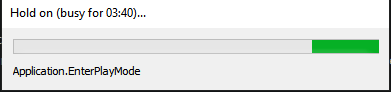
sadly i've run into an issue a while back which keeps popping up more often than not. When entering playmode loading times can take up to 6 minutes due to the asset database being refreshed and saved, seems like SteamVR/OpenVR is not finding a system path.
I thought it might have been related to the windows path length restriction but unlocking that only helped for a couple of hours. Now it's back to 2-3 minutes loading times.
Issue description with screen shots is in this thread, feel free to ask if you need any additional information!
Thanks in advance, any kind of help would be highly appreciated, feeling like i spend half the day looking at loading bars atm.
Kawa
Please send help q.q

So the two paths SteamVR comes up with are actually identical.
string oldPath = ActionManifestFileRelativeFilePath;
            string newPath;

            if (OpenVRHelpers.IsUsingSteamVRInput())
            {
                newPath = System.IO.Path.Combine(OpenVRSettings.GetStreamingSteamVRPath(false), OpenVRHelpers.GetActionManifestNameFromPlugin());

                string fullpath = System.IO.Path.GetFullPath(".");
                newPath = newPath.Remove(0, fullpath.Length + 1);

                if (newPath.StartsWith("Assets"))
                    newPath = newPath.Remove(0, "Assets".Length + 1);
            }
            else
            {
                newPath = null;
            }
Yet the trimming actions lead to the newPath only being the last few words of the whole path.
Therefore this
            if (newPath != oldPath)
            {
                ActionManifestFileRelativeFilePath = newPath;
                UnityEditor.EditorUtility.SetDirty(this);
                UnityEditor.AssetDatabase.SaveAssets();
                return true;
            }
this leads to a complete AssetDatabase refresh. Not sure if i can just quote that part or if that will lead to more issues. Frankly sick of watching loading bars though.

I hope someone will manage to fix it soon. Having the same issue here. I'll be lucky if I have 30s load, instead of 5 minutes

