

 ValveSoftware
BlendToPoser leftHand
Hi,
I'm working with Unity 5.4.2f, have the latest SteamVR plugin and I'm using knuckles controllers. I have a problem with left hand pose animation. To begin with, I'm using Steam VR_Behaviour_Skeleton and Steam VR_Skeleton_Poser. I'm not using Interactable script or any other utility provided by SteamVR plugin. Here is simple code which i'm trying to use:
    [SerializeField]
    private SteamVR_Behaviour_Skeleton skeleton;
    [SerializeField]
    private SteamVR_Skeleton_Poser poser;

    private void OnEnable()
    {
        skeleton.BlendToPoser(poser, 0);
    }
The problem is that right hand works just fine, but left hand is totally broken.
When I'm holding the controller with 100% poser blend animation it works fine, but when I release it (fingers returns to base skeletal animation I guess), then fingers break. Here are some sample screens:
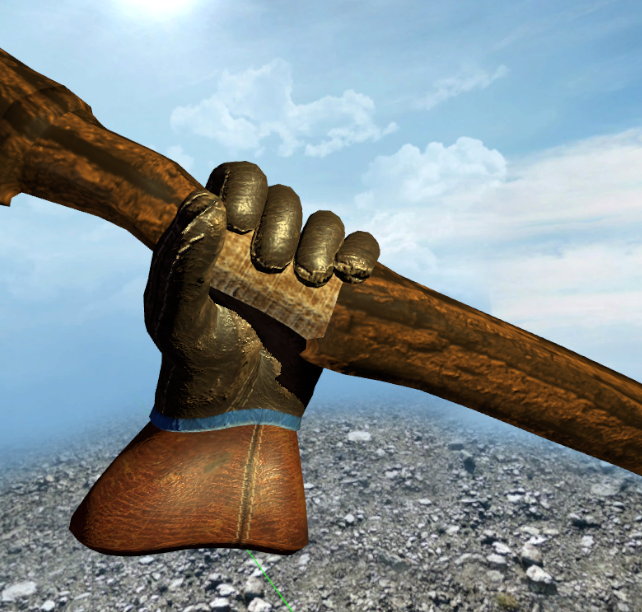
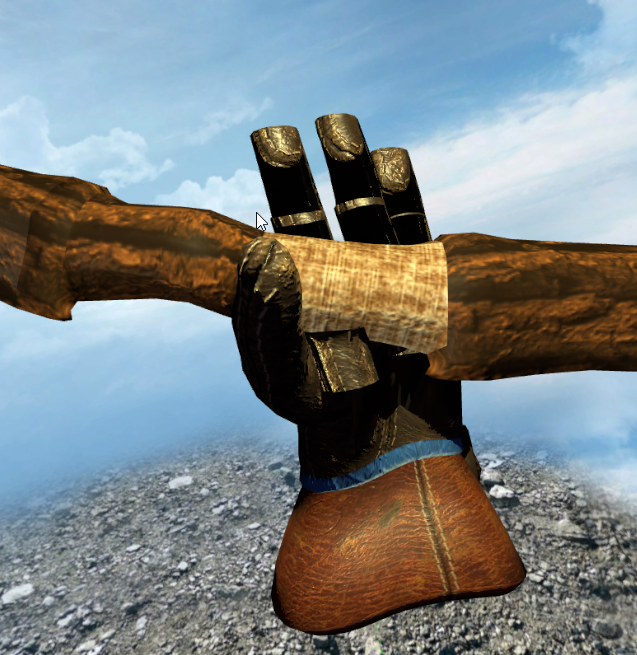
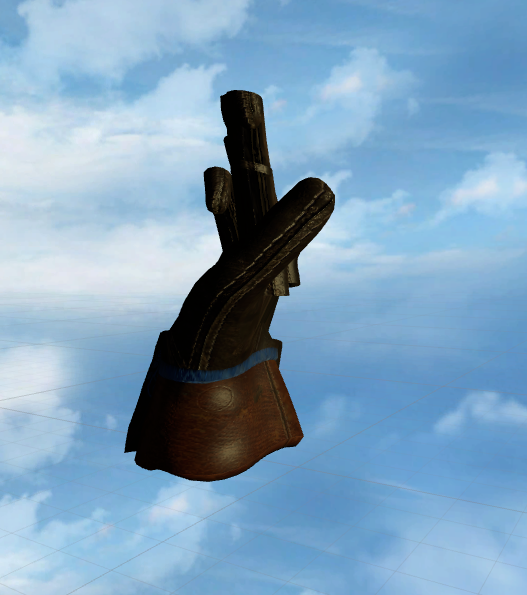
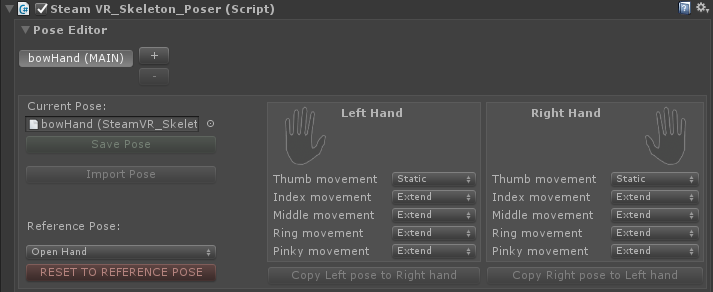
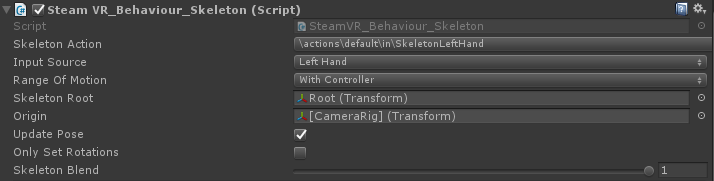
For me it looks like the fingers which are not touching the controller are trying to set their position and rotation from the right hand which breaks everything. Without skeleton_poser script left hand animations works fine. Do you have any idea why it's happening and how to avoid it?

Hello @dpankowski, please check if you're having the same issue as #319.

I've read this one already but as I understood someone just changed fingers state to static here:
 which isn't a solution to my problem because I need these fingers as extended.
Hopefully this has been fixed in the beta released yesterday. If you have time you can give that a try or you can wait until the next official release: https://github.com/ValveSoftware/steamvr_unity_plugin/releases/tag/2.3b1

Hey, using unity 2019.1.5f1 and the beta asset linked above and I still have this problem, before grabbing my hand is fine:
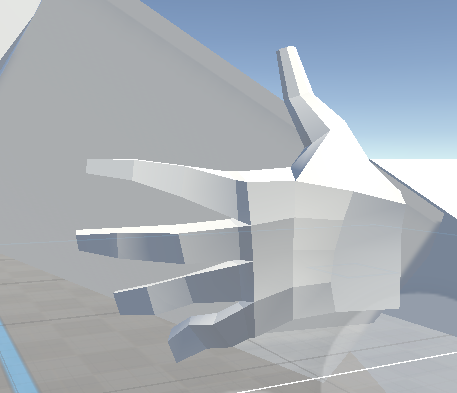 But after blending to poser it looks like this:
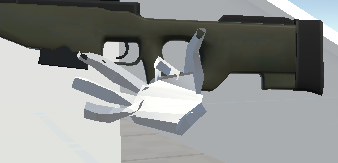 (Supposed to be the default open hand pose)
I don't think it is my .fbx as the skeleton system works fine until blending to the poser.
Any tips?
(Supposed to be the default open hand pose)
I don't think it is my .fbx as the skeleton system works fine until blending to the poser.
Any tips?

Any chance blendweights are the problem?
https://github.com/ValveSoftware/steamvr_unity_plugin/issues/449#issuecomment-501225717
I don't know, I built the hand in blender by importing the left-hand skeleton and building my mesh around it. I did fix the problem by just flipping my right hand on the x-axis and setting the skeleton mirror setting just like the default SteamVR gloves but I never tried messing around with the blendweights.
Hello! I'm having this issue with the interaction system in the current beta v2.4.1b. When I call hand.skeleton.BlendToPoser(testPose); The left hand skeleton is not mirrored properly with any fingers that aren't static. @zite

BlendToPoser leftHand (again)
Issue transferred from https://github.com/ValveSoftware/steamvr_unity_plugin/issues/605. @Jordo76 posted on 2019-12-06T09:16:29:
Hello, I've recently started using the SteamVR skeleton & skeleton poser on my app and I've noticed that if I do not use SteamVR's interactables and instead BlendToPoser myself, any finger that is not set to static on the left hand will have their animation mirrored (fingers going in the opposite way as if they were on the right hand instead). Now do note this works fine with the right hand.
This is indeed the exact same issue encoutered by @dpankowski in his issue dated May 2019 here which was resolved in 2.3b1, therefore his screenshots on his first post are still relevant : https://github.com/ValveSoftware/steamvr_unity_plugin/issues/427
Since this issue has been marked as fixed and someone experiencing the issue in October and commenting did not seem to draw any reaction from the development team, I figured it might've been due to a lack of visiblity and created a new issue on the return of this bug.
Furthermore, judging from that comment in October, the bug has returned since at least 2.4.1b, I can confirm that it is still present in 2.5.0, which is what I am using.
After a few tests, I've come to the conclusion that there is definitely something counteracting the fingers mirroring when grabbing an object in the left hand in the 'Hand' or 'Interactable' script that only triggers itself if you grab an object using their methods. This is demonstrated by the fact that picking up the same object using the same Player prefab but one with Interactable and the other with a custom script calling BlendToPoser made the Interactable one grab just fine but the custom script one inverted the non-static fingers on the left hand.
I'm having the exact same issue as @Wyattari. Skeleton.BlendToPoser() works perfectly on the right hand, but only works when all fingers are set to static on the left hand. It appears to be flipping the bones when blending between the static and extended finger curl positions.

This issue suddenly pooped up for me even when not holding an object. Using the gray vr_Glove_left or the red vr_glove_left_Slim and I am guessing any other hand the the left hand is suddenly inside out. Is there a setting somewhere I can check to resolve this myself rather then looking for an update. The hand is fine in one scene and all mangled in another.
Update:, I stupidly placed another left hand in the scene for testing and code comparison and forgot to delete it before running the game again. Once it was removed the hand was fine.

I think the root cause of this is SteamVR_Skeleton_Poser.UpdateAdditiveAnimation which uses the bone positions and rotations directly from the skeleton action instead of the mirrored ones that are calculated in the Skeleton Behaviour. I don't know if this was intended but just hacking together this solves the issues for me.
