

 ValveSoftware
Not Initialized (109)
Over the past couple of days I have been getting this warning when I try to run my SteamVR project (this never happened before). Unity just won't recognize that steam VR is running. I have no clue how to fix it because every time it goes away it's after I stop and start the game a could of times but this does not always fix the problem. SteamVR itself works just fine I can play games and even open the build of the same project. It's just a problem in the editor. This absolutely kills my productivity because it can go for hours in end (I have also had times where it went away in 5 minutes but like I said, I have no clue why).


I noticed that happening to me recently. I found that there was an update for the XR Plugin Management package. I updated that and it stopped happening. No idea how that works but do you mind giving that a try?
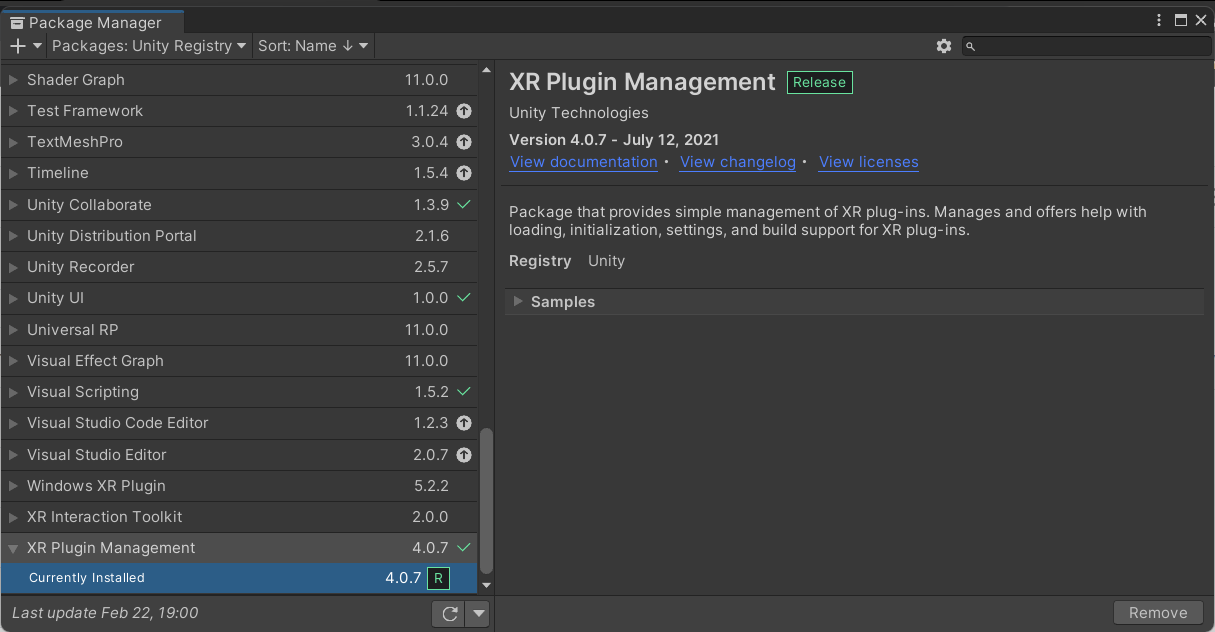



I tried this without success, I have an Oculus Rift. A friend with this exact same problem with an Oculus Quest 2 tried it also without success.

I tried this without success, I have an Oculus Rift. A friend with this exact same problem with an Oculus Quest 2 tried it also without success.
Do you also have Oculus selected in the XR runtimes? It may override OpenVR in that scenario.
I tried with and without Oculus selected. I also tried reimporting the xr setting in case I missed an update or changed a setting without remembering
- but no dice
On Thu, Apr 14, 2022 at 11:44 AM Keith Bradner @.***> wrote:
Message sent from a system outside of UConn.
I tried this without success, I have an Oculus Rift. A friend with this exact same problem with an Oculus Quest 2 tried it also without success.
Do you also have Oculus selected in the XR runtimes? It may override OpenVR in that scenario.
— Reply to this email directly, view it on GitHub https://github.com/ValveSoftware/steamvr_unity_plugin/issues/1012#issuecomment-1099316408, or unsubscribe https://github.com/notifications/unsubscribe-auth/AWLHGITXRZSA3VQFIWW6EQLVFA4MNANCNFSM5O7VV6PQ . You are receiving this because you commented.Message ID: @.***>
I just rented a HTC Vive Pro 2 from my college and it’s working with no issues…doesn’t explain why my oculus rift dev kit stopped getting detected in Unity all of a sudden, but hopeful helps shed some light?
On Thu, Apr 14, 2022 at 12:44 PM Alden Earwood @.***> wrote:
I tried with and without Oculus selected. I also tried reimporting the xr setting in case I missed an update or changed a setting without remembering
- but no dice
On Thu, Apr 14, 2022 at 11:44 AM Keith Bradner @.***> wrote:
Message sent from a system outside of UConn.
I tried this without success, I have an Oculus Rift. A friend with this exact same problem with an Oculus Quest 2 tried it also without success.
Do you also have Oculus selected in the XR runtimes? It may override OpenVR in that scenario.
— Reply to this email directly, view it on GitHub https://github.com/ValveSoftware/steamvr_unity_plugin/issues/1012#issuecomment-1099316408, or unsubscribe https://github.com/notifications/unsubscribe-auth/AWLHGITXRZSA3VQFIWW6EQLVFA4MNANCNFSM5O7VV6PQ . You are receiving this because you commented.Message ID: @.***>