

 ValveSoftware
DeoVR Video Player (837380)
Compatibility Report
- Name of the game with compatibility issues: DeoVR Video Player
- Steam AppID of the game: 837380
System Information
- GPU: GTX 1080
- Driver/LLVM version: nvidia 410.66
- Kernel version: 4.18.0-10-generic
- Link to full system information report as Gist: https://gist.github.com/leinardi/be35c4f26aaecb5736bd2b4052161d60
- Proton version: 3.16-3 Beta
I confirm:
- [x] that I haven't found an existing compatibility report for this game.
- [x] that I have checked whether there are updates for my system available.
Symptoms
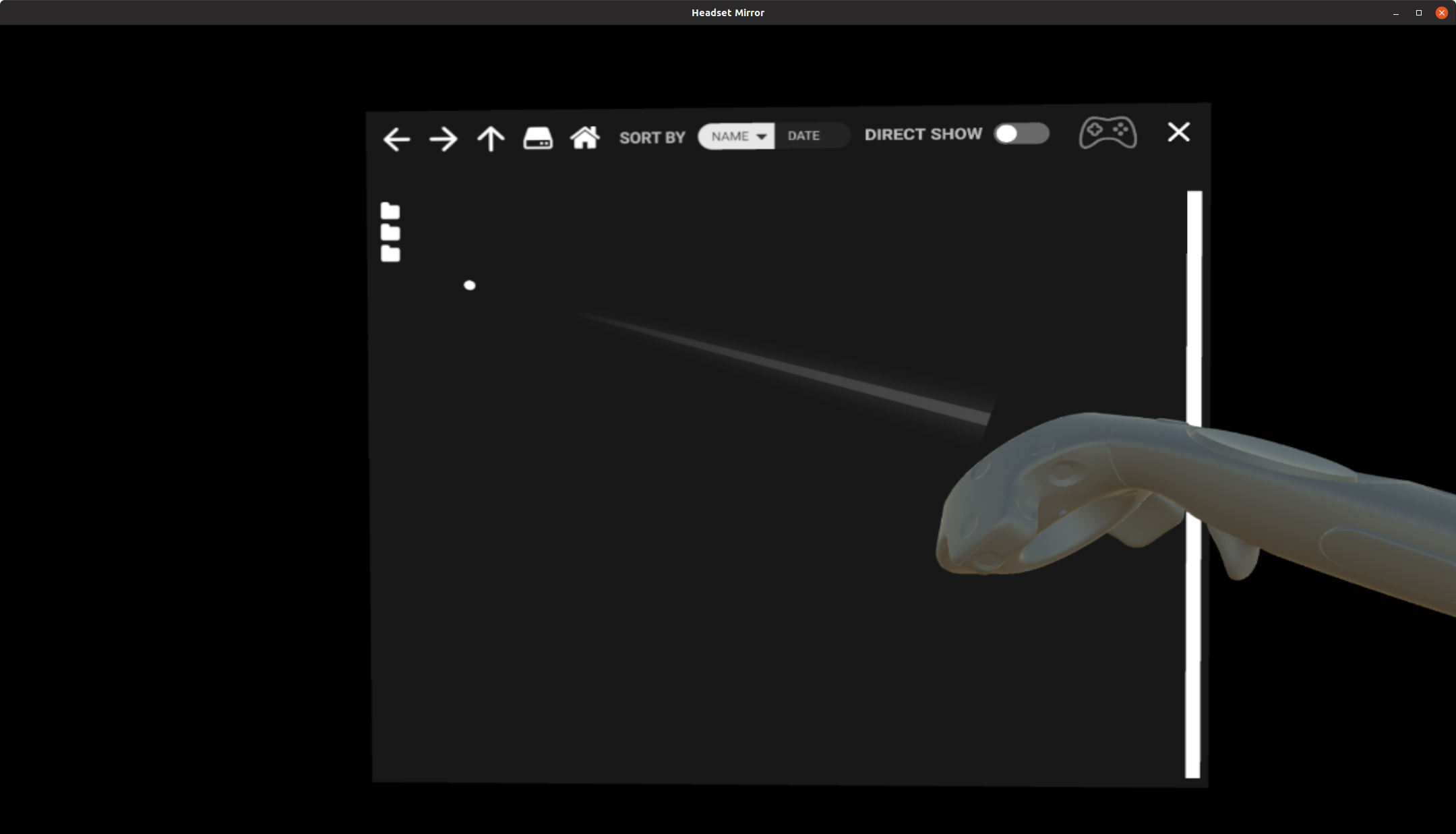
The player starts but the file browser shows only the icons without any text:
Reproduction
Install and play DeoVR

@nsivov File name issue fixed also here using 3.16-4.
But the player shows this error:

The app is functional for navigating to different directories, but upon playing files I get the same error as OP. I have very similar hardware, and GTX1080, but using Proton 4.2-2. I can open a new issue if necessary.
Also, with ffmpeg this error still triggers: WINEPREFIX=~/.local/share/Steam/steamapps/compatdata/837380/pfx winetricks ffdshow.
Attempts to install LAVFilters were unsuccessful, possibly at the step where the installer registers the DLLs to the registry (via regsvr32).

I can't seem to get it working at all. When loading a video from the frontpage it crashes instantly.
I installed lavfilters through protontricks and then install Media Foundation through <Link removed by moderator>
both with no success

Hello @Scrumplex, the workaround you linked is legally problematic and has been removed.

is legally problematic and has been removed.
Oh sorry for that. To be honest, I don't really understand the situation around Media Foundation, as it apparently is somehow supported in Wine itself or something like that? Anyways: This issue seems to be something more foundational (pun intended) than just some DLLs missing.
I just don't know what to do with anything in the proton log.
After playing around with different Proton versions I got it working (sort of).
I settled on Proton 5.13-6 and, in addition, installed lavfilters via protontricks.
That got DeoVR working for me for local files. Not sure, about network files, as both DeoVR demo videos and videos on my DLNA server failed to load (error was "unsupported format").
I also made sure that "Unity player" and "DirectShow" were both disabled in the settings, as those caused some videos to not load. Having both disabled yielded the best results.
The Valve Index Knuckles didn't work with versions before 5.13-6. Proton Experimental and any Proton-GE version I tried all crashed, either at startup or when trying to play a video.
After some more investigation today I found a possible cause for network files not loading.
Look at the following excerpt from output_log.txt located in <compatdata>/837380/pfx/drive_c/users/steamuser/AppData/LocalLow/Deo VR/Deo VR/.
(Filename: C:\buildslave\unity\build\Runtime/Export/Debug.bindings.h Line: 45)

GetDefaultCodecType: h264

(Filename: C:\buildslave\unity\build\Runtime/Export/Debug.bindings.h Line: 45)

GetDefaultFPS: 0

(Filename: C:\buildslave\unity\build\Runtime/Export/Debug.bindings.h Line: 45)

Get DefaultRes: 1920

(Filename: C:\buildslave\unity\build\Runtime/Export/Debug.bindings.h Line: 45)

Opening in Unity Player: https://s3.deovr.com/videos/h264/100_1920p.mp4

(Filename: C:\buildslave\unity\build\Runtime/Export/Debug.bindings.h Line: 45)

WindowsVideoMedia error 0x80070003 while reading https://s3.deovr.com/videos/h264/100_1920p.mp4

Context: MFCreateSourceReaderFromURL
Error details: Path not found.

Track types:


(Filename:  Line: 2795)

Opening in Unity Player: https://s3.deovr.com/videos/h264/100_1440p.mp4

(Filename: C:\buildslave\unity\build\Runtime/Export/Debug.bindings.h Line: 45)

Switching to lower resolution from: 1440

(Filename: C:\buildslave\unity\build\Runtime/Export/Debug.bindings.h Line: 45)

WindowsVideoMedia error 0x80070003 while reading https://s3.deovr.com/videos/h264/100_1440p.mp4

Context: MFCreateSourceReaderFromURL
Error details: Path not found.

Track types:


(Filename:  Line: 2795)

Opening in Unity Player: https://s3.deovr.com/videos/h264/100_1080p.mp4

(Filename: C:\buildslave\unity\build\Runtime/Export/Debug.bindings.h Line: 45)

Switching to lower resolution from: 1080

(Filename: C:\buildslave\unity\build\Runtime/Export/Debug.bindings.h Line: 45)

WindowsVideoMedia error 0x80070003 while reading https://s3.deovr.com/videos/h264/100_1080p.mp4

Context: MFCreateSourceReaderFromURL
Error details: Path not found.

Track types:


(Filename:  Line: 2795)
It tries to open the target video (some random demo video from deovr.com) at 1920p. Failing that it tries to open a lower resolution, which also fails. At last it tries the lowest available version. This behavior is not that interesting as it just tries lower resolutions, just in case the Windows media libraries' didn't like the high res stuff (MS is not allowed to decode HEVC with a resolution more than UHD or something like that).
But in this case the problem isn't any library or decoder at all. Looking at the last lines of each error of the files that it tried to play, we can see the error MFCreateSourceReaderFromURL Path not found.. Now this looks to me like it's maybe trying a local path although it clearly is a HTTP URL. So looks like Wine (Proton 5.13-6) MFCreateSourceReaderFromURL implementation is somehow broken here. As mentioned earlier, newer versions of Proton (incl. Proton-6.1-GE, which should include the newer MediaFoundation patches for Wine 6) don't work at all with DeoVR.
Current workaround for playing these files is to download them (as the URL is provided in the log file) and play them locally.
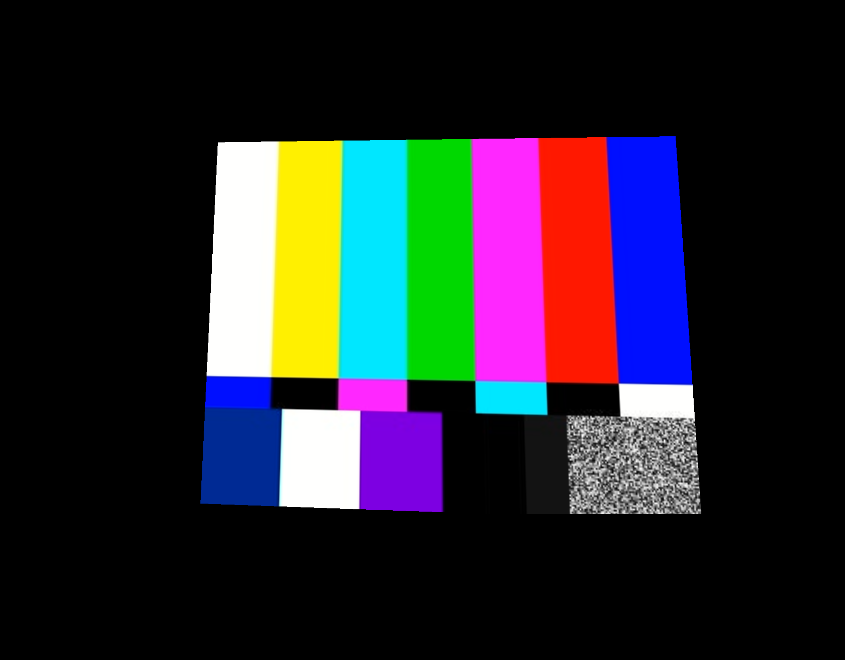
While installing lavfilters seems to have enabled playback of webms using VP8, mp4s using h264 or h265 still do not play, instead displaying a test pattern. Do those work for you?
Incidentally, you mention that newer versions of Proton don't work at all with DeoVR, which seems not to be true on my end - Proton Experimental seems to do just fine.

Perhaps I spoke too soon - indeed, installing lavfilters702 instead of lavfilters gets h264 and h265 files to load - but seems like only on proton 5.13. I have some other issues with it now, namely the very limited access to the filesystem this app seems to have. I can basically only access files in my user's home folder, some files in Steam Libraries on other drives, and everything else is just.... invisible. This is perhaps intended behavior for Proton, but is there any way to override it? I tried links, but they are invisible as well.
but is there any way to override it
not quite sure, but this security measure comes from pressure vessel a.k.a. Soldier Linux Runtime. There is probably a way to disable it
Hello @vickyorlo, starting with Proton 5.13, Proton is run inside of the Steam Linux Runtime - Soldier container environment, and that is not supposed to have unlimited access to the host system. You can tell Steam to ask pressure vessel to add extra, specific folders into the container environment with STEAM_COMPAT_MOUNTS=/path/to/unexpected/folder %command% in the player's launch options. (https://github.com/ValveSoftware/steam-runtime/issues/308)
Oh, that's splendid. Thanks a lot! I suppose with all that the program is quite usable.
Recently the app seems to launch but freeze very quickly and rather indiscriminately, even if I do nothing, Sometimes it takes SteamVR along with it, sometimes it freezes even the desktop compositor. If I don't have either of my Knuckles turned on when I launch the app, it seems to survive for a few extra seconds before it freezes. I've tried basically everything, different Proton versions, clean prefix, I even downgraded my Nvidia drivers and checked on another compositor, but every time the same thing happens. Can someone reproduce this? Maybe something changed in one of the updates to DeoVR?
Recently the app seems to launch but freeze very quickly and rather indiscriminately, even if I do nothing, Sometimes it takes SteamVR along with it, sometimes it freezes even the desktop compositor. If I don't have either of my Knuckles turned on when I launch the app, it seems to survive for a few extra seconds before it freezes. I've tried basically everything, different Proton versions, clean prefix, I even downgraded my Nvidia drivers and checked on another compositor, but every time the same thing happens. Can someone reproduce this? Maybe something changed in one of the updates to DeoVR?
I can confirm most of this. From my limited research, it seems that the new version 9.x of DeoVR is very unstable and causing a lot of issues on Windows, too. That said, it does generally load up on Windows on the current version, so this is still a proton issue.

Apparently Proton Experimental can get you to the start screen now. I installed lavfilters via protontricks additionally. Online content still doesn't load. Relevant log:
WindowsVideoMedia error 0x80004001 while reading https://cdn-vr.deovr.com/full_videos_app/h264/15_1920p.mp4?Expires=1631214586&Signature=jPdvdSdcJFraWbqZN0Kthx2NztA%3D&AWSAccessKeyId=ACF1E79A1D064B998FF2C62A58DF9C60&ip=<my-ip-address>

Context: Creating DXGI DeviceManager
Error details: Not implemented.

Track types:

(Filename:  Line: 3733)

WindowsVideoMedia error 0x8007007b while reading https://cdn-vr.deovr.com/full_videos_app/h264/15_1920p.mp4?Expires=1631214586&Signature=jPdvdSdcJFraWbqZN0Kthx2NztA%3D&AWSAccessKeyId=ACF1E79A1D064B998FF2C62A58DF9C60&ip=<my-ip-address>

Context: MFCreateSourceReaderFromURL
Error details: Invalid name.

Track types:

(Filename:  Line: 3728)
As it says Not implemented. I guess it's just a Wine thing.
Local videos don't work. Test-image is shown instead:
I couldn't get Proton-GE working at all.
I can corroborate, Proton Experimental does seem to work. However, even with lavfilters installed it acts as if they were missing - I can still open webms with VP0 video streams and they run fine, but anything avc1 and hvc1 gives the test pattern. Kind of strange. Hope someone with more experience on these issues can take a look at this, because I can't tell why lavfilters would suddenly stop working. I also tested lavfilters702 to see if there was any difference, but nope. I tried installing allcodecs, but that didn't help either (it also soft-locked with an empty infinite error on some obscure codec in the middle).
I confirm the above.
On GE-7.0rc3 the app does not even start On Experimental (as of this post's date), 6.3-8, 5.13-6, 5.0-10, with lavfilters installed through protontricks, and with or without directshow/unity-player on app's settings; online videos do not load properly, and with local videos I can only get the test image posted by @Scrumplex

Was able to get this working on proton 6.3-8 with protontricks 837380 directshow cinepak lavfilters. I assume it would work okay on 7.0-1 except that protontricks has some kind of permissions error when trying to install the dlls. Also, on Arch, I had to install winetricks-git rather than winetricks to get around some other error that I can't recall now.
I'm actually not positive that cinepak and lavfilters are needed, but I've tried so many combinations of things that I'm afraid to touch my now-working setup to find out.

Can confirm that it works with directshow on 6.3-8 and 7.0-1, but you probably still want lavfilters or lavfilters702. Only directshow did not seem to work. Not sure about cinepak either, I installed it and it certainly works. The app is super fiddly and likes to crash in random configurations or not even start (or maybe it's just SteamVR for Linux being sketchy?) so I just left it alone.