

 TranslucentTB
White line when timeline opend
[ ] I have checked the issue tracker if my question or bug has already been fixed or answered in another (possibly closed) issue.
- TranslucentTB version: 5.0.0.0
- Windows build number: 1809
- Steps to reproduce: nothing
- Expected results: no white line above the taskbar
- Actual results: there is a white line above the taskbar
- Other: I think it's about aero peek button.If aero peek showed,when the timeline opend,the white line will show between the window and taskbar.

I found the problem , when used small taskbar,timeline and taskbar not fit well.

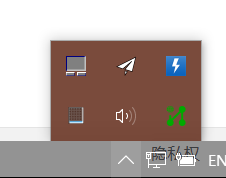 Can you make background task panel setable?
I have a similar issue. I set Timeline Opened to Enabled, Clear, Accent color 0x00000056. In the past, the timeline view looked perfect. However recently, there is now a shadow in the taskbar.


I have a similar issue. I set Timeline Opened to Enabled, Clear, Accent color 0x00000056. In the past, the timeline view looked perfect. However recently, there is now a shadow in the taskbar.
I set taskbar auto hide to solve this issue,and it worked.