

 Tichau
H.265 HEVC Version ✔
Hi, I just wanted to share a version that I edited to support H.265 codecs. https://github.com/masterofobzene/FileConverter-H265/releases/tag/1.2.4
There are 2 versions: CPU and GPU. If you have a Nvidia card that supports hardware encoding, you may want to use the GPU version for a real speed boost.
Take care.

Just tried your h265 gpu version and I set crf to 18 and ffmpeg command line is using crf 32! Please check at your end!
Update - I see gpu does not use crf but it is still in the command line. Here is a good talk about best settings for gpu -
https://superuser.com/questions/1236275/how-can-i-use-crf-encoding-with-nvenc-in-ffmpeg
Any way to add a field to use our own command line?

Sorry, but I don't understand what you mean, what are you talking about when you compare to command line? what command line? ffmpeg? Whats the issue? do you see a drop in quality? file size? I've used it and size is reduced almost 50% most of the times and I don't see a quality drop.
Yes, I was looking at the "Log" tab when the encode finishes. The full output of ffmpeg is there with the command line used. Here is a sample I just did- Unfortunately, that window can't be copied so here are 2 screenshots showing the command line.
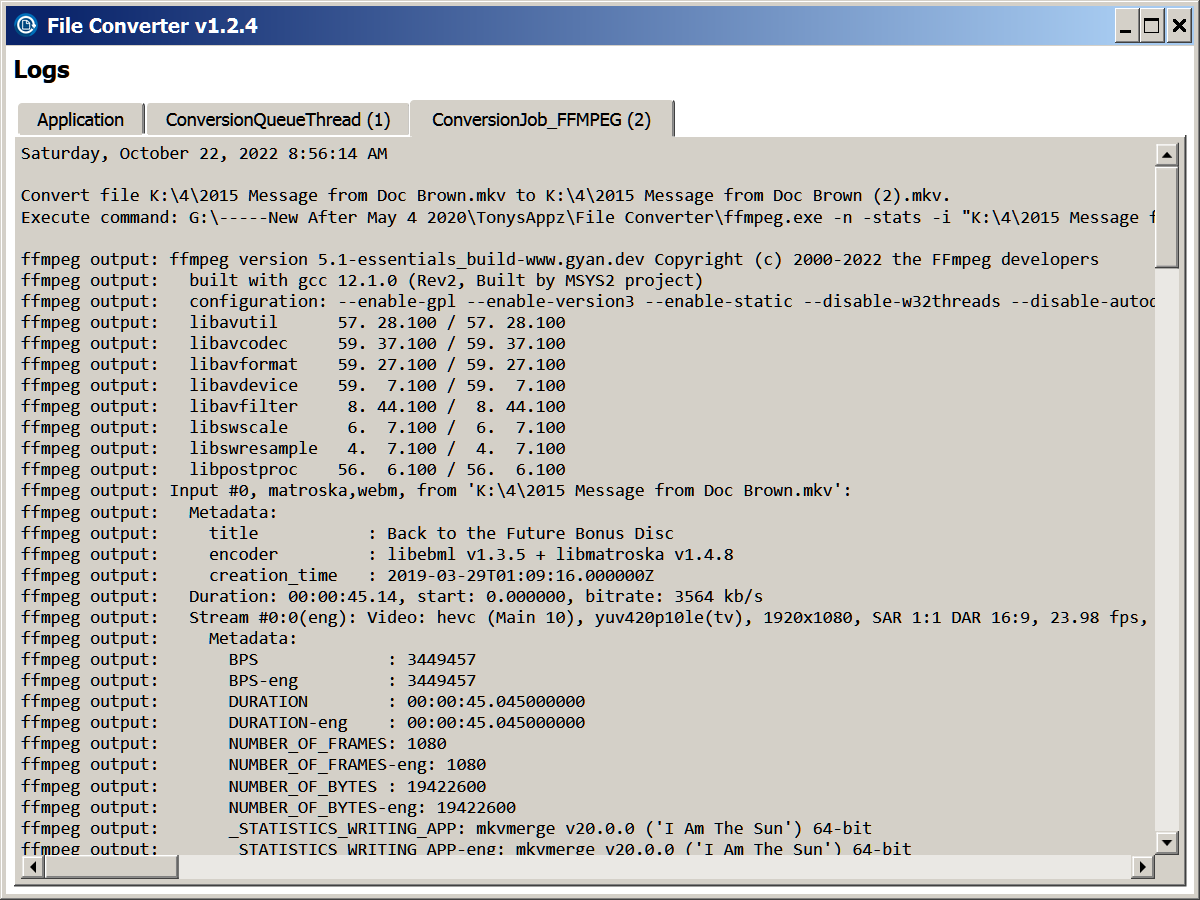
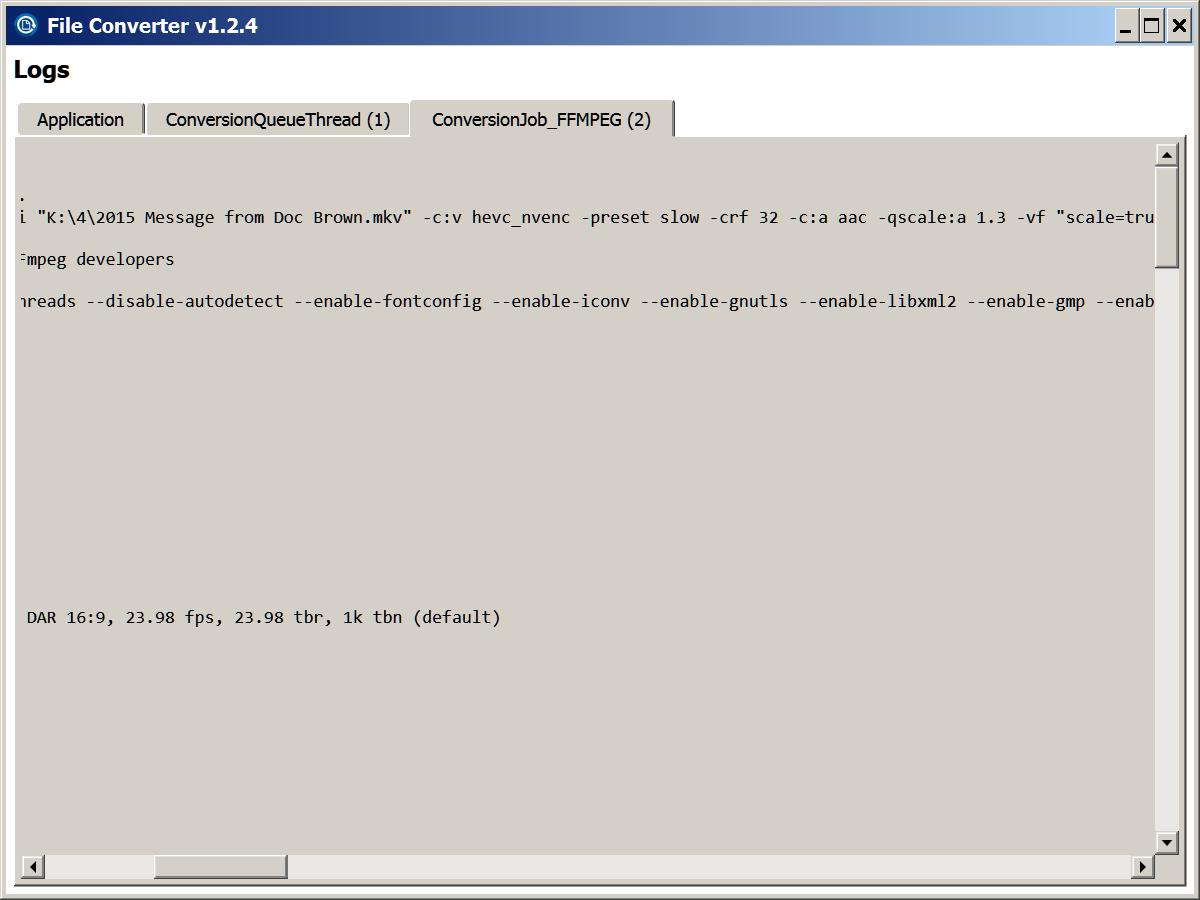
There are lots of articles about which commands to use for the gpu. It would be nice that I could just paste my personal choices into a new "User Commands" field that would over-ride the built in commands.
question its any way to add support for .ts file for now i need do change manually .ts to .mkv to make a conversion thanks!

question its any way to add support for .ts file for now i need do change manually .ts to .mkv to make a conversion thanks!
Not sure what you mean, the release on my fork has .ts support.
question its any way to add support for .ts file for now i need do change manually .ts to .mkv to make a conversion thanks!
Not sure what you mean, the release on my fork has .ts support.
You looks like what I mean thanks , i try yours
On this one you don't have .ts option
Mmm maybe you are a little confused... I only forked this app and modified it to support .ts and h265 codecs. This repo "Tichau/FileConverter" is the original project. Mine is "masterofobzene/FileConverter-H265" , a "patched" version. Sorry I didn't add it in the OP (was a later modification)
Mmm maybe you are a little confused... I only forked this app and modified it to support .ts and h265 codecs. This repo "Tichau/FileConverter" is the original project. Mine is "masterofobzene/FileConverter-H265" , a "patched" version. Sorry I didn't add it in the OP (was a later modification)
i know you forked app , i know what yo do there, i know original project its tichau, file convert, etc etc.
i already know all that.
Mmm maybe you are a little confused... I only forked this app and modified it to support .ts and h265 codecs. This repo "Tichau/FileConverter" is the original project. Mine is "masterofobzene/FileConverter-H265" , a "patched" version. Sorry I didn't add it in the OP (was a later modification)
i am using ur work mate and it works flawlessly...could you please add it to chocolatey packages

Hey, I finally had some time to prepare and finish the release of a version of File Converter. Thanks for creating this fork and giving alternative to people that needed these features <3
I'll be happy to merge your changes if you send me a pull request.
