
Cortex

Cortex copied to clipboard
 TheHive-Project
[Bug] Cortex "Organization > Configuration and Organization > Analyzers" Missing On GUI
Request Type
Potential bug.
Problem Description
I am currently trying to deploy Cortex inside Docker using the following Docker compose:
version: "2"
services:
  elasticsearch:
    image: docker.elastic.co/elasticsearch/elasticsearch:5.6.0
    environment:
      - http.host=0.0.0.0
      - transport.host=0.0.0.0
      - xpack.security.enabled=false
      - cluster.name=hive
      - script.inline=true
      - thread_pool.index.queue_size=100000
      - thread_pool.search.queue_size=100000
      - thread_pool.bulk.queue_size=100000
    ulimits:
      nofile:
        soft: 65536
        hard: 65536
    volumes:
      - /Users/brubraga/PycharmProjects/CTAMISPFeeder/Docker/thehivecontainer/es-db:/usr/share/elasticsearch/data
  cortex:
    image: thehiveproject/cortex:latest
    user: root
    ports:
      - "0.0.0.0:9001:9001"
However, when i access the GUI i see:
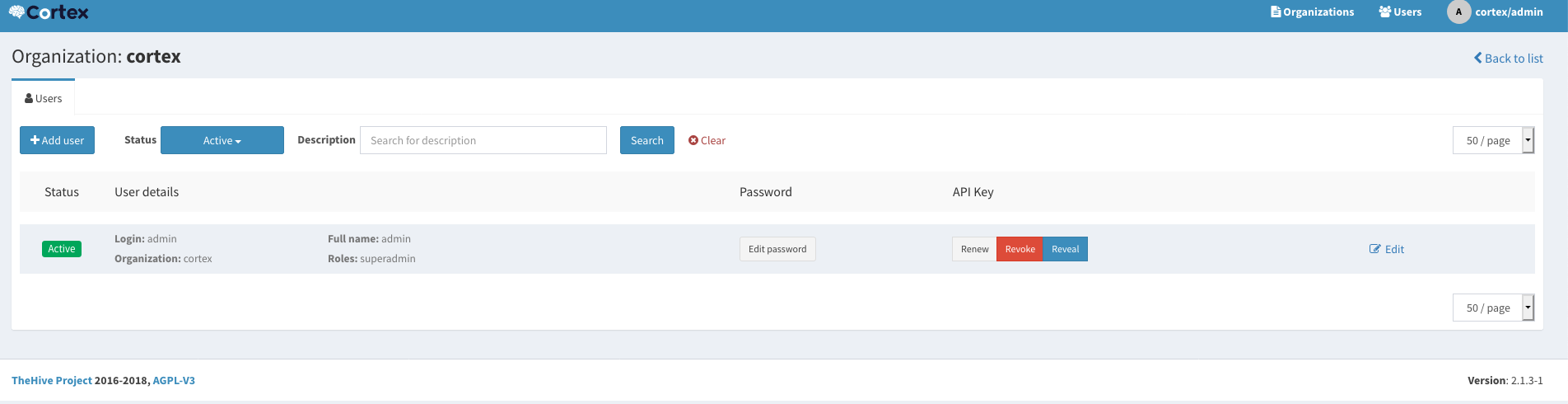
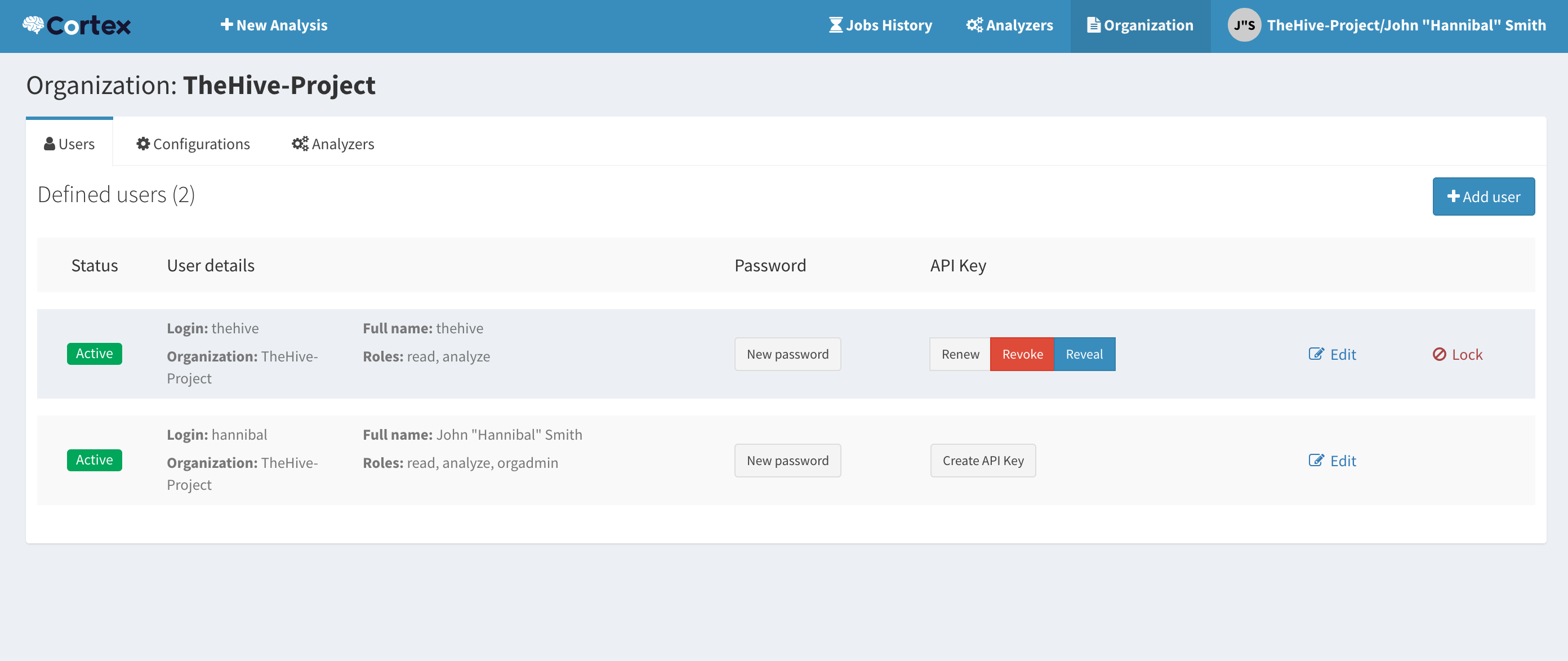
instead of (source: https://github.com/TheHive-Project/CortexDocs/blob/master/admin/quick-start.md#step-7-optional-create-an-account-for-thehive-integration):
Steps to Reproduce
- Deploy Docker cluster using Docker compose above

You need to create an org and an orgadmin and log back in to that account.
