

 TelegramMessenger
Memory usage shows incorrect values
Checklist
- [x] I am reporting an issue in existing functionality that does not work as intended
- [x] I've searched for existing GitHub issues
Description
In latest release of 9.3 client, was renewed/modified setting section called "memory usage". The problem is that it shows incorrect values(see screenshots below). In previously version it shown proper/correct values which corresponds to "reality". Plus it shows incorrect usage of TG client in comparison with total memory (incorrect calculations i guess?) and incorrect translation which doesn't make any sense.
Expected Behavior
Memory usage should show correct/corresponding memory usage of Telegram Client.
Actual Behavior
It shows absolutely random/incorrect values
Steps to Reproduce
- Go to memory usage
- Check what it's showing
- Go to system settings of iOS -> Content of iPhone -> Telegram App -> compare with values that are shown in memory usage of TG client.
Screenshots and Videos
Memory usage (telegram client) -

Real memory usage of telegram client (iOS settings) -

Environment
Device: iPhone 7 Plus
iOS version: 15.6.1
App version: 9.3 + 9.4

@laktyushin , @ali-fareed any thoughts?
Also, there is an bug/unhandled case - when account is logged out, all cached data is saved/remains as is and can't be deleted, right?
@ali-fareed it continue to grow, clear cache doesn't reflect reality of used storage. Any ideas?..
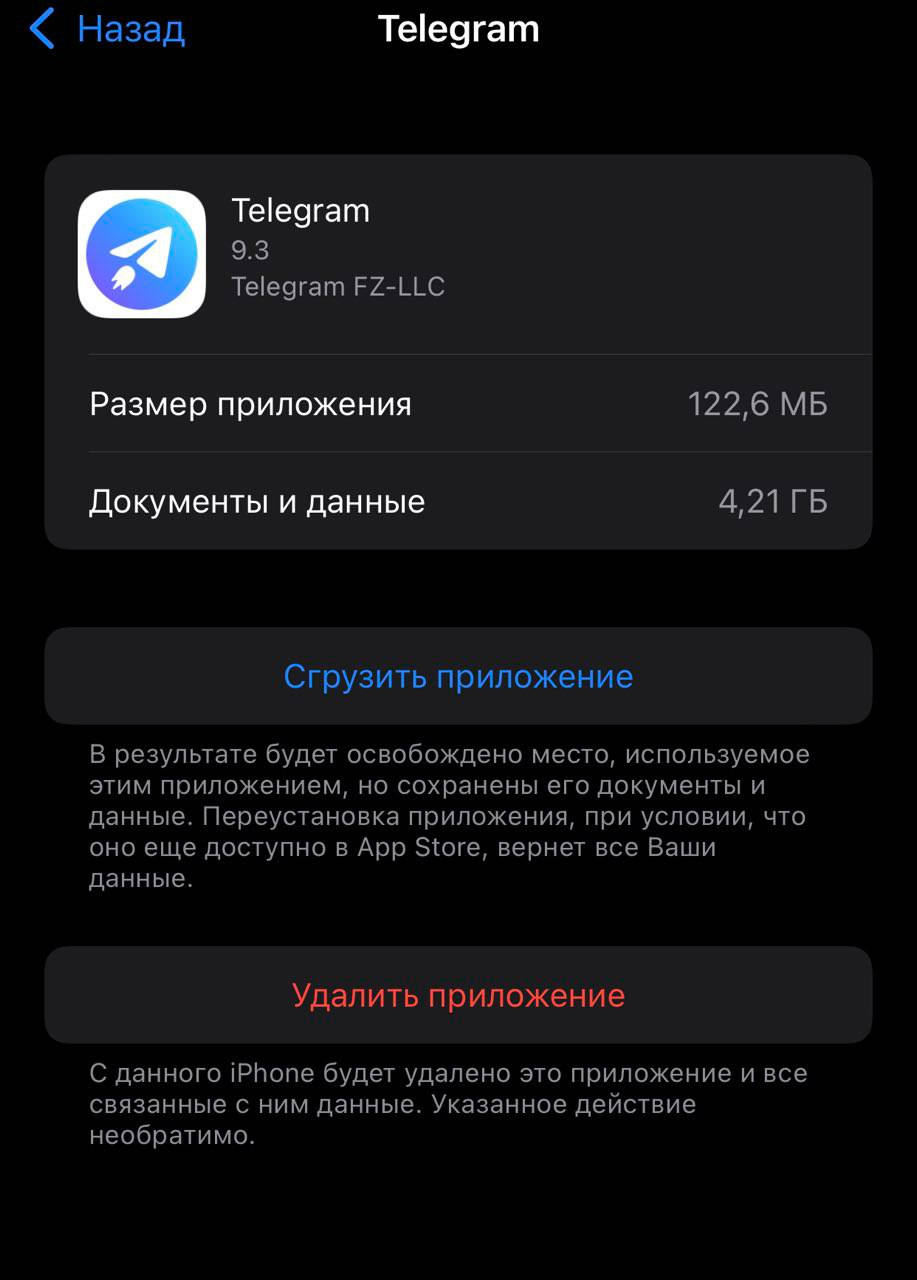
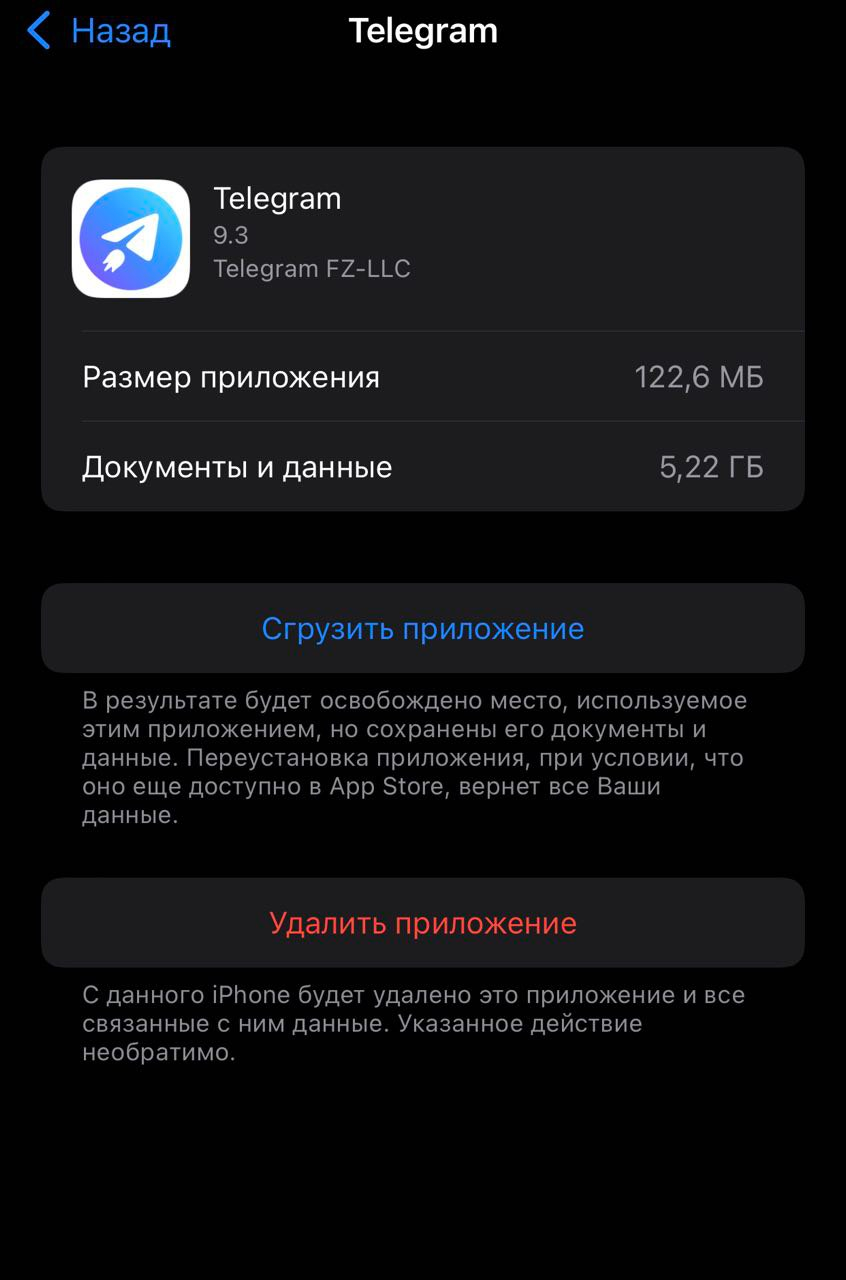
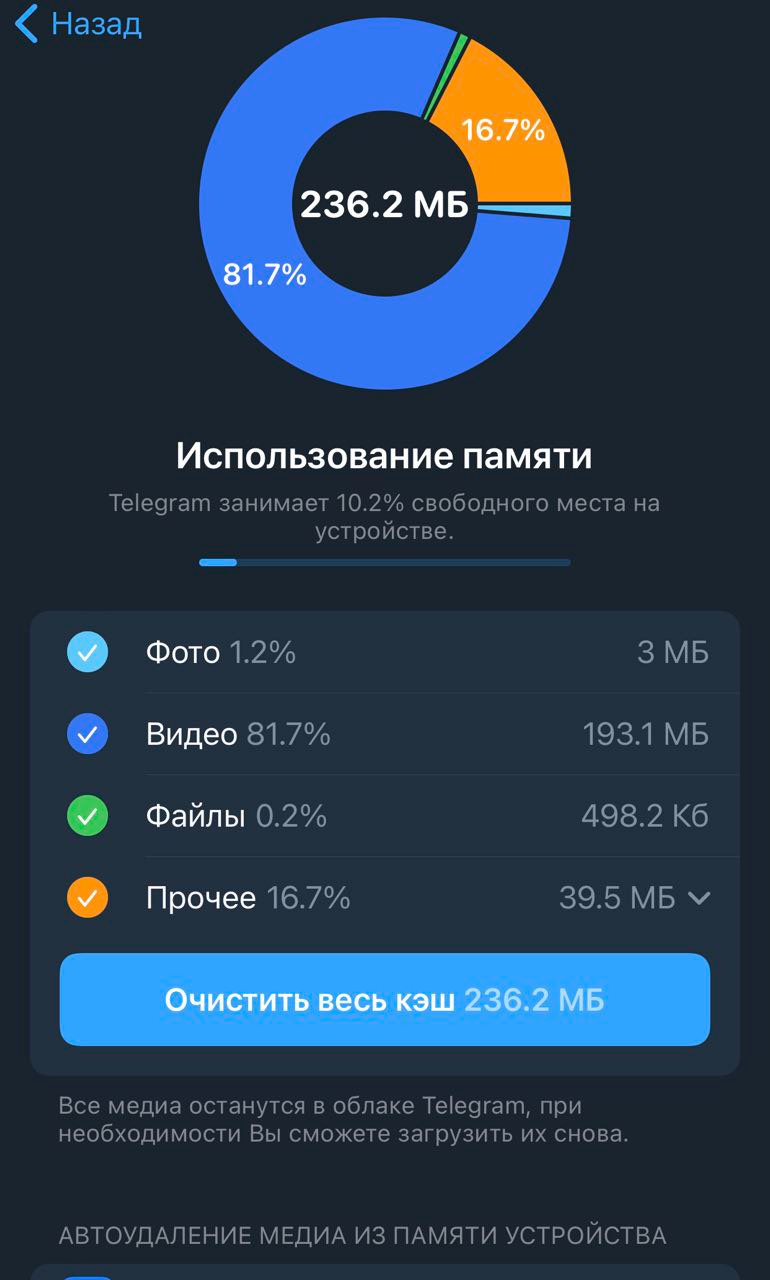
@ali-fareed Hello again. I have deleted app and reinstalled again with fresh update 9.4(to free space). Currently i'm using two accounts and after several days of usage tg client(both two accounts), telegram data increased from 100mb to 5GB+. Clear cache doesn't free space correctly/properly. Please take a look -
Here is fresh example of clearing cache, account Nr.1 -
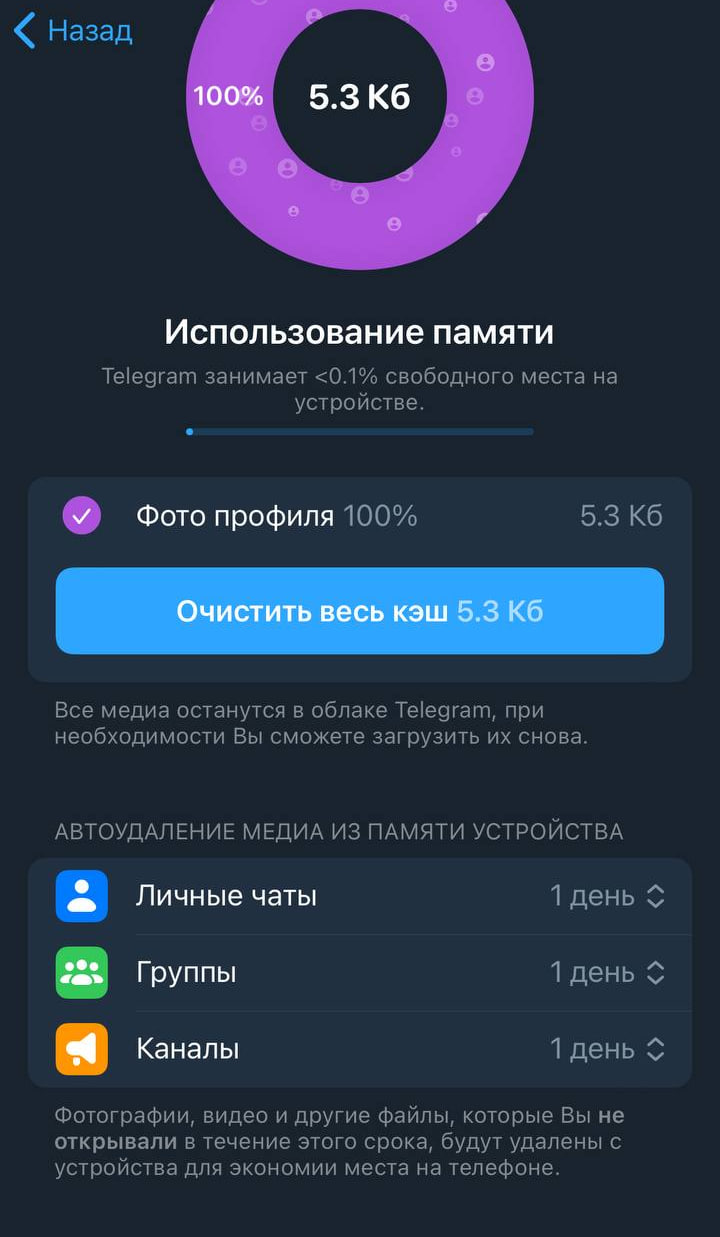
another account Nr.2 -
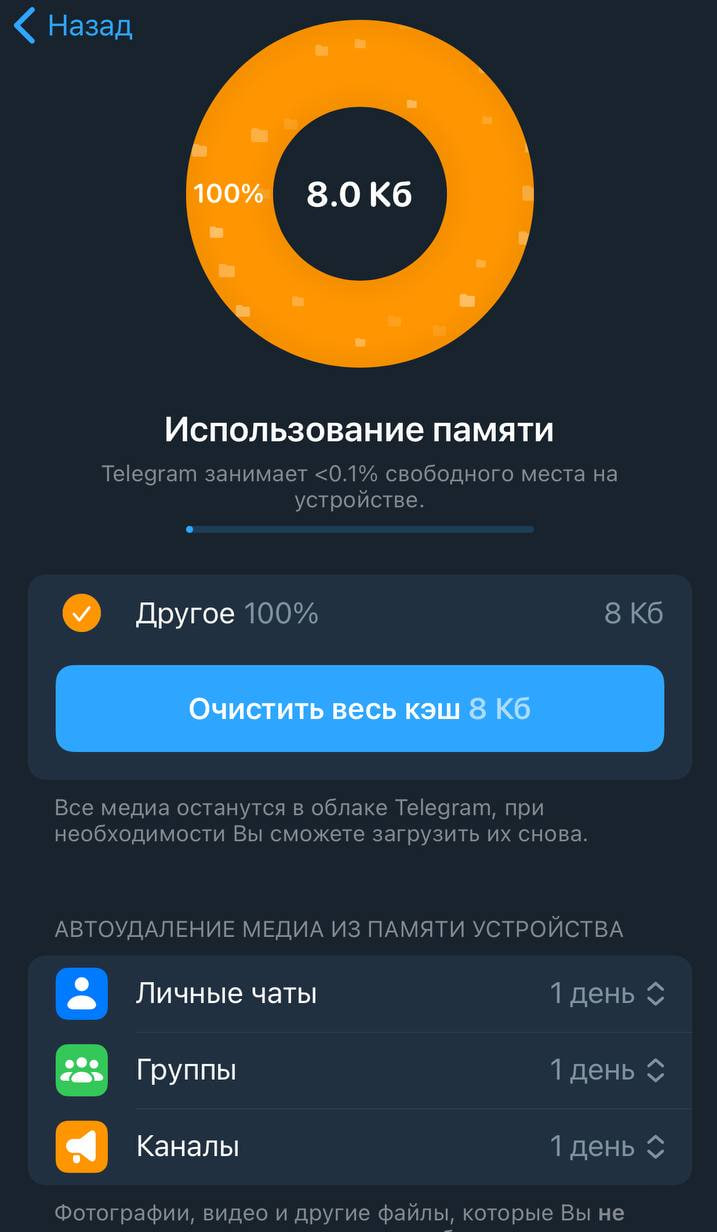
and what shows iOS( again it grow up to 5GB+) -

Why that happens, its looks like a bug! Any thoughts?
@ali-fareed seems to be in latest updaets it also fixed. Now it clear cache works correctly. Could you please at least ping/mention about changes, because as i can see fix comes "silently"