

 TASEmulators
[Feature Request/QT]: Ability to set custom display refresh rate depending of Region
Mesen have nice option to force user-specified refresh rate in fullscreen mode. User can select it from drop-down list of refresh rates that your GPU/Dispaly support:

Nestopia had "auto" refresh rate function in fullscreen depending of region. For NTSC emulator try to set 60 or 120 Hz, prefer higher value, if hardware supported it. For PAL/Dendy emulator try to set 50 or 100 Hz, prefer higher value, if hardware supported it. It was really nice when i had CRT, which supported 60-75-85-100-120Hz
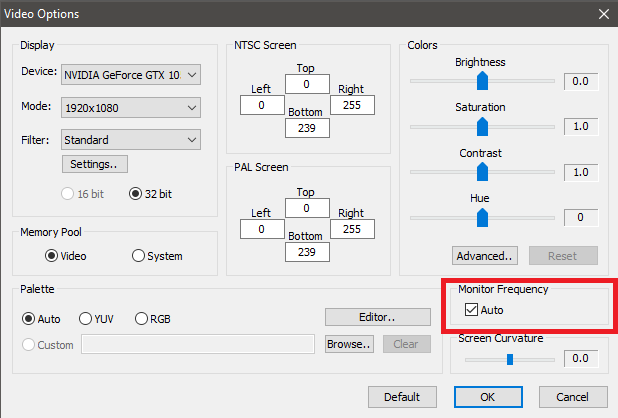
I guess nice idea is combine this methods. To make an separate "fullscreen preferred refresh rate" option. Two drop-down menus where user can set prefferred hardware refresh rate: one for NTSC, second for PAL/Dendy
I don't know, though, is really need to allow reading permissible refresh-rates list from system videodriver, or make it fixed? If some value don't supported by hardware, to let user select another permissible value by yourself.
Fortunately, lastest modern LCD displays have wide range of refresh rates native support, usually 50-144Hz as well, as AMD FreeSync or Nvidia G-Sync technologies for automatic refresh adjustment.
True reason of this topic/request - ability to smooth (no-tearing) scroll, which is avaliable ONLY when physical refresh rate corresponding with emulator output.
When emulating NTSC 60Hz mode - preferred physical refresh rate = 60Hz or multiple 120Hz When emulating PAL/Dendy 50Hz mode - preferred physical refresh rate = 50Hz or multiple 100Hz This settings + vsync gives true smooth scrolling.
Most of PC-hardware runs at default 60Hz refresh rate, so it's good for NTSC but cause jerky scroll on PAL. Not so much emulators have ability to switch between refresh rates separately depending of region. Of course, i mean fullscreen mode.
This feature was added to puNES/QT (linux and winD3D/OpenGL) in lastest commits: https://github.com/punesemu/puNES/commit/7666b7260732da3b3cc6158a343eb8b3e958e3ef https://github.com/punesemu/puNES/commit/232380ece1723497493d7be097a632b8616a5ca2 https://github.com/punesemu/puNES/commit/4ee0839ac83630b4b4398199d4799fd2c1216a93
It have "Adapt Refresh Rate to the Region" checkbox: For NTSC emulator try to set 60 or 120 Hz, prefer lower value, if hardware supported it. For PAL/Dendy emulator try to set 50 or 100 Hz, prefer lower value, if hardware supported it.

I don't understand what is being asked for here. If the emulation only runs at 50 or 60 Hz, what is the benefit of rendering faster than this? Why would you force a redraw of a pixel buffer that hasn't changed?

PAL example: If the emulator runs at 50FPS, scrolling will be smooth only if display hardware refresh rate is 50Hz or multiple (100, 150, 200, 250, 300). Some displays may have 100Hz support, but don't have 50Hz support by hardware.
For PAL/Dendy emulator try to set 50 or 100 Hz, prefer lower value, if hardware supported it.
In this case, emulator still output 50FPS (PAL), but force hardware display refresh to 100Hz instead of 50.
Multi-example: display1 hardware refresh rates: 50, 60, 75, 100, 120 Hz - in this case 60 for NTSC and 50 for PAL is correct display2 hardware refresh rates: 60, 75, 100, 120, 144 Hz - - in this case 60 for NTSC and 100 for PAL is correct
I have been researching this and have determined that Qt cannot change the hardware refresh rate of any screen. That must be done at the operating system level. Currently the Qt GUI runs two threads, one for the GUI itself and one for the emulation. I had the GUI polling/checking for new video data from the emulation at ~120 hz (8ms). A new redraw will only be triggered if new video data exists. I have recently added a signaling mechanism that allows for the emulation thread to notify the GUI thread when it has finished a frame and new data exists. This has cut down a bit on the latency due to async nature of the threads. I have also added an integer frame rate option (like Mesen has) to allow running exactly at 60 hz (which helps with missing frames on NTSC). I don't really see any issues with scrolling on my computer. From the frame timing window (accessed at Tools Menu), I can see that the emulation thread timing is always spot on, and the video does have some fluctuation but is mostly constant. I also see that the timing is always better on the Linux operating system than Windows. This is especially true when setting the thread priorities to realtime (via Timing Config Window, some OS permissions setup is needed to do this). The only other thing that I can do here is make the GUI video polling rate adjustable, but I'm not sure this will help you much since the signal notification mechanism is supposed to wake the GUI thread up as soon as possible (via Qt event loop) to process new video data.