
gBoards
 gBoards copied to clipboard
 StereoPT
Trello like Angular Application
GBoards


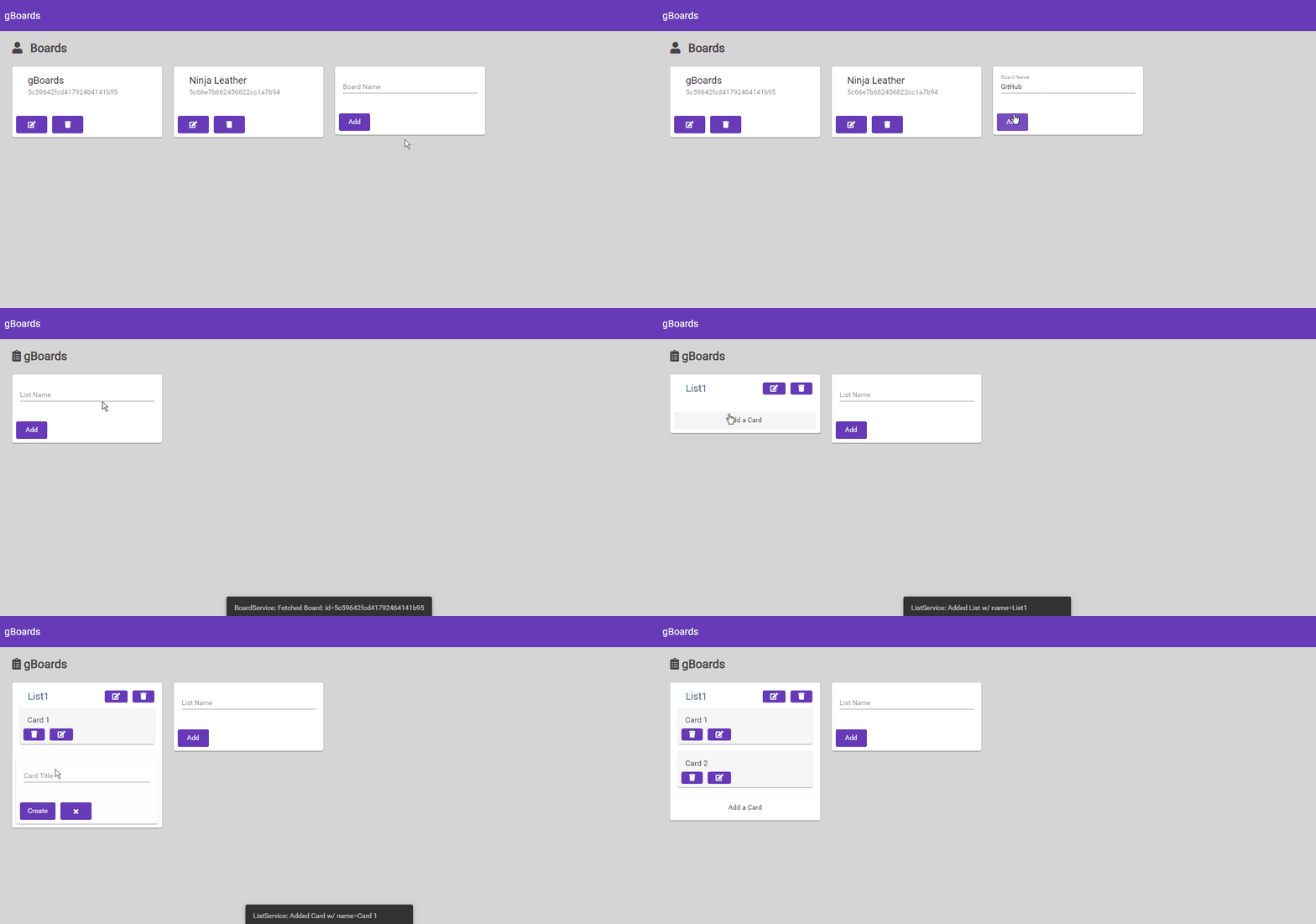
Features
- Trello Like Applcation!
- Angular FrontEnd Application | Material Design
- Node.js BackEnd | Express.js
- MongoDB Integration
- Boards
- Add | Update | Delete
- Lists
- Add | Update | Delete
- Cards
- Add | Update | Delete
ToDo:
BackEnd:
- [ ] Card Routing
- [ ] Duplication Checks
- [ ] Implement Logging
- [ ] Add Status Codes for Routes
FrontEnd:
- [ ] NavBar Menu
- [ ] Modal for Board Creation
- [ ] Better List Creation
- [ ] List Actions
- [ ] Better List Update
- [ ] Card Actions
- [ ] UI Changes
Development Server
In order for you to use this Project, you need to have a MongoDB Account, and a Database Created.
After that, create a config.json inside the backend folder with the following data:
{"mongo_url": "url to your database", "database": "database name"}
With that done, you are good to run the project.
FrontEnd
Angular Application | Inside frontend folder
Run with ng serve --open.
Will open the Application in your Browser. If it doesn't navigate to http://localhost:4200/.
BackEnd
Node.js Application | Inside backend folder
First run npm install
Run with nodemon app.js.
Backend Routes
Release History
- 1.0
- First Release | Simple functionalities Implemented.
Meta
Guido Pereira – [email protected]
Distributed under the MIT license.
Contributing
- Fork it (https://github.com/stereopt/gBoards/fork)
- Create your feature branch (
git checkout -b feature/fooBar) - Commit your changes (
git commit -am 'Add some fooBar') - Push to the branch (
git push origin feature/fooBar) - Create a new Pull Request
 StereoPT