Stefal
Cant get RTKBase to work with UBLOX_NEO_M8T
Hi, I am trying to set up a basestation with RTKBase, a Raspberry Pi 3B+ and a U-Blox Neo M8T I have almost got it to work, but the receiver position does ot show up in the status window. I get the satellite status, but Lat, Lon and Height is zero.
In the settings tab i have set receiver type to: Ublox_NEO-M8T and receiver format to ubx.
With a serial tool i can see that the receiver is transmitting both NMEA and UBX messages and in U-center i can see position as well as other data when i stream the data over tcp from the Pi
I have tried to configure the receiver manually and turned on all NMEA as well as UBX messages. I tried using the config tool to load the U-Blox_NEO-M8T_rtkbase.txt file with the config tool
The Open Streetmap layer is also empty, but the Arial_hybrid works fine.
I'm running out of ideas about what to do...
/Magnus

Hi!
As most base station are using a dual frequency GNSS receiver, the latest RTKBase releases switched to a more appropriate configuration to compute the base realtime location.
If you can't switch to a F9P and want to view this realtime location with your M8T, you can try to edit rtkbase_ppp-static_default.conf inside rtkbase/web_app/rtklib_configs/:
change pos1-ionoopt value from dual-freq to brdc
Then restart RTKBase with sudo systemctl restart rtkbase_web.service
BTW: nmea is unuseful for RTKBase but you have to enable RAW output. (I don't remember the exact settings for the M8T, perhaps RAWX and SFRBX)

Thanks, i will test that. I do have one F9P ana one M8T. My gut feeling was to use the F9P in the Rover and the M8T in the base station. Are there any benefits of doing the opposite? Best solution would of course to have two F9P, but thats out of my budget at the moment...
I don't know what is the best solution with a M8T and a F9P.
BTW: I have some problems here too with the OpenStreetMap layer. It seems there is something wrong on the tiles provider server.
I'm trying to use RTKBASE without internet with M8T module to collect raw UBX data, I created an access point on the Raspberry Pi 3, I can see satellite bars, I would like to use an RTC battery to set the time or the GNSS itself, the problem is that the raw data is not saved, only when the Raspberry is connected to the internet, could you help me? is there a version of RTKLIB that could work standalone to save UBX files without internet connection or another way to direct files to DATA folder?
Thank you!
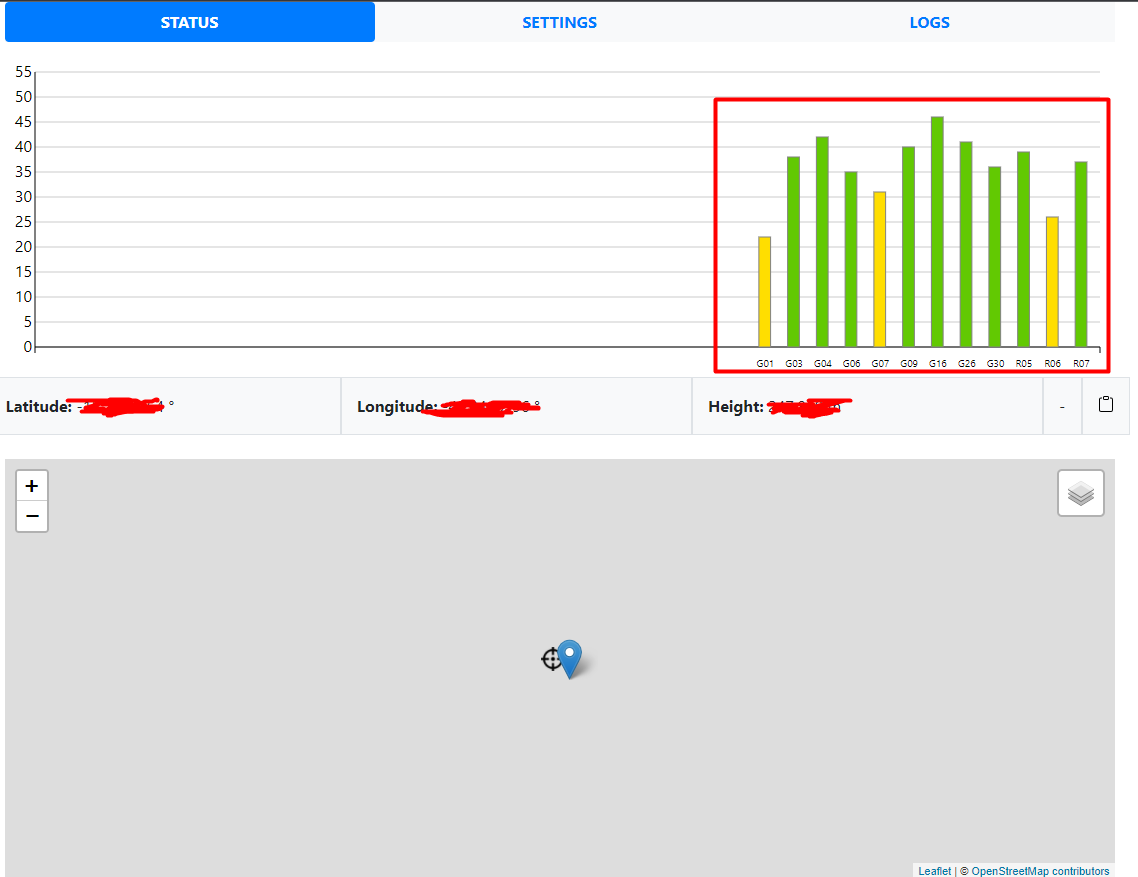
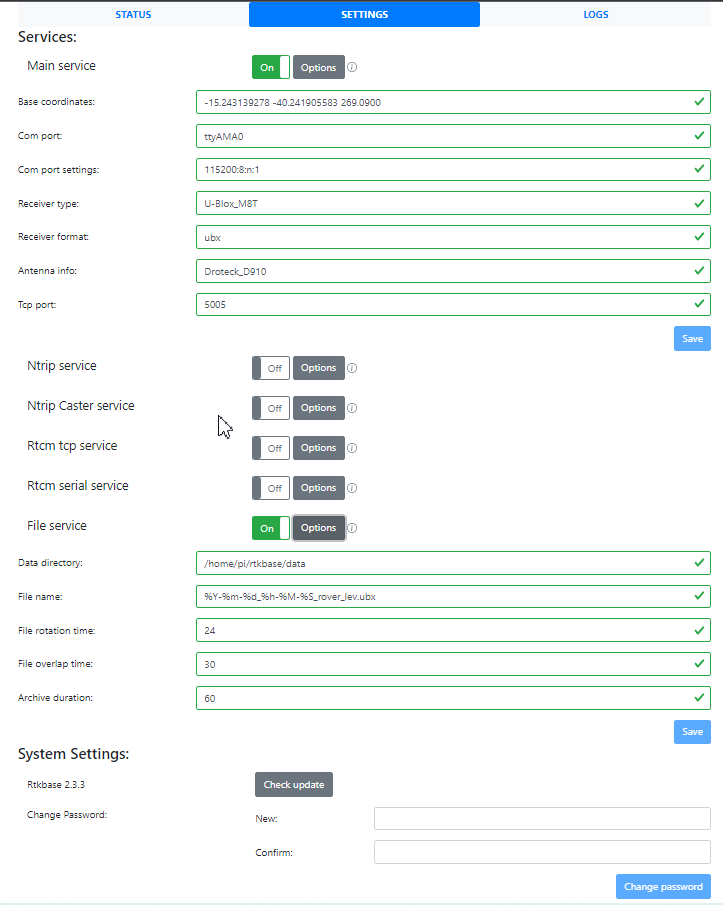
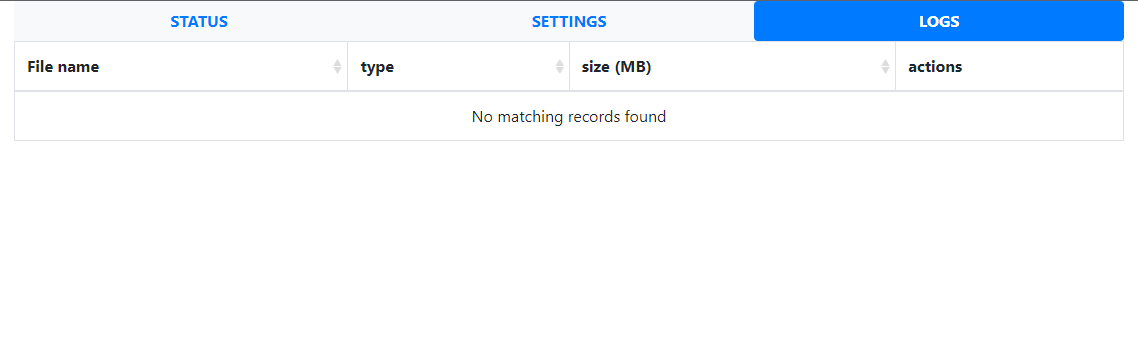
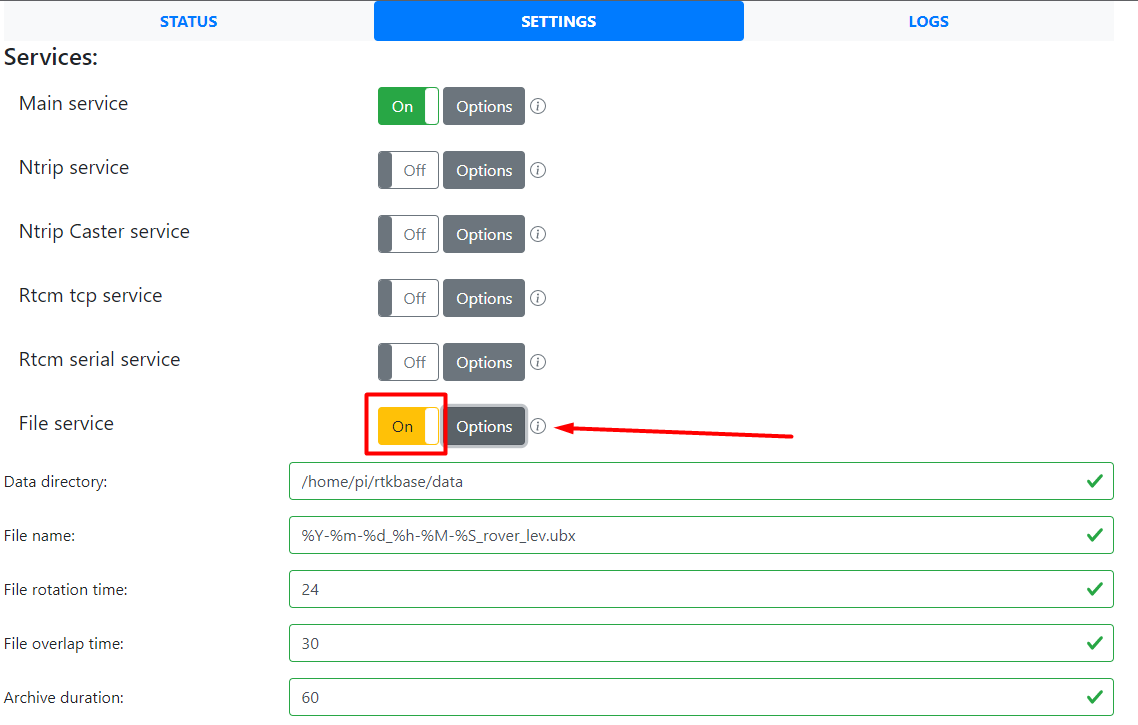
Sometimes the button to activate raw data recording turns yellow.

Hello @mhfernandes
As @Stefal has commented in other posts, the gpsd daemon is able to get the date/time from the GNSS receiver.
However, if the daemon is unable to listen on the same port where the Main Service broadcasts (TCP server), it won't update the date/time from the receiver.
I am not completely sure, but I think the gpsd daemon is hard coded to listen on port 5015, the default. If it is possible for you, try setting the TCP port of the main service to 5015, restart the gpsd service and see if the File service can be turned on.
Regards.

Hi @mhfernandes @geofis is right, please set the TCP port back to 5015. Then read this: https://github.com/Stefal/rtkbase/issues/204#issuecomment-1055283415 If you have more question, ask them on the other issue, not this one.
EDIT : As you use a Raspberry Pi 3, a bullseye release isn't mandatory.
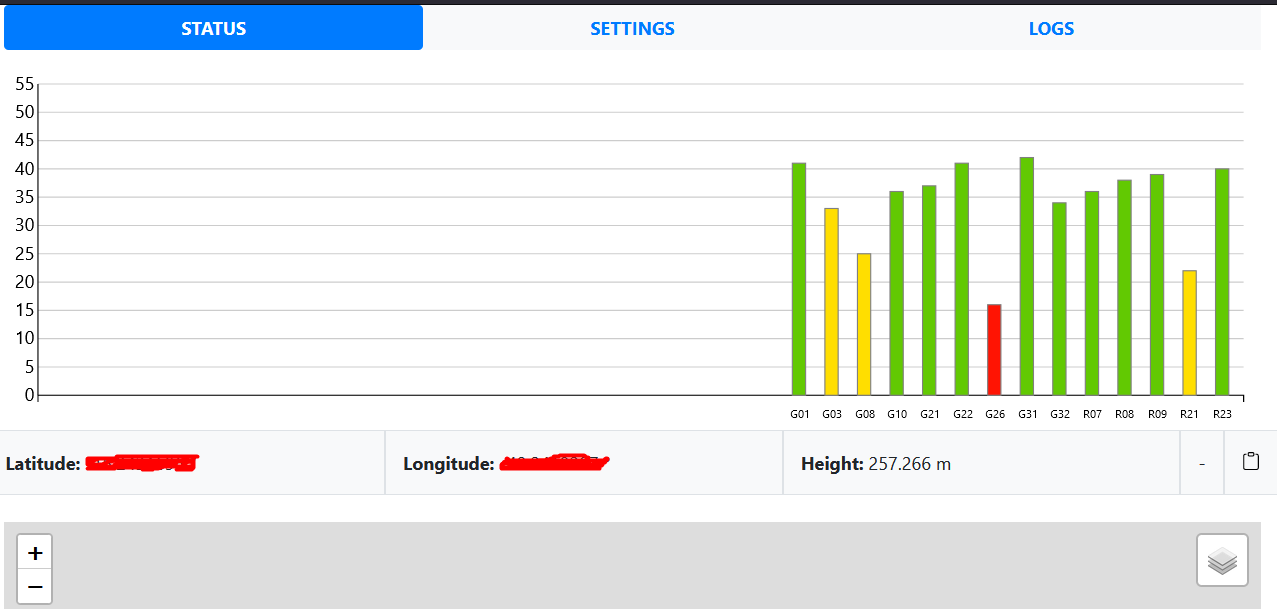
Thanks for answering @geofis, the date problem I can solve with a real time battery, my biggest problem is that although RTKBASE shows satellite signal as shown in the photos, it is not recording the raw UBX data, it only works when the raspberry is connected to the internet.
I apologize, I'm new to github and I don't know how to proceed yet, I just made the comment because I found the post consistent with my doubts, I appreciate the answers!
Hello, I'm using the Neo M8T as a rover, I installed the RTKBASE system latest version (2.3.4) and everything is working perfectly, I would like to disable the files (TAG) and leave only the files (UBX), I've tried some modifications in the system, but nothing still worked , I'm not interested in compressing or converting the files to RINEX, just saving the data (UBX) for post processing. help me?
Thanks!
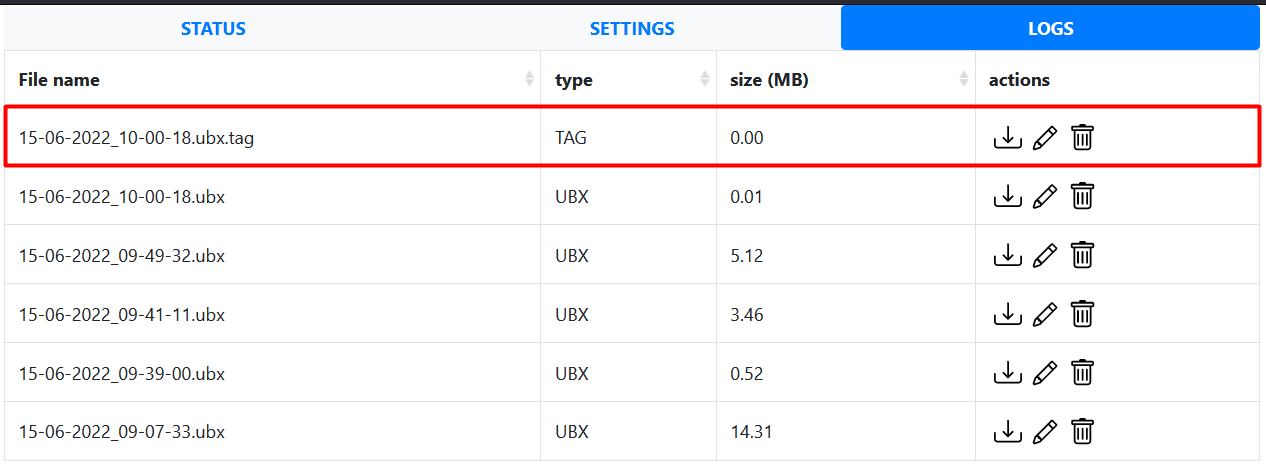
That is really interesting. Could you share the config of the M8T please?
Best regards
Magnus
Den ons 15 juni 2022 12:07mhfernandes @.***> skrev:
Hello, I'm using the Neo M8T as a rover, I installed the RTKBASE system and everything is working perfectly, I would like to disable the files (.TAG) and leave only the files (UBX), I've tried some modifications in the system, but nothing still worked , can anybody help me?
Thanks!
[image: image] https://user-images.githubusercontent.com/52499035/173801589-c8778fc2-b2a7-4d09-b199-9aabdb6d241f.png
[image: image] https://user-images.githubusercontent.com/52499035/173802114-6697cf75-678d-40b0-beb6-a78541a4a86b.png
— Reply to this email directly, view it on GitHub https://github.com/Stefal/rtkbase/issues/176#issuecomment-1156270436, or unsubscribe https://github.com/notifications/unsubscribe-auth/AODDQGKORA2YTZT7Y4WQM2LVPGTMPANCNFSM5DXK7X4A . You are receiving this because you authored the thread.Message ID: @.***>
Hi Leijoma, sorry for the english translation.
1- Download the ISO 2022-04-04-raspios-buster-armhf-lite.img
2-Install on an SD card and create the text document "SSH" without root extension to allow access via PUTTY
3-The Raspberry must be connected to the internet
4-Access the link (https://github.com/Stefal/rtkbase) and install the RTKBase system with the commands:
$ wget https://raw.githubusercontent.com/Stefal/rtkbase/master/tools/install.sh -O install.sh
$ chmod +x install.sh
$ sudo ./install.sh --all

5-Connect the M8T module to the Raspberry, in my case it was via UART 6-Configure (rtkbase/web_app/rtklib_configs/) as explained in "Stefal" at the beginning of this post. 7-Create a Wi-Fi remote access point to access the system autonomously, the raspberry must generate a network and through a fixed IP you can access RTKBase.
The M8T left with 115200 Baund and enabled raw data messages.
The M8T I configured with CMD file: m8t_5hz_uart.cmd
This site also explains how to create a very simple system to save the raw data generated by the M8T on a Raspberry:
https://rtklibexplorer.wordpress.com/2016/11/04/pi-zero-based-gps-data-logger/
Hope this helps!
Olá, estou usando o Neo M8T como rover, instalei a última versão do sistema RTKBASE (2.3.4) e está tudo funcionando perfeitamente, gostaria de desabilitar os arquivos (TAG) e deixar apenas os arquivos (UBX), Já tentei algumas modificações no sistema, mas nada ainda funcionou, não estou interessado em compactar ou converter os arquivos para RINEX, apenas salvar os dados (UBX) para pós processamento. Ajude-me?
Obrigado!
Problem solved, editing a line in "run_cast.sh" no longer generates the "TAG", only the UBX.
can anybody help me? I apologize for posting the question in the wrong topic, but I don't know how to make a new one on Github. I'm using the RTKBase system with some changes to work with the M8T in Rover, I'm having a problem with the zoom of the cursor of the coordinates on the status screen, in previous versions RTKBase applied the zoom only on the GNSS cursor, now it shows the zoom with the target and cursor, how can i solve this, would someone show me a way?