

 StatCan
Virtual Desktop Scale Seems Not to Fit Laptop Window
Describe the bug
This bug issue was reported by an external user.
The virtual desktop scale seems not fit with my laptop window. Therefore, I have to use both the scroll wheel in my mouse and the scroll bar on the screen to move up and down on the screen. It's quite easy to miss cells when copying from csv file because you have to scroll both your mouse wheel and the scroll bar on the screen to the bottom to make sure you've selected all the cells you need. This is probably the biggest obstacle for me when using the current AAW portal. The same issue exists with LibreOffice. It’s very hard to select and copy things from LibreOffice since both the scroll wheel and the scroll bar need to be used to get the bottom of the screen.

Issue
It sounds like the remote desktop image has a native resolution > than the available browser render space. Since it's in a browser, the displayed image won't have the room to be fully output, so scroll bars appear for the user to use.
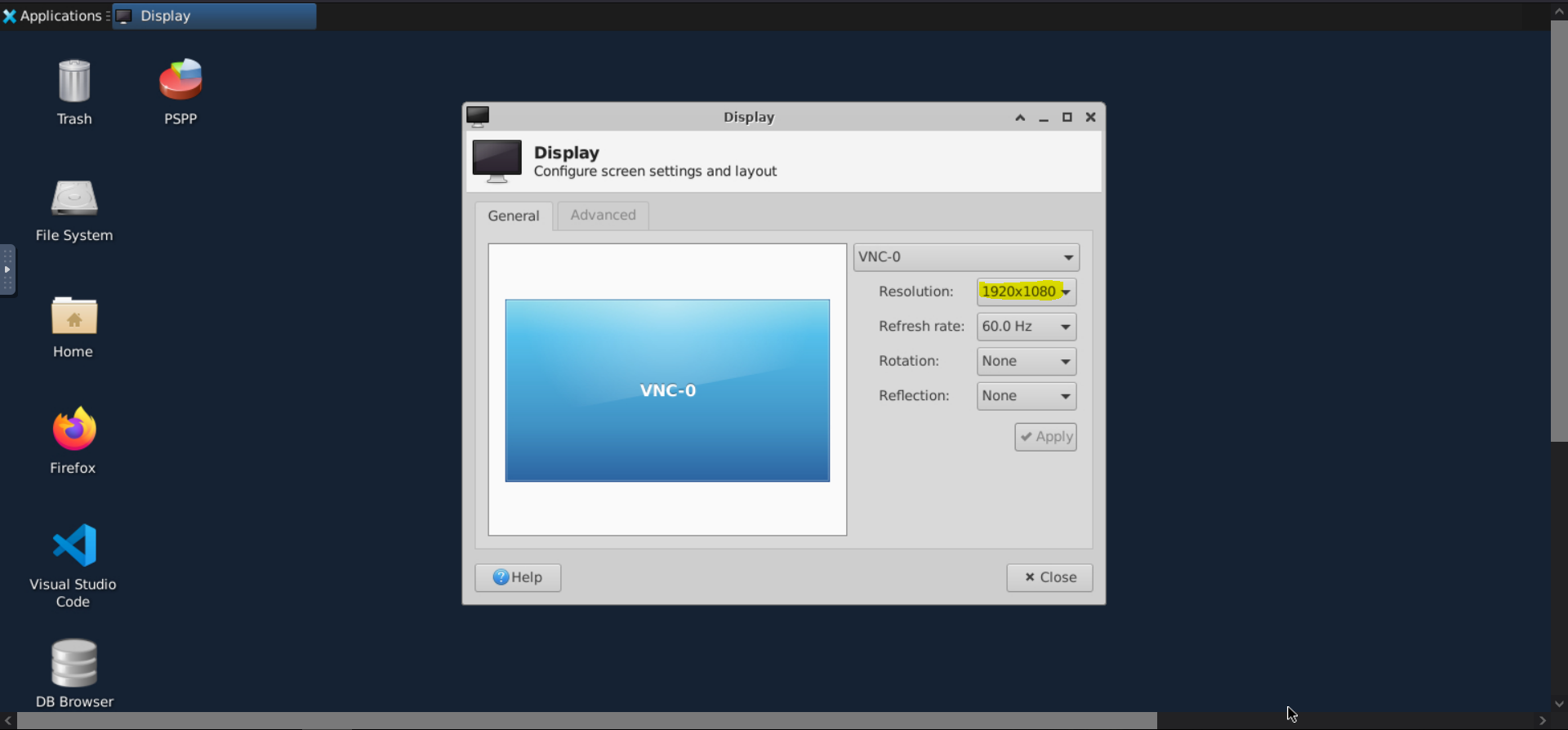
Solution
NoVNC offers a solution to this in its sidebar:
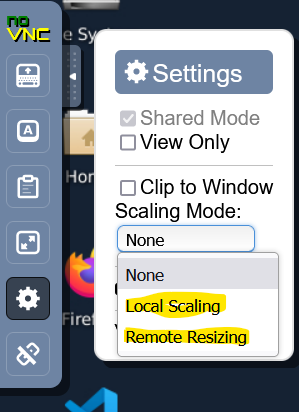
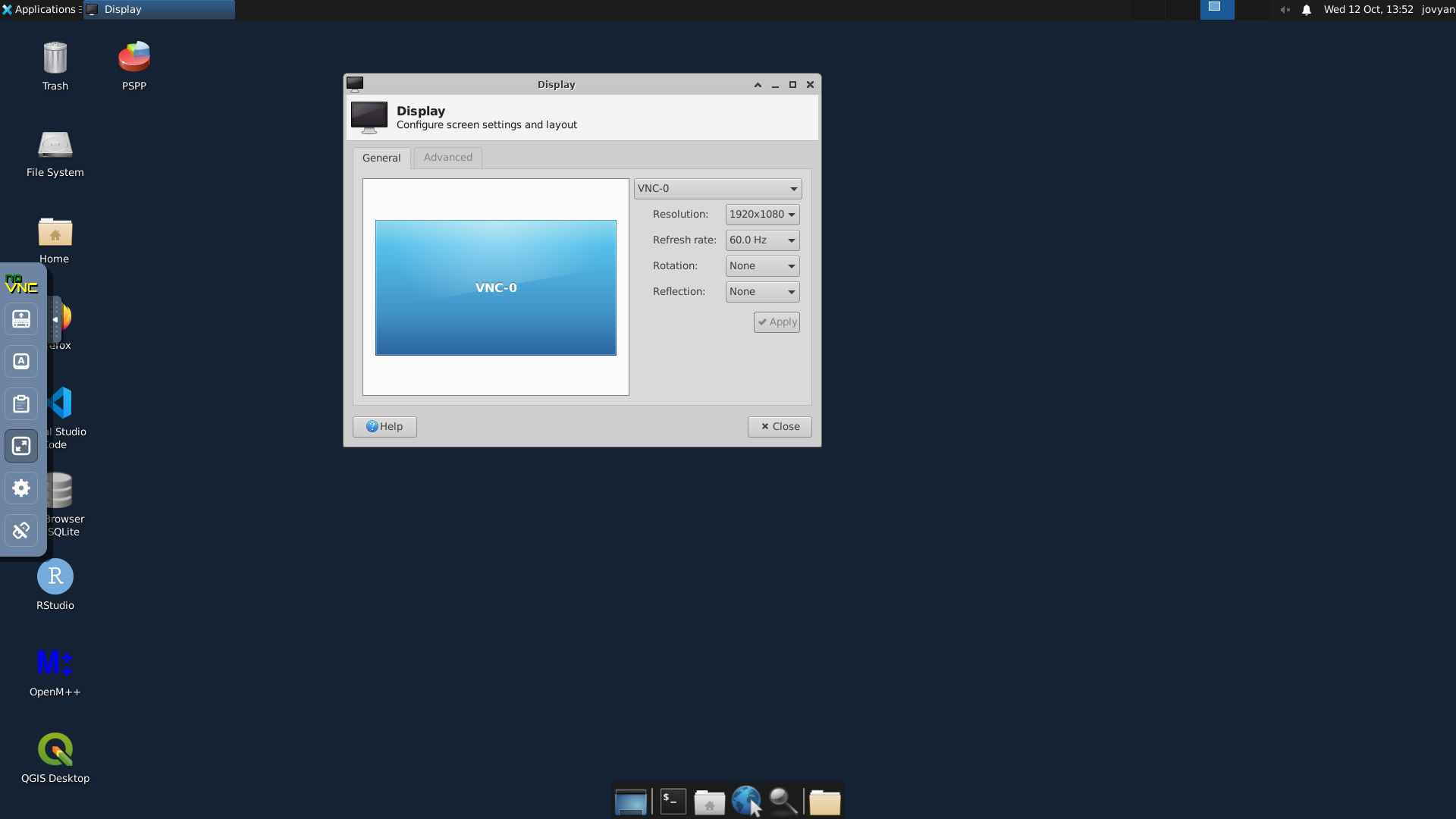
local scaling will scale the GUI (interface) to fit the browser screen rather than scaling the remote desktop. This + the fullscreen option above the settings gear in the options menu will make use the full display of the user, giving the best UI. (Shown under)
Remote resizing changes the resolution of the remote image, which will need a little bit more work to get a good image.

Fantastic. thank you @Souheil-Yazji, that was exactly the kind of fix we needed. Thank you so much!
