

 StackExchange
why unit test project cannot connect to Azure Redis Cache?
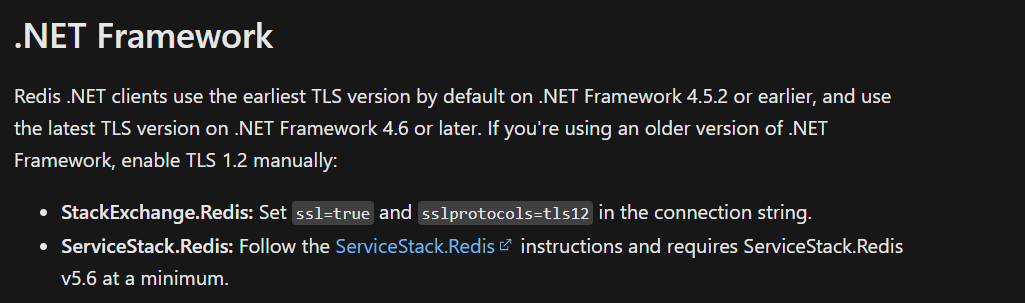
We are using StackExchange.Redis.StrongName to connect to Azure Redis Cache, as the doc said tls 1.0 and tls 1.1 will be removed, so the redis cache can only be connected by tls 1.2. however, I can connect to the service without specify tls version in the connection string in one .net framework 4.7.2 project, but cannot connect to Redis Cache in another .net framework 4.7.2 project, and they run in same machine(win11). only difference between them is the second project is a unit test project for a asp.net core project and the asp.net core project is still based on .net framework 4.7.2, could you tell me the reason, as the doc said, for .net framework 4.6 or later, it will use the latest TLS version, why it perfroms quite different?
 failed message:
StackExchange.Redis.RedisConnectionException
  HResult=0x80131500
  Message=No connection is available to service this operation: FLUSHDB; It was not possible to connect to the redis server(s); ConnectTimeout; IOCP: (Busy=1,Free=999,Min=16,Max=1000), WORKER: (Busy=0,Free=32767,Min=16,Max=32767), Local-CPU: n/a
  Source=StackExchange.Redis.StrongName
  StackTrace:
   at StackExchange.Redis.RedisServer.ExecuteSync[T](Message message, ResultProcessor`1 processor, ServerEndPoint server) in c:\code\StackExchange.Redis\StackExchange.Redis\StackExchange\Redis\RedisServer.cs:line 569
as the doc configure-for-strong-cryptography says, if I configure cryptography in registry, both of them will be processed well.
if I change StackExchange.Redis.StrongName to StackExchange.Redis, the result is same.
