

 SpikeApp
See/edit calibration data
Feature request: Sometimes one of the calibration points creates bad readings. It would be helpful if the calibration data can be viewed on an X-Y plot and even outliers can be manually deleted (the calibration plot feature is available in Xdrip+ see below).
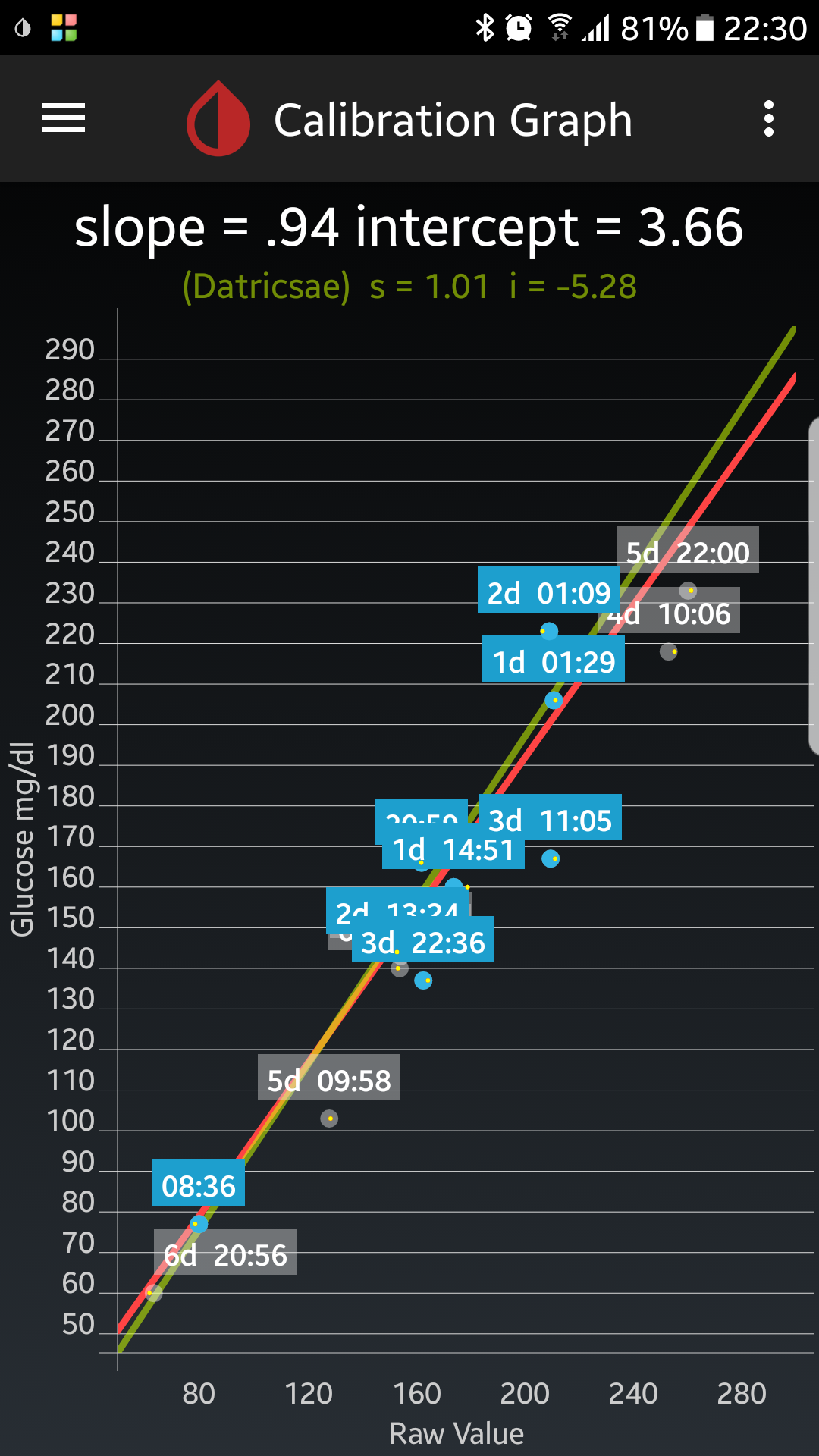

Thanks for the suggestion Bob. Nightscout is also able to visualize the calibration data. But currently this does not work with the data Spike delivers. I will try to find out why this doesn't work. Like this we would at least have an indirect visualization of the calibration graph.

Another suggestion: allow editing of calibration time.
The reason this would be helpful is because sometimes you are unsure how stable the finger prick BG is relative to the sensor reading - i.e. sensor looks flat in the past, but finger prick is a value not yet seen by the sensor, thus I do a finger prick when sensor looks stable but wait about 15 min to enter it until sensor confirms flat readings. However, this would require me to enter a calibration 15 in the past which is currently not possible. Maybe just add a time dialog like is available with carbs and insulin entries?
Spike's calibration slopes cannot be seen in Nightscout because Spike does not upload a mbg record during calibration which seems to be required to display the slopes. In addition to what is currently uploaded, Spike should also upload the following to the entries collection:
{
    "device": [device type],
    "type": "mbg",
    "date": [date ms],
    "dateString": [date],
    "mbg": [glucose value],
    "utcOffset": [utc offset],
    "sysTime": [sys time]
}
To view Spike's calibration slopes I created this app: https://github.com/Andrei0105/cgm-calibration. This was created mostly to analyze Spike's calibration algorithm which provides results that are not matching the values entered for me. A live version of the app is available here: https://cgm-calibration-stats.azurewebsites.net/
Note that currently there are many errors that I will fix over the next days, but it should work if you are using Spike. The NS url should start with https:// and not end with /, for example: https://nsurl.herokuapp.com The token is NOT the Nightscout API Secret. It's the token for a subject with the role readable. You can create one by following this: http://www.nightscout.info/wiki/welcome/website-features/0-9-features/authentication-roles
If everything is fine, this is how it should look:
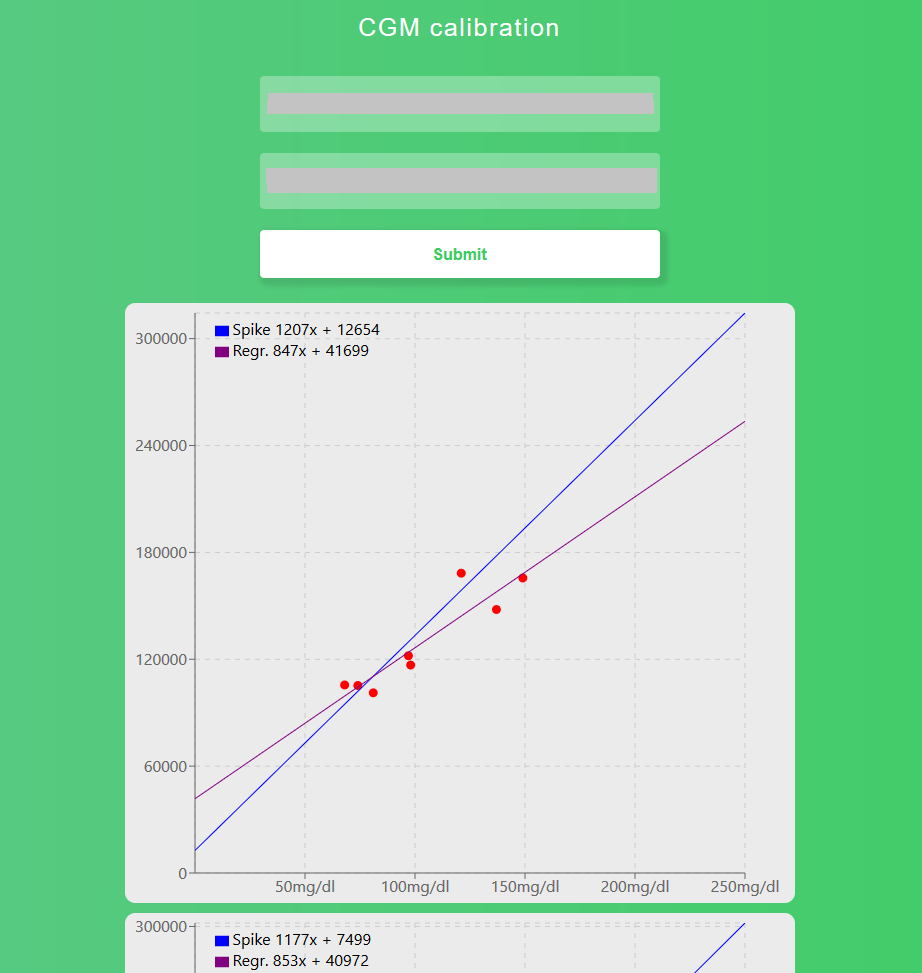
For each calibration, it will display all the calibration points up to that moment, the slope generated by Spike, labelled as Spike and the best fit line for the calibration points labelled as Regr.. As you can see from my data, these 2 do not match (and almost never do) which shows a possible bug in Spike's calibration algorithm.
Note: Currently there is no error handling. If an error occurs, the Loading... message will never go away. I am working to address all the errors, but if you encounter an error and want it fixed, you can open an issue in the repo. You can view the error by opening the console.

@Andrei0105 Thanks a lot for your contribution. I am sure that I can make use of it in the future.