

 SoftwareBrothers
@Example & Live Preview NOT working
So following the basic example from the documentation for React, I can't get @example to render a live preview. Need help. Thank you.


Saw this solution in another issue. Tried it and it works. You have to modify node_modules/better-docs/tmpl/examples.tmpl to remove the if/else statement at the bottom and just prettyprint the example.code:

Same issue. Here's my code:
import React from "react"
import PropTypes from 'prop-types'

/**
 * My Test component
 * @component
 * @example
 * const text = 'lorem ipsium dolor'
 * return (
 *   <TestComponent text={text} />
 * )
 */
 const TestComponent = (props) => {
  const { text } = props
  return (<>
    <h2>Test Component</h2>
    <div>{text}</div>
  </>)
}

TestComponent.propTypes = {
  /**
   * Text is a text
   */
  text: PropTypes.string.isRequired,
}

export default TestComponent
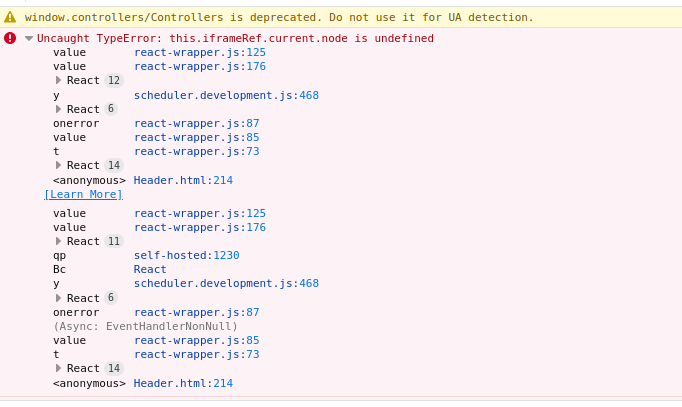
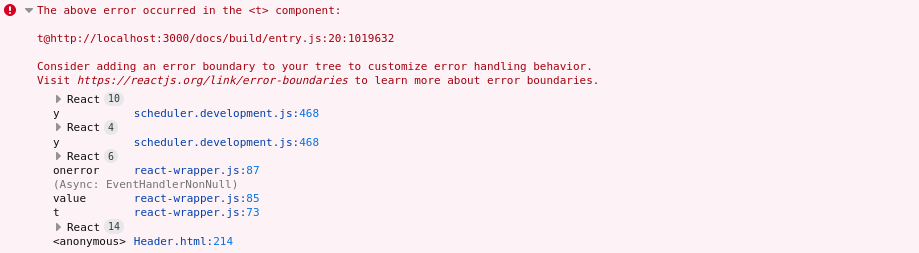
The documentation is generated correctly, how the following error shows up in the console

Just pretty-printing the example code,
The same issue #132 with solution
is not a solution. It is far less useful than generating a live preview.

For the error I had, I created a fix . Turns out there's in bug in the source file that creates react-wrapper.js to render previews.
Problem is in this function:
  computeHeight() {
    const { height } = this.state
    const padding = 5 // buffer for any unstyled margins
    if (
      this.iframeRef.current
      && this.iframeRef.current.node.contentDocument
      && this.iframeRef.current.node.contentDocument.body.offsetHeight !== 0
      && this.iframeRef.current.node.contentDocument.body.offsetHeight !== (height - padding)
    ) {
      this.setState({
        height: this.iframeRef.current.node.contentDocument.body.offsetHeight + padding,
      })
    }
  }
iframeRef.current does not have any property named node (in recent versions of react not sure what the case was when the code was written). There are many ways to fix this, however I edited the source code and did a build to regenerate *.js files in the lib directory.
Steps to follow:
- Edit the
computeHeight()function located in /path/to/project/node_modules/better-docs/src/react-wrapper.jsx:
  computeHeight() {
    const { height } = this.state
    const padding = 5 // buffer for any unstyled margins
    if (
      this.iframeRef.current
      && this.iframeRef.current.contentDocument
      && this.iframeRef.current.contentDocument.body.offsetHeight !== 0
      && this.iframeRef.current.contentDocument.body.offsetHeight !== (height - padding)
    ) {
      this.setState({
        height: this.iframeRef.current.contentDocument.body.offsetHeight + padding,
      })
    }
  }
- From a terminal, navigate to /path/to/project/node_modules/better-docs/ and run
npm run buildoryarn build. Your probably need to doyarn installornpm installto install dependencies. This generates transpiled javascript files in the lib directory of your better-docs node module. - Navigate to the root of you project and run command to generate docs
jsdoc -c jsdoc.jsonoryarn docs(or whichever command you have configured in your script).
Also an important point to note is the migration from parcel-bundler (v1) to parcel (v2)
This doesn't work. Installed your fork but that didn't work either.

So following the basic example from the documentation for React, I can't get @example to render a live preview. Need help. Thank you.
ALTERNATIVE SOLUTION HERE:
I found another way to show the example because I didn't find any solution with the "@example" tag.
IMPORTANT
It's necessary add the plugin "plugins/markdown" into the jsdoc.json file.
After that you only need to write the code example into triple backticks ```. This an example:
/**
 * @description
 * ```
 * import Mushroom from './Mushroom';
 *
 * const MyComponent = () => {
 *   return (
 *     <Mushroom title="My Title" text="My text content" color="primary" />
 *   );
 * };
 * ```
*/
The result is this:
I hope this work for you!
