

 SlavaRa
Does not work with global Classpaths
QuickNavigate only works with Project Classpaths, doesn't work with Global Classpaths. Please fix this issue.
Thanks!

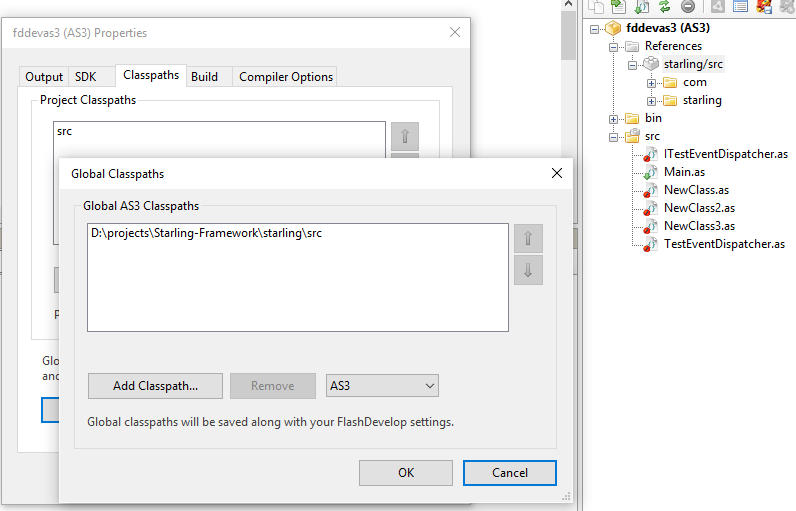
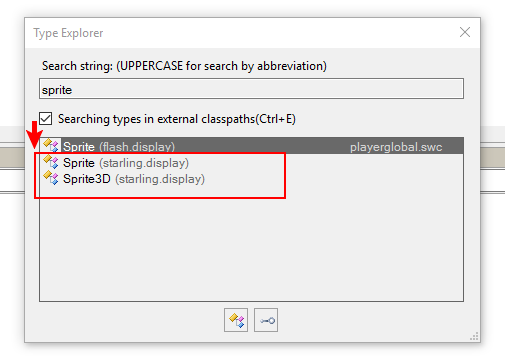 all ok. Please describe your actions
It doesn't work with Open Resource (Ctrl+R) for Global Classpaths. If I select Search > Type Explorer then It work fine, but I can't press Ctrl+Shift+R to open Type Explorer. It reload current file instead. Additional, there're no Shortcut key for Class Hierarchy
Thank you!
Now it worked if I remove keyboard shortcut of ModifyMenu.reload, that duplicate to Type Explorer. is Class Hierarchy belong to QuickNavigate? I can't see any option to add shortcut to this feature.
This is fixed in last release, please check, thanks) https://github.com/SlavaRa/fdplugin-quicknavigate/releases
ps but I had to remove all the default hot keys, I'm sorry, but otherwise there are problems