SimpleMobileTools
Alinging RTL text isn't working correctly
Up until version 6.5.0, RTL (right-to-left) aligning of languages was working correctly. Both in the app text editor (when editing/viewing a note or a checklist) and also in the widget.
With version 6.5.1, I began to experience a bug. When writing in Hebrew (a RTL language) in the app text editor (either text note or checklist) it was aligned to the RIGHT (which is the correct behavior), but in the widget, the same note was aligning to the LEFT (incorrect behavior).
In version 6.5.3 (the latest version), the opposite thing happens - when writing in Hebrew in the app text editor the text is aligning to the LEFT (incorrect behavior), but in the widget, the same note is aligning to the RIGHT (correct behavior).
Here are screenshots showing a note and a checklist (both aligned incorrectly to the LEFT instead of to the RIGHT) while on the widget they are aligned to the RIGHT, like they should.
How to reproduce and screenshots:
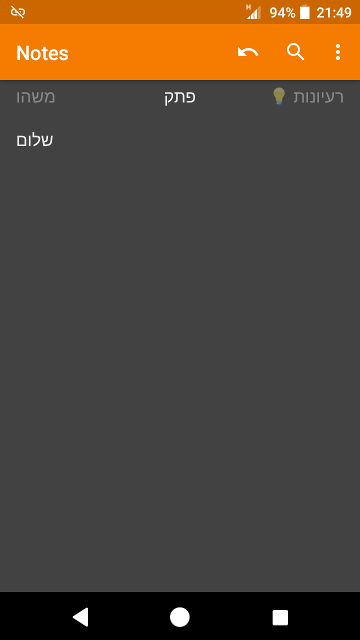
A note with the text "שלום" aligns to the LEFT instead of to the RIGHT:
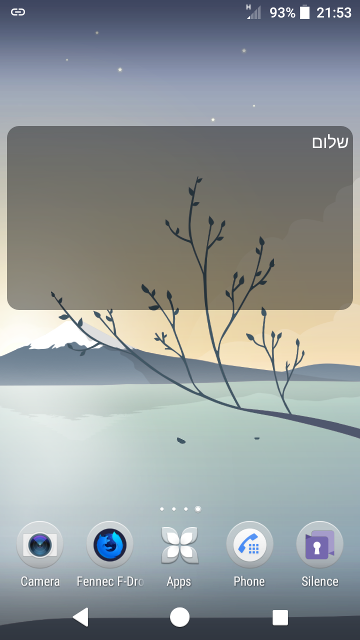
And this is how it looks in the widget (aligned correctly to the RIGHT):
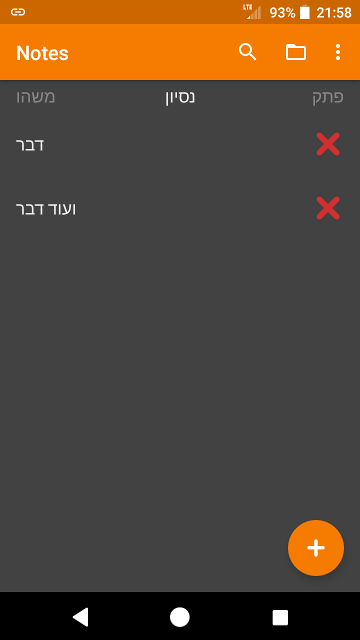
A checklist with the text "דבר" and "ועוד דבר" again aligns to the LEFT instead of to the RIGHT:
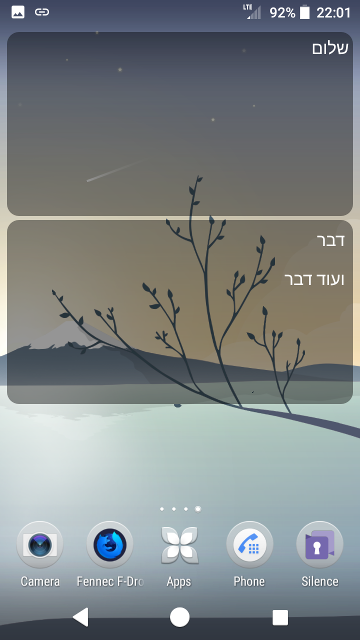
And this is how it looks in the widget (aligns correctly to the RIGHT):