Simple-Contacts

Simple-Contacts copied to clipboard
 SimpleMobileTools
Can't scroll full-range of contact card when editing lower fields with virtual keyboard
Steps to reproduce
- Select a contact and press the Edit button.
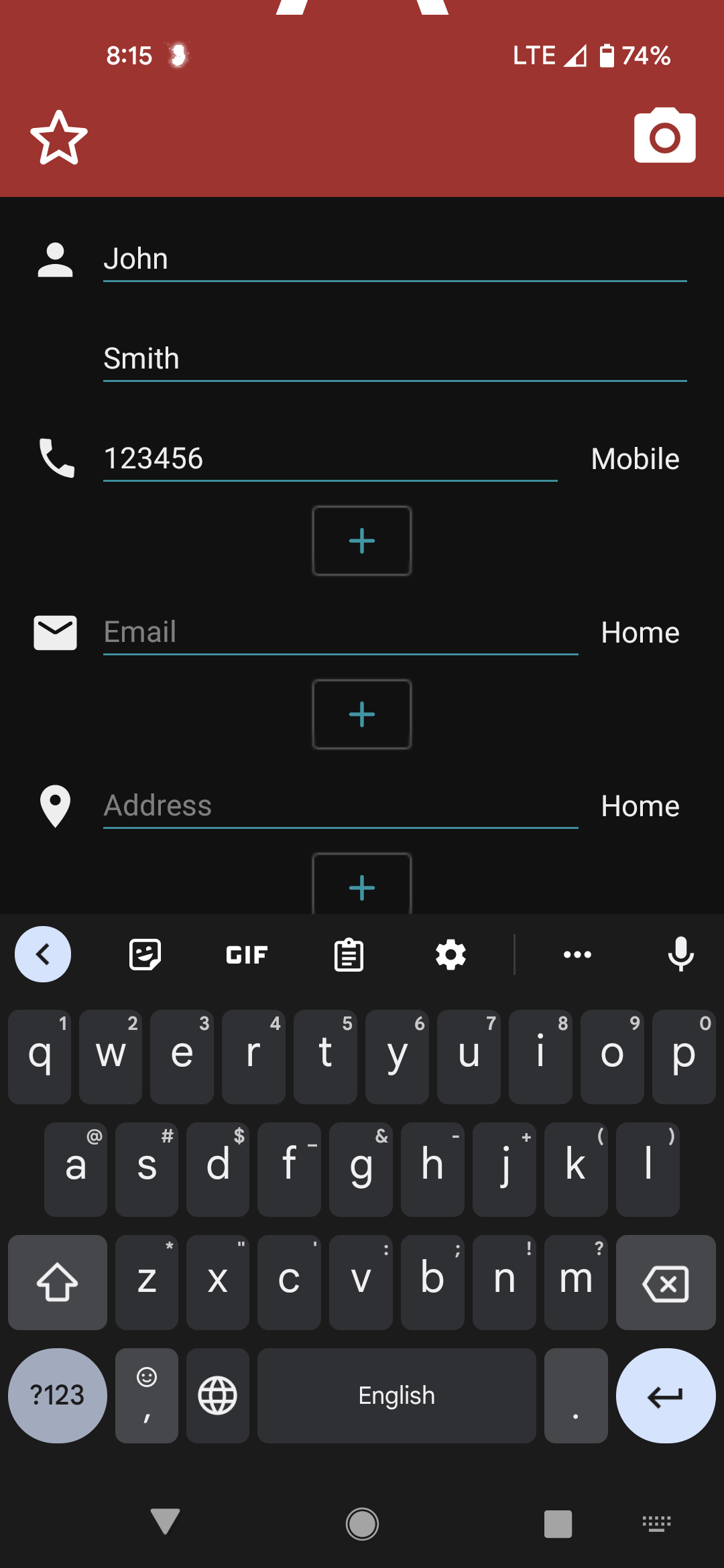
- Note the large red (in screenshot 1, below) initial letter at the top of the screen.
- Pressing one of the text fields to edit, will bring up the virtual keyboard
- If it's a text field from the bottom of the screen (such as "Notes") then one can only scroll up part-way of the screen (can't reach all the of header (red in screenshot below).
- Workaround: Only after closing the keyboard, can one scroll the full range of the screen.
Expected behavior
After editing a field, one should be able to scroll on to any other field (even if at the other end of the screen) - without needing to close the virtual keyboard.
Screenshot
Editing a contact card, with keyboard open, whilst editing the "Notes" field, scrolled farthest to top of screen.