

 SimpleMobileTools
Overflow of meeting slot in week view
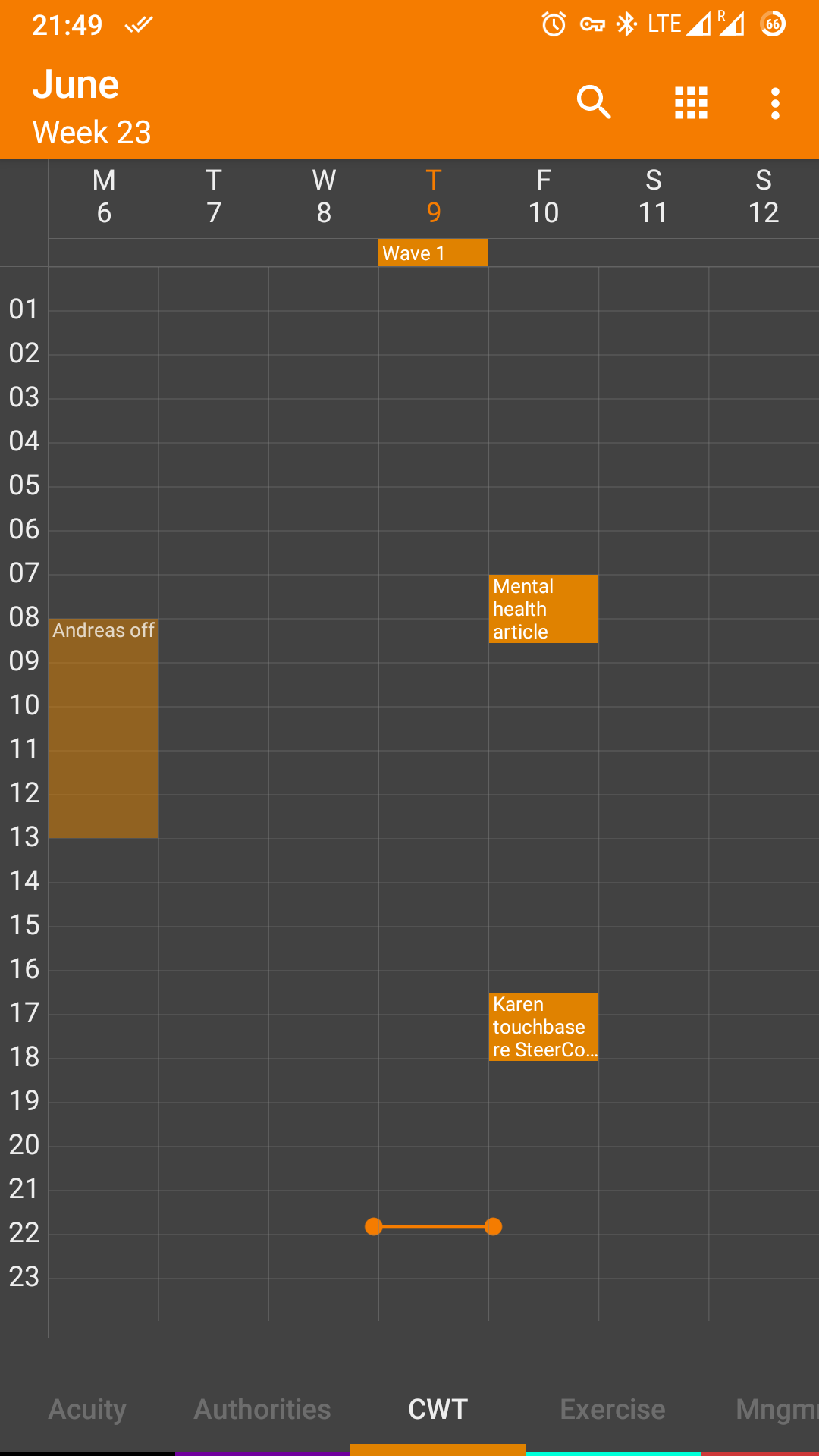
In week view, calendar events are shown bigger than their timescale if the view is zoomed out. For example, a meeting that is 30 minutes long is shown as 1.5h long - which is also how long a 60 minutes long meeting is shown (The two appointments on Friday in the screenshot have these different lengths! )
To me, it is much more important that events' times are correctly displayed than that a few extra words of the event description.
I constantly misjudge the times and overbook myself since this got implemented.
Is this a definite design decision or is amendable, perhaps as an option? (Prioritise more text vs prioritise precise timing display)
Thank you!


does it glitch only after resizing, or even if you restart the app it is shown wrong already?
No it's the same if I close / re-open the app.
It seems like it wants at least 3 rows of text to show and the text flow takes priority over the timing