

 SimonVT
Notifications don't work on android 9
When i disable and then enable notification - they pop up. But on regular basis - no. Thank you.

If there is a way to provide logs or something else that would help to debug this - please let me know.
Made some changes in version 7. Let me know if it still doesn't work. Kind of hard to get right, since background work is getting more and more limited.

Notifications aren't working. Using Galaxy S10+, Android 9. I've checked notification settings and they are enabled both in the application and system. Turned sound and vibration off in Cathode-settings to test, but I have flipped that setting to test the other way around too just in case.
P.S.: If notifications get fixed, I would like to suggest a feature to be able to specify a daily time frame (from..to range) during which the notifications are allowed to pop. If any show is released outside of the time range then the "missed" notifications are created when entering the time frame next.
P.S. 2: Really awesome program, if the notifications get fixed, I'm loving it!

I confirm - still does not work :-( I guess only once or twice i got notifications (in a month).
In my case i have android 9 from android one program (pure android).
I already tried (before filing the bug) Settings > Apps > Your app > Advanced > Battery > Background restrictions. - no luck.
Just out of curiosity now i also did
Settings > Apps > Your app > Advanced > Battery > Battery optimization
Change view to All apps
Search for your app
Choose Not optimized
But i think this is not right because all other apps have this property set to optimized.
I disabled battery usage limitation, everything else was off already. I will update when the next episode comes out.
@simonvt
Situation is the same even with Not optimized.
As usual if i disable and then enable notification - they pop up.
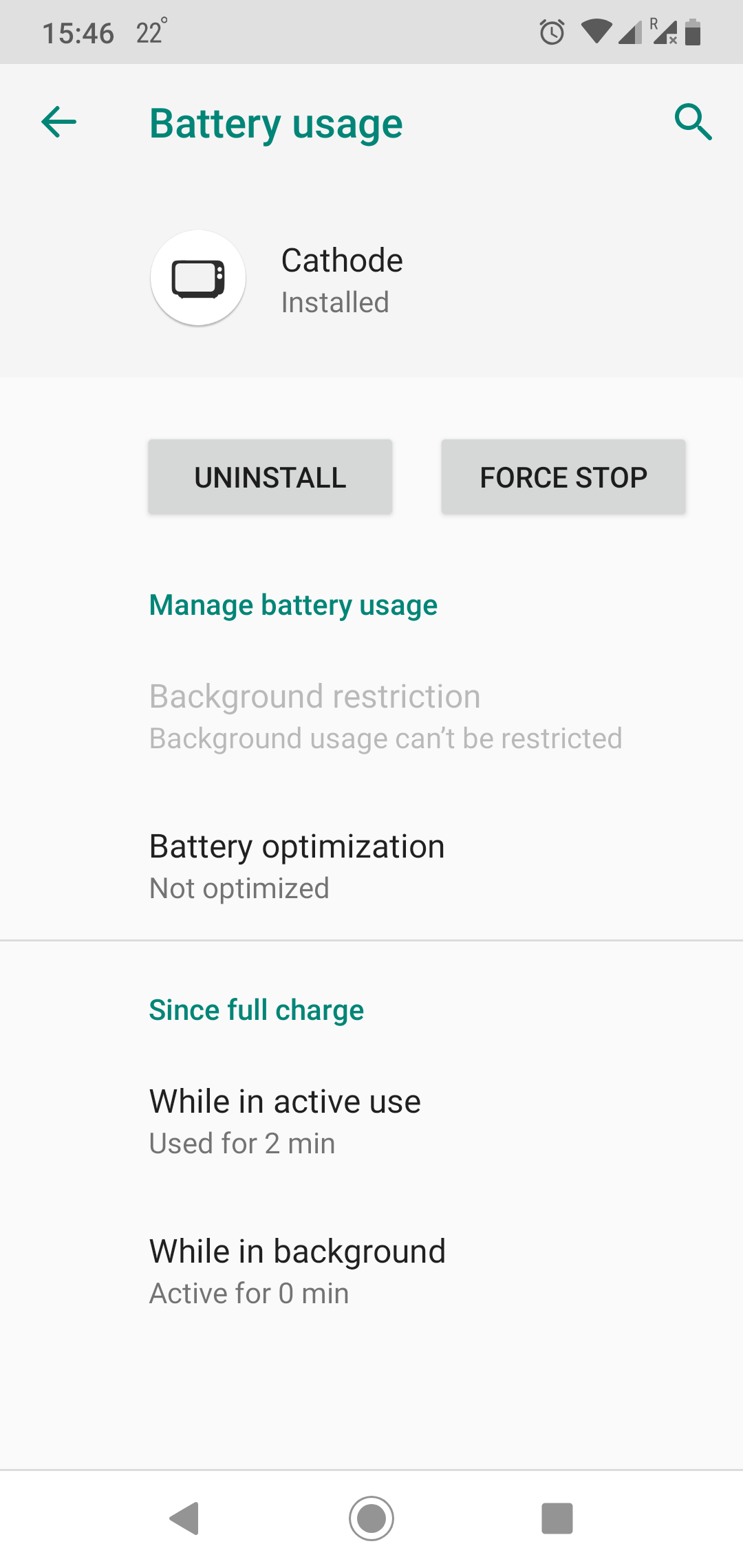
and the same on android 10 :-) btw after reboot it sometimes show some old notification.
While not the most optimal, I've mostly worked around this issue using Tasker:
- Create a "Calendar Entry" profile for
Google:Upcoming episodes - Create a task to show the notification:
- Variable Set:
%episode_titleto%CALTITLE - Variable Split:
%episode_titlealong- - Create a notification using Tasker or AutoNotification with title:
%episode_title1and text:%episode_title2
- Variable Set: