

 SharePoint
SharePoint online remote event receiver returns 'The request was cancelled by an event receiver'.
Target SharePoint environment
SharePoint Online
What SharePoint development model, framework, SDK or API is this about?
SharePoint Add-ins
Developer environment
Windows
What browser(s) / client(s) have you tested
- [ ] 💥 Internet Explorer
- [X] 💥 Microsoft Edge
- [X] 💥 Google Chrome
- [X] 💥 FireFox
- [ ] 💥 Safari
- [ ] mobile (iOS/iPadOS)
- [ ] mobile (Android)
- [ ] not applicable
- [ ] other (enter in the "Additional environment details" area below)
Additional environment details
No response
Describe the bug / error
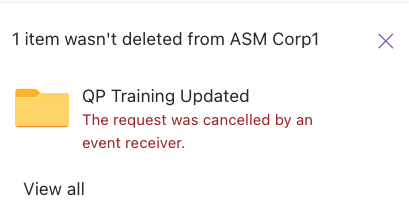
This issue started happening last week. Usually if there is a remote event receiver registered on a SharePoint list and the ProcessEvent event cancels the adding, updating or deletion of an item in the SharePoint list with a specific message, the message shows up in the form in SharePoint. Starting last week, the adding, updating or deletion of an item will always be cancelled with the message 'The request was cancelled by an event receiver.' This removes the option to tell end users why the adding, updating or deletion is not possible. Here is the response: { "odata.error": { "code": "CancelledByEventReceiver", "message": { "lang": "en-US", "value": "The request was cancelled by an event receiver." } } }
Steps to reproduce
- Create a remote event receiver and register it to any list: https://docs.microsoft.com/en-us/sharepoint/dev/sp-add-ins/create-a-remote-event-receiver-in-sharepoint-add-ins
- In the ProcessEvent method return the SPRemoteEventResult with the Status set to CancelWithError and the custom validation message in the Message property.
- Now create a new item in the list. This will always show the message 'The request was cancelled by an event receiver' no matter what's defined in the Message property
It has been working fine until last week. The first time a customer reported this issue was last week on Tuesday.
Expected behavior
If a registered remote event receiver validates an item and returns a custom error message, the message should be visible to the end user in the form and not just a generic message like 'The request was cancelled by an event receiver'.

Thank you for reporting this issue. We will be triaging your incoming issue as soon as possible.

I have also received this issue today after attempting to delete a recently moved folder
 .
.

Looks like the issue has been fixed. We receive the correct error message again instead of 'The request was cancelled by an event receiver'. Can someone from Microsoft please confirm that this issue has been fixed and will not happen again?
Thanks, Florian
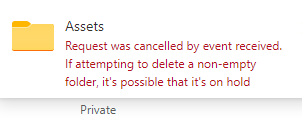

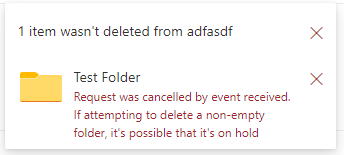
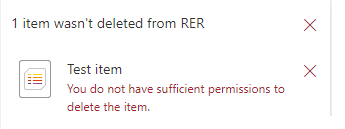
Facing the same issue. I have remote event receiver attached to document library which is restricting File/Folder deletion based on certain condition. Instead of showing custom error message from RER, notification window in document library shows message- "The request was cancelled by an event receiver...". It works fine if RER is attached with List.
If the folder satisfy the delete business condition then it gets deleted with files using RER without any issue (does not require to delete files in the folder first). Also there is no retention policy applied on the SharePoint site.
Error message for document library
Error message for List item
Error in Console for document library file/folder
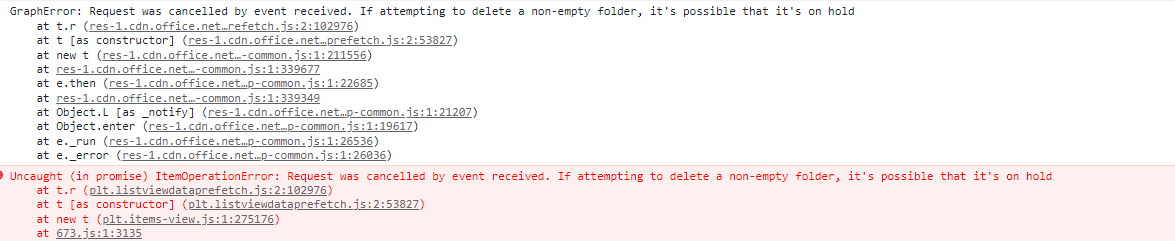
Error in Console for List item


Hey, any update on this? I have the same problem with Deleting-RER on a document library. Used to work (custom error message displayed), now doesn't work (generic error message displayed) - and the code is unchanged! The clients are very annoyed...
