packages.flutter

packages.flutter copied to clipboard
 ScerIO
Overlaid elements in PDF don't render in native mode (iOS and Android)
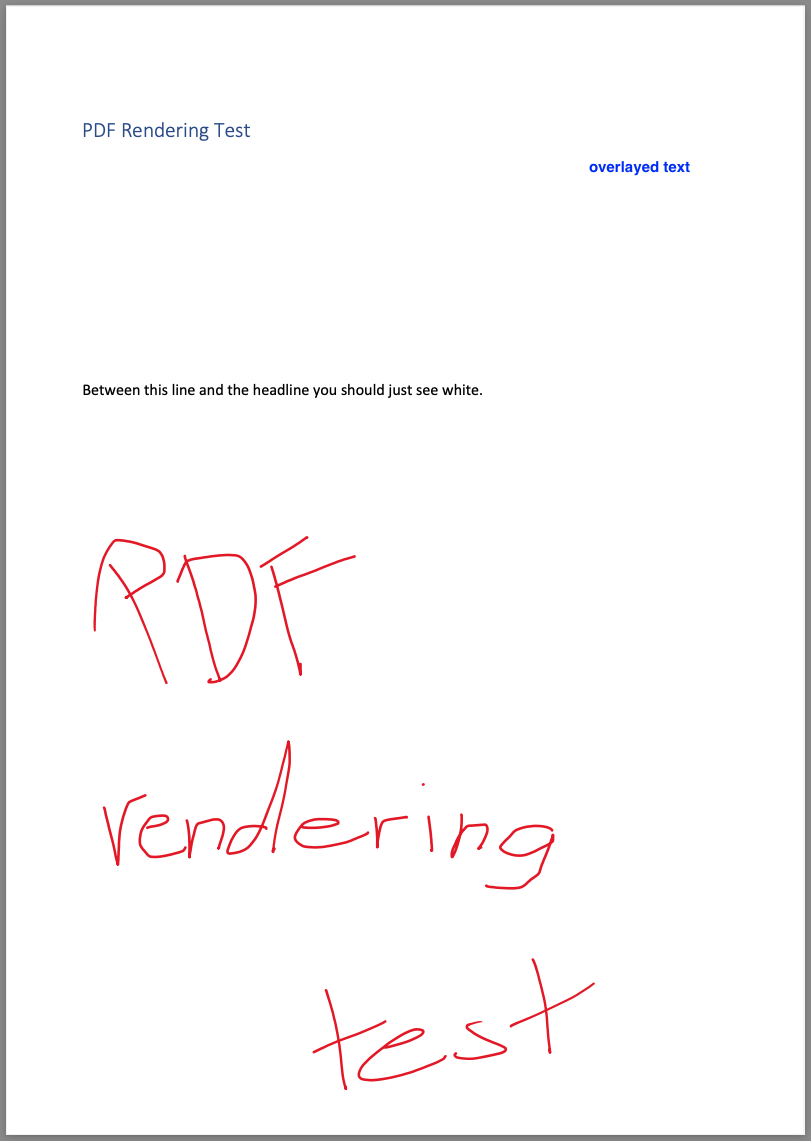
Describe the bug The attached PDF document with text overlaid by white rectangles and other text is rendered on iOS and Android without the overlayed rectangle and the overlaid text.
To Reproduce Steps to reproduce the behavior:
- Create a PDF document, write some text and save it
- Re-open PDF document and draw rectangles over the text
- Save the PDF
- Add PDF as asset to a Flutter application
- Build the app for web, iOS
- Compare rendered PDFs
Expected behavior Rendering results in iOS and Android as with PDF.js
Screenshots

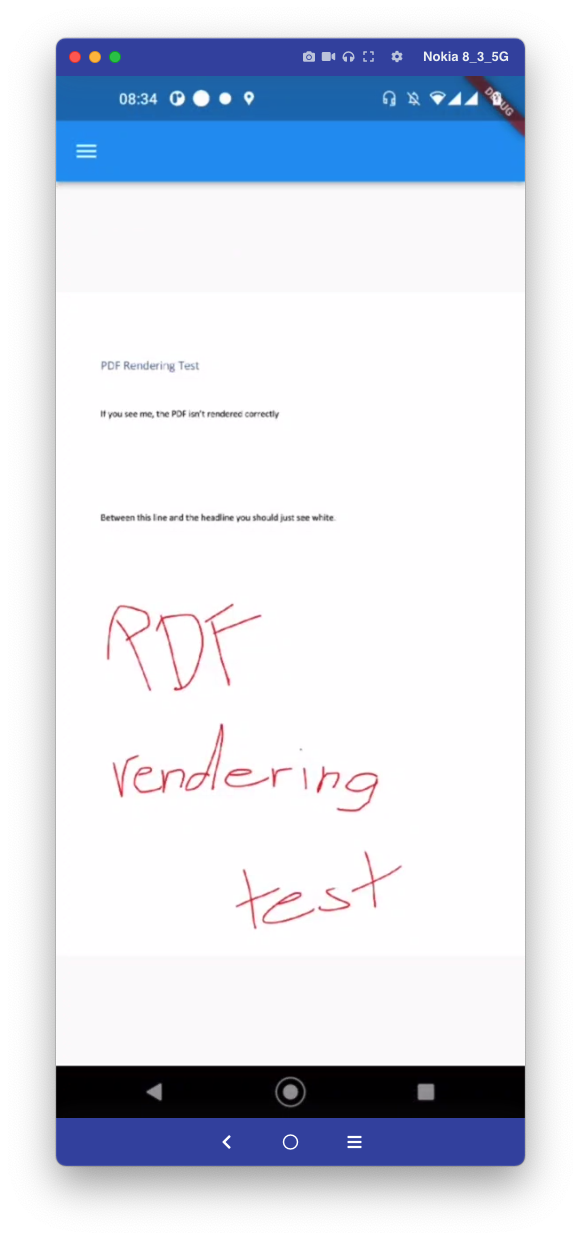
Smartphone (please complete the following information):
- Device: iOS 13 Simulator vs. Android vs. Web
Additional context The original PDF documents and an example rendering by MacOS is attached.
pdf_rendering_test_with_overlay.pdf
pdf_rendering_test_without_overlay.pdf