

 SORMAS-Foundation
Access forbidden message pops up when opening person directory
Bug Description
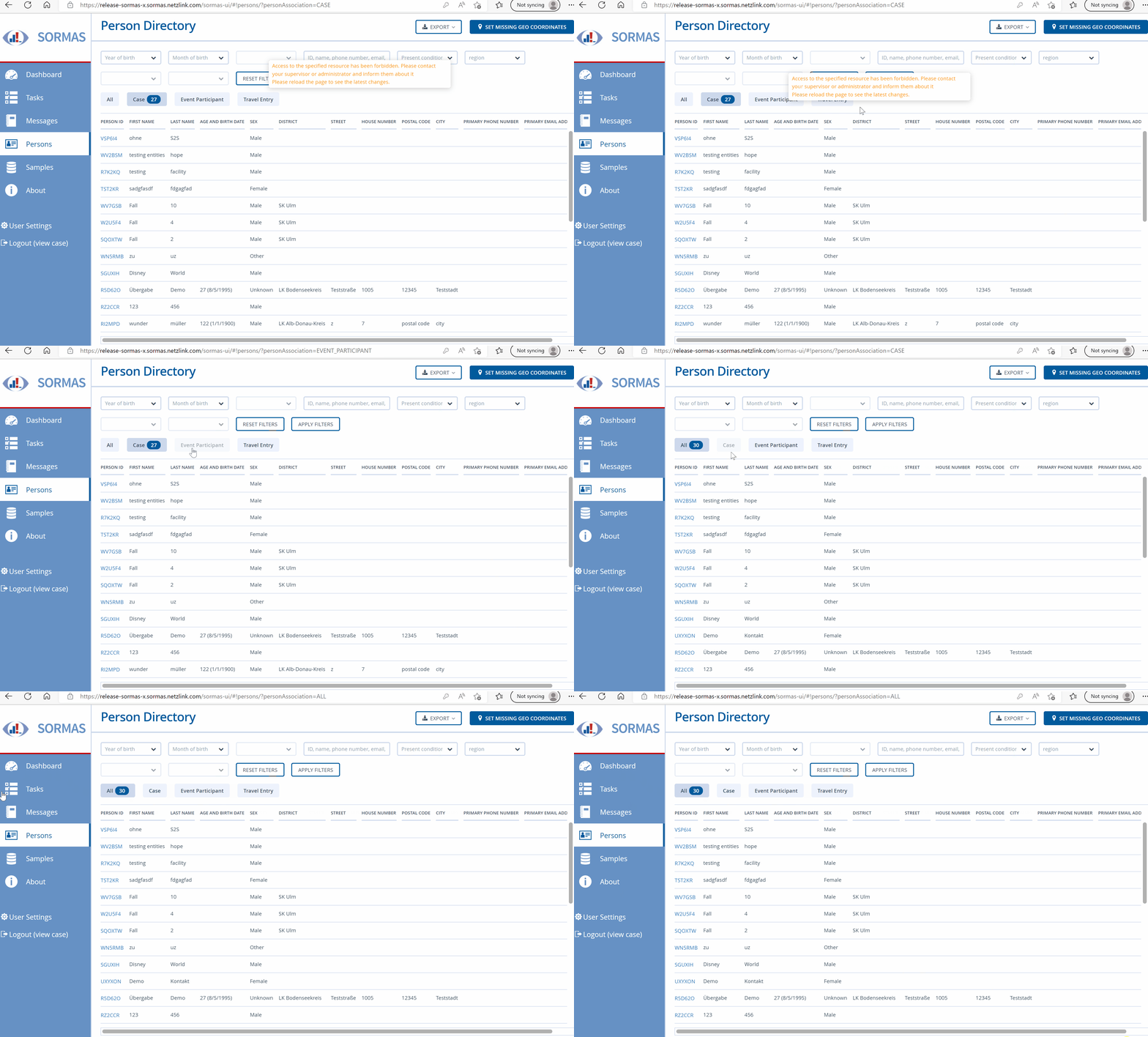
Error message: Access to the specified resource has been forbidden. Please contact your supervisor or administrator and inform them about it. Please reload the page to see the latest changes As a user i would be confused by this error message: Am I seeing things right now that I shouldn't be seeing? And i would reload the page multiple times with the result that nothing will change.
Steps to Reproduce
- log in with the mentioned user role below
- open the person directory
Expected Behavior
If this message means that I see things that I should not see, the responsibility should not be on the user to tell the admin, but the user should not be allowed to see the things. Then the error message would not be necessary. Apart from that, the last sentence about reloading the page makes no sense to me and can be removed. But maybe I have overlooked something here and the sentence makes sense, then gladly explain.
Screenshots
Description: Only the first seconds of the gif is important
System Details
- Device:
- SORMAS version: 1.75.0
- Android version/Browser: Edge
- Server URL: release-sormas-x
- User Role: viewcase / password: default one
Additional Information
user role: sormas_benutzerrollen_2022-09-13_case view.xlsx

@SahaLinaPrueger Please add the user role of the user you produced this message with to the issue description, or if it's a custom user role, please add a screenshot of the user role screen so that we can reproduce it on our systems.

@MateStrysewske Sry there was something wrong with the file, now it is attached. It is the same role as in the issue #10352 mentioned. There are screenshots.
The forbidden error occurred on the dashboard page but sometimes the tooltip is kept and displayed on other pages to after navigating from the crashed dashboard page.
Dashboard rights now require corresponding main entity view rights:
DASHBOARD_SURVEILLANCE_VIEW --> CASE_VIEW
DASHBOARD_CONTACT_VIEW --> CONTACT_VIEW
DASHBOARD_CAMPAIGNS_VIEW --> CAMPAIGN_VIEW

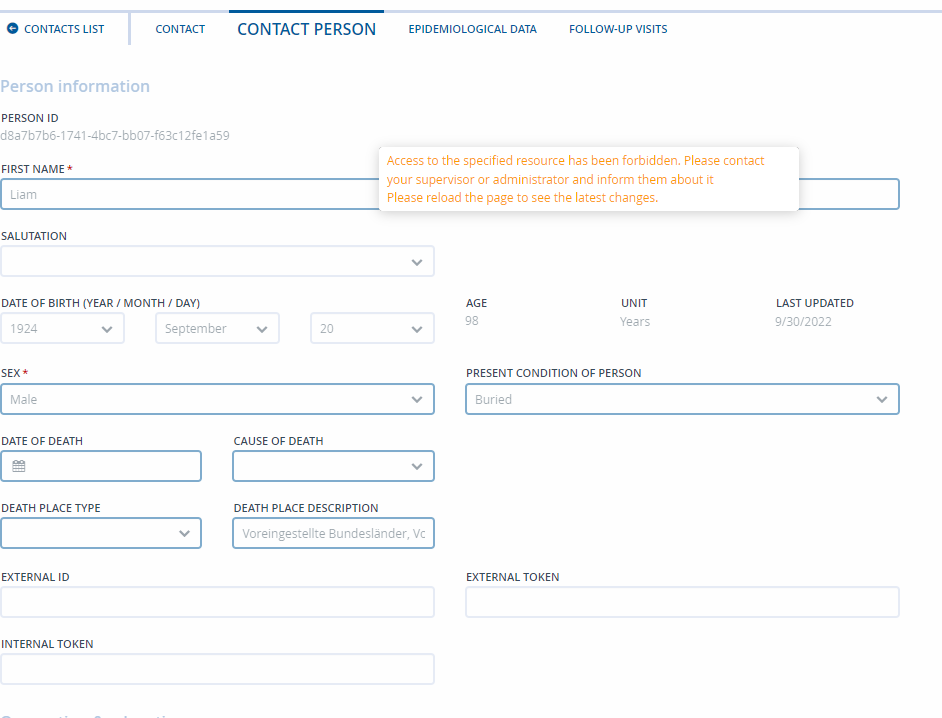
Reopened due to the error message still appearing in tooltip and pop-up when switching between Contact person and contact list. Behavior was checked on test.de Version: 1.76.0-SNAPSHOT (e37915d)(using user CustomRole (user role: ViewCase2 - see test-deUserRoles.xlsx)
- user role has all the user rights described in the ticket + CASE_VIEW, CONTACT_VIEW and CAMPAIGN_VIEW, required by other user rights (see previous comment).
Steps to reproduce:
-
Go to Contacts
-
Open a contact (blank page)
-
Open contact person tab (unable to edit)
-
Return to Contact tab. Result: A problem has occurred error message is displayed.

-
Dismiss message and go back to Contact person.
-
Hold for a few seconds anywhere on the page Result: error message is displayed in tooltip.
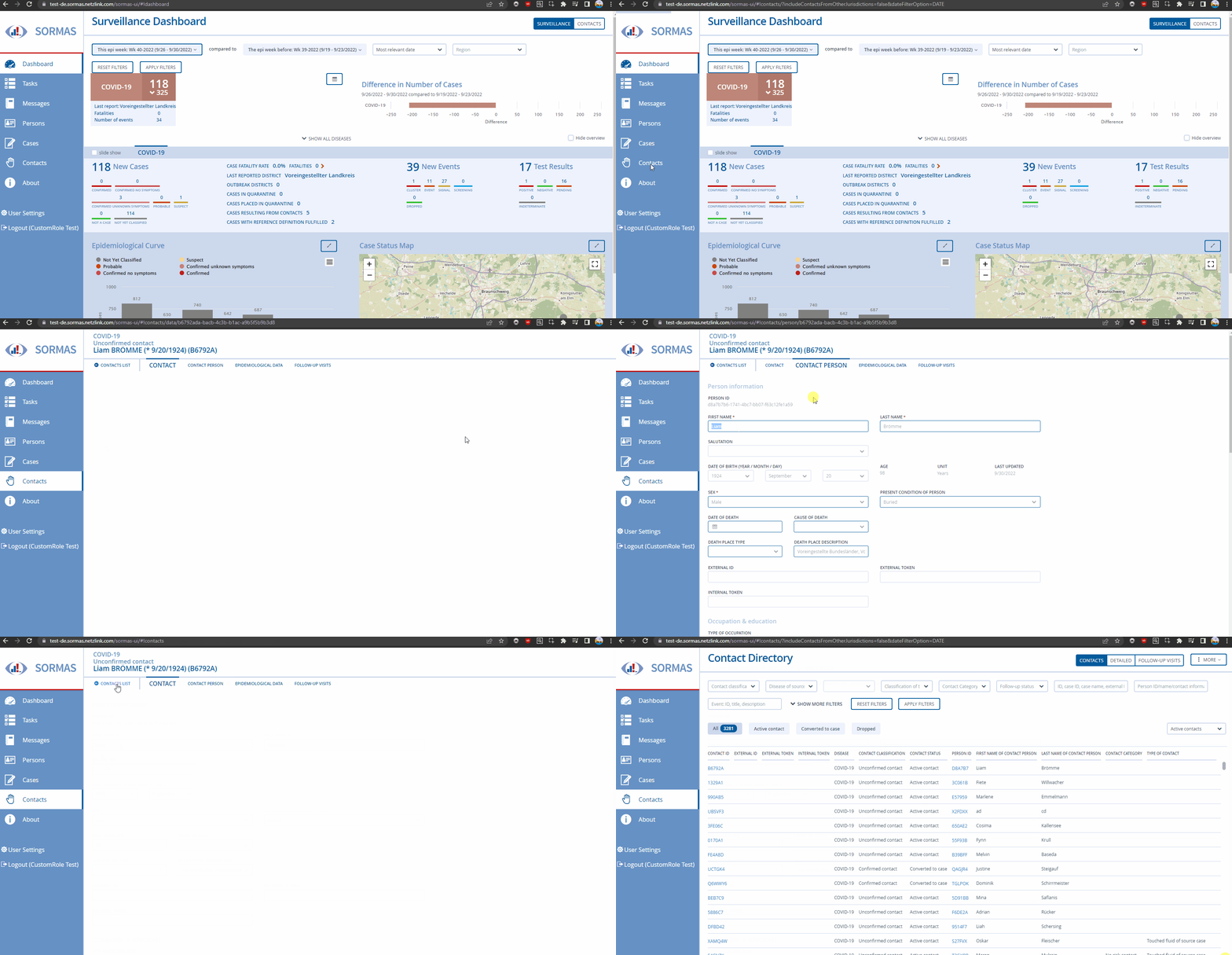

Due the last modification, the Contact page is not blank anymore, so the error does not appear. The bug does not reproduce.

Validated on test-de version 1.76.0-SNAPSHOT(4f461c7)
- Checked behavior on the specified user rights configuration and other similar user roles/user rights.
- Checked viewing and editing contacts, cases, samples & tasks are according to set user permissions.