

 Ryochan7
Incorrect lightbar behaviour and connection issue
Describe the bug While connected via Bluetooth (ASUS BT500) the lightbar stays a light blue shade and there are no indications of a low battery even though ive set it to change to red at 10%. Also, there isnt a seemless changeover from wireless to wired. when inserting the cable, the controller will switch over then disconnect then reconnect for some reason. While wired the lightbar is the correct shade of blue.
Expected behavior I would expect the lightbar to be the correct blue and to blink when the battery is getting low so i know to plug it in and when i do for it to not pair then disconnect then re-pair.
genuine Sony DS4 V2 ASUS BT500 adapter

.....please, do not shove your entire issue into the title field. Its a title, not a story synopsis

.....please, do not shove your entire issue into the title field. Its a title, not a story synopsis
Better? My apologies, first time posting here
Having a similar issue starting today. When turning on my controller the lightbar will sit at the profile color for a split second before switching to a bright green-blue. My profile is for a dim white and the bright color is extremely distracting.
If I open DS4Windows and manually switch the profile off and on or set a custom color (then turn the custom color back to default for profile) it will display the correct color, but then immediately switch back to the bright teal when switching the active application away from DS4Windows settings.

Are you sure that the game you are switching to isn't trying to control the lightbar? Some games have native support for it, believe it or not, and it tends to not end very well when programs fight over controlling the lightbar, usually causing what you have described
The behaviour of the lightbar staying a light blue while connected via bluetooth isnt related to if i'm playing a game or not, it does this regardless. I'm aware of games controling the lightbar as I have seen this while the controller is wired
Having a similar issue starting today. When turning on my controller the lightbar will sit at the profile color for a split second before switching to a bright green-blue. My profile is for a dim white and the bright color is extremely distracting.
If I open DS4Windows and manually switch the profile off and on or set a custom color (then turn the custom color back to default for profile) it will display the correct color, but then immediately switch back to the bright teal when switching the active application away from DS4Windows settings.
I'm not experiencing this issue at all
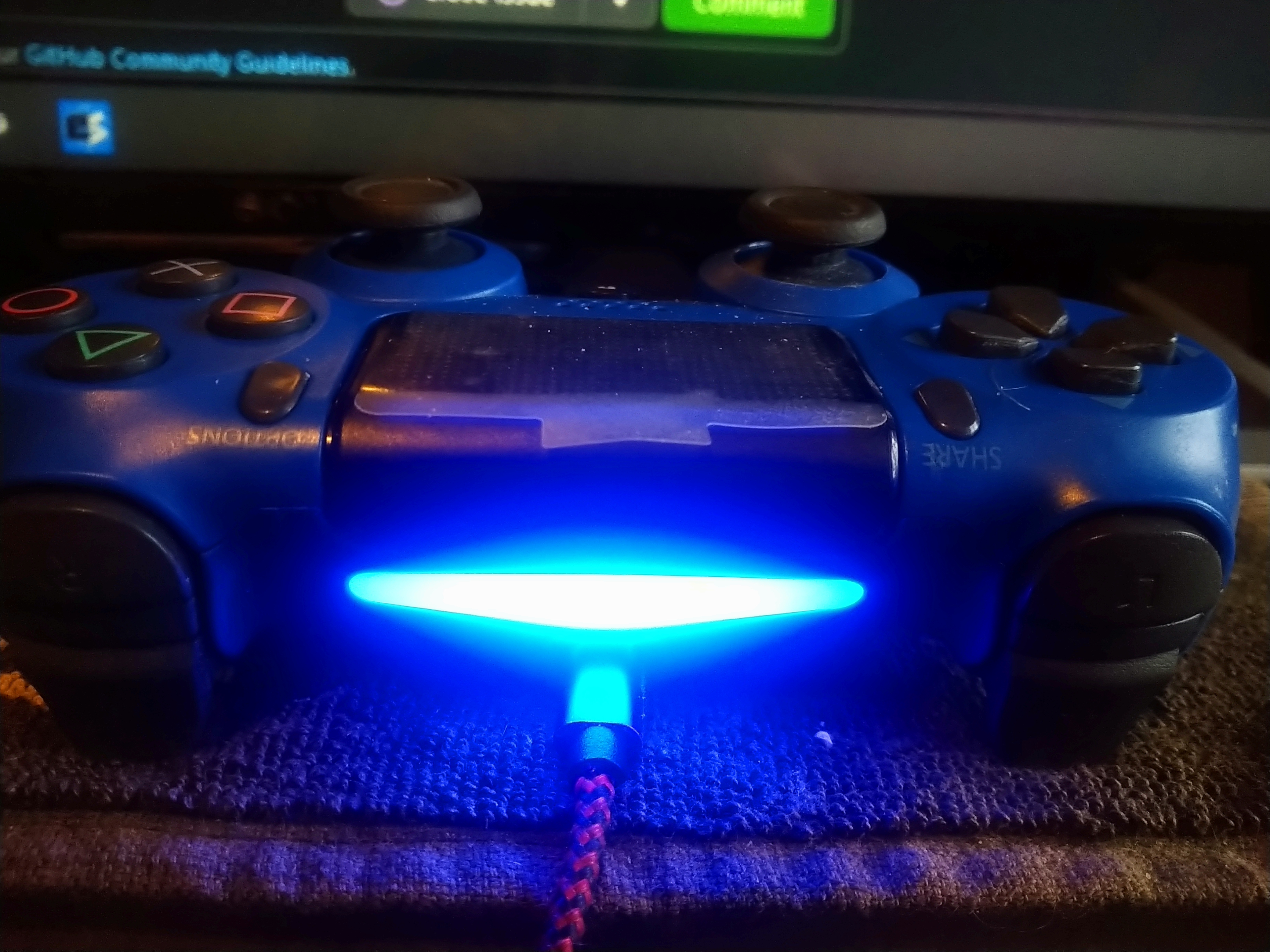
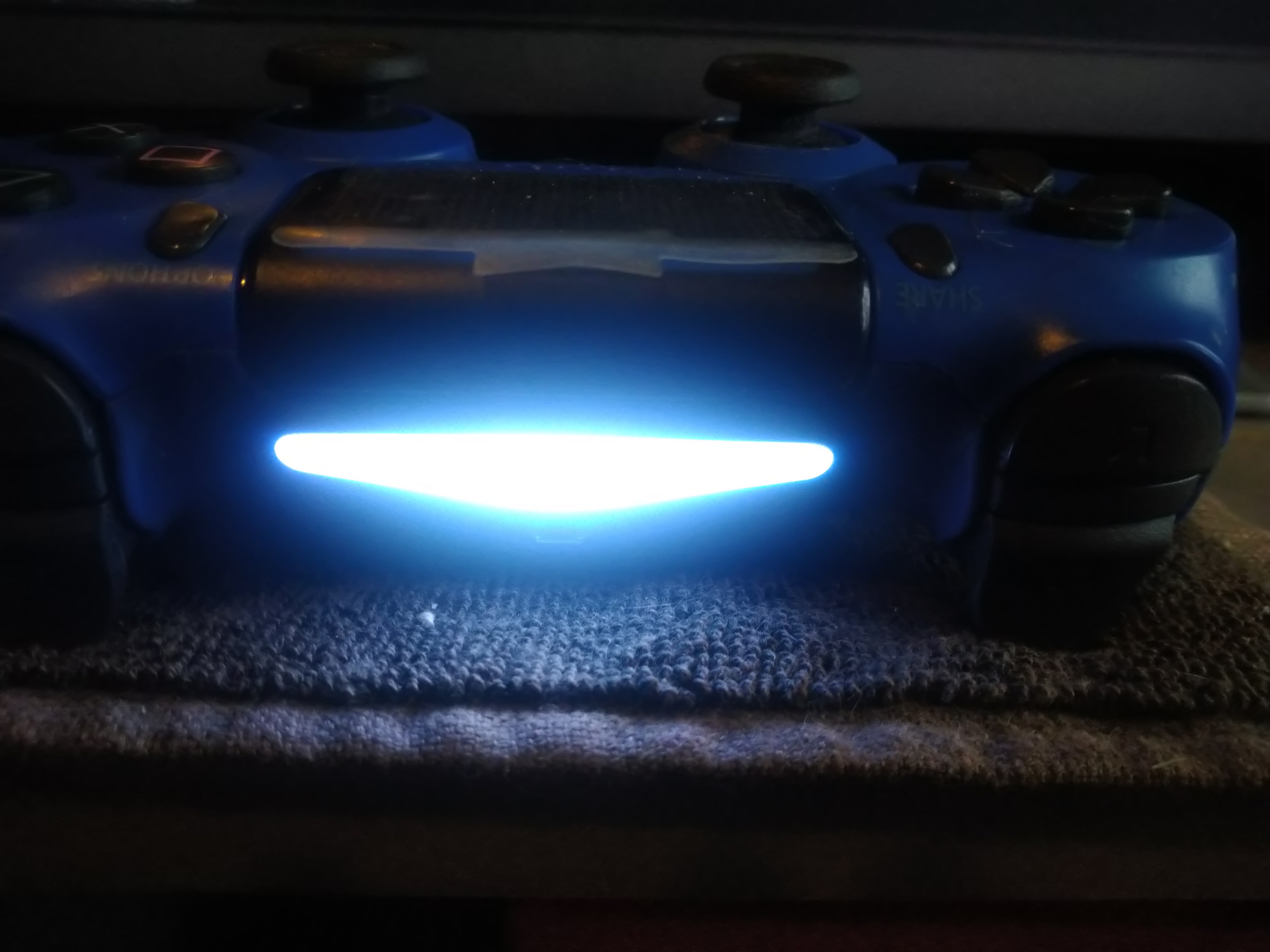 Here are 2 pics to clarify. The problem being, when used wireless, there is no feedback to the user to say if the battery is getting low, the old scp toolkit would make the lightbar flash on and off.
May not be a ds4windows issue, and actually be that something else in your computer is also detecting the REAL DS4 and instructing it to change the lightbar.
It's recommended to hide your REAL controller in a way that only DS4Windows can detect it, so only DS4Windows can influence it.
This is related to the "real controller NOT hidden issue", more commonly known as "double input / double controller issue": Preventing the double controller / double input issue in games

I have the same issue with same dongle and setup. This only started happening recently.

Similarly for me, when the DS4 controller is connected through Bluetooth, the lightbar does not change colour no matter what, even when charging. However, what is most interesting is that when it is not connected via Bluetooth and solely by cable, the lightbar does behave as expected. I am using the DS4Windows version that was released on March 7th 2023, I do not have the colour by percentage setting on, the emulated controller is the right one, and Output data to DS4 is enabled. All required drivers are installed and updated to the desired version.
