

 RodZill4
Remove tiler node input bleeding with overlap setting higher than 0
Feature/enhancement description:
Tiler node behaviour of clamping input is not intuitive. Instead of "cutting of" to black everything outside range 0-1 it clamps its value. This leads to "bleeding" effect with overlap setting higher than 0. See Image example below:
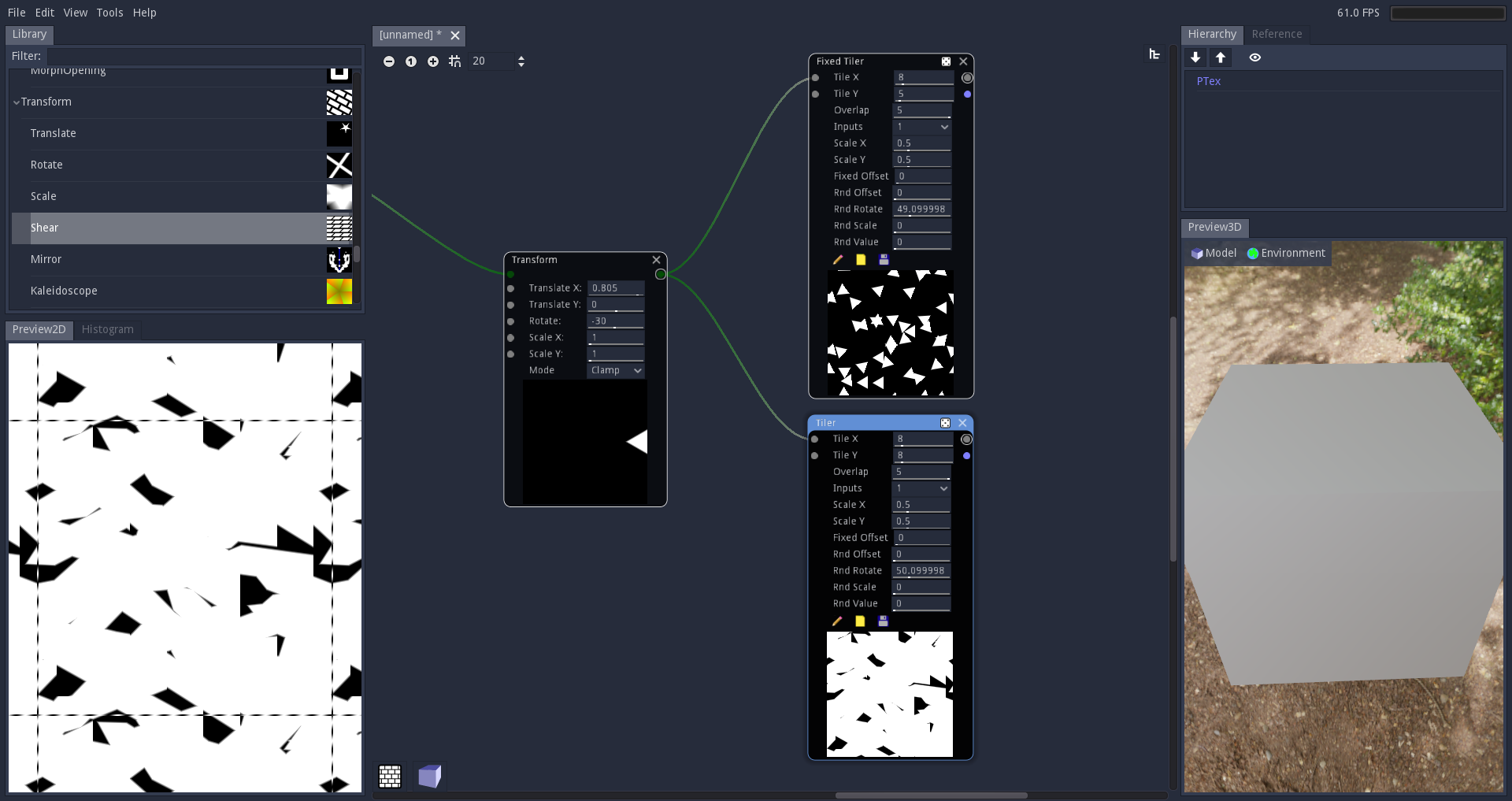 Bottom tiler is a original one from MM library. Top one set black color to everything outside range 0-1.
Note this solution is not gonna work with "darken" blending mode. But for now tiler only support "max" blending.
Bottom tiler is a original one from MM library. Top one set black color to everything outside range 0-1.
Note this solution is not gonna work with "darken" blending mode. But for now tiler only support "max" blending.

It would be also cool to have input that would drive the scale X and Y scale (both at the same time), because sometimes you don't want to have different values for the content that mask input provides :)

You want scale_x and scale_y to hold the same value? Just type $scale_x in the Scale Y field (the variable names are shown in tooltips).

It does not matter if it would be separatelly or not (for both values together, it means less inputs = less clutter). But it would be great to have this input to drive only the scale without affecting the value of the instance :)
To be honest I don't understand. I think that you should create another proposal with some examples.
Hmm so you want new inputs for scale maps? But I don't understand "to drive only the scale without affecting the value of the instance". Inputs never affect the values of parameters. In case of inputs that have the same effect as parameters, they are combined to calculate the strength of the effect.
I've made this simple example of using tiler that generates bunch of circles with a circle with long edge lenght. And the feature I want to propose, that those values of the mask would make instances smaller based on mask value :) Now it makes them only darker. https://i.imgur.com/lbPVNLa.png (in the text should be "New input would make them smaller instead of darker.") So it would be good to have one input for the strengh and one for size.