

 RobotWebTools
system get stuck after running pointcloud using ros3d.js
Hello, I created web app using flask and ros3d.js. I want to show live point cloud on web page which is taken by realsense . But when i show that point cloud my system ram usgae increasing and after sometime system get stuck.
code : app.py
from flask import Flask,render_template

app=Flask(__name__)

@app.route("/")
def home():
    return render_template("pointcloud.html")

if __name__=="__main__":
    app.run(host="0.0.0.0",port="5002")
pointcloud.html
<!DOCTYPE html>
<html>
<head>
<meta charset="utf-8" />

<script src="static/js/three.js"></script>
<script src="static/js/eventemitter2.js"></script>
<script src="static/js/roslib.js"></script>
<script src="static/js/ros3d.js"></script>

<!-- <script src="static/js/PointCloud2.js"></script>  -->
<script>
  /**
   * Setup all visualization elements when the page is loaded.
   */
  function init() {

    // Connect to ROS.
    var ros = new ROSLIB.Ros({
      url : 'ws://localhost:9090'
    });
    // Create the main viewer.
    var viewer = new ROS3D.Viewer({
      divID : 'viewer',
      width : 800,
      height : 600,
      antialias : true
    });
    // Setup a client to listen to TFs.
    var tfClient = new ROSLIB.TFClient({
      ros : ros,
      angularThres : 0.01,
      transThres : 0.01,
      rate : 30.0,
      fixedFrame : '/camera_link'
    });
    var cloudClient = new ROS3D.PointCloud2({
        ros: ros,
        tfClient: tfClient,
        topic: '/camera/depth_registered/points',
        rootObject: viewer.scene,
         material: { size: 0.05, color: 0xff00ff }

    });
  }
</script>
</head>

<body onload="init()">
  <h1>Simple PointCloud2 Example</h1>
  <p>Run the following commands in the terminal then refresh the page.</p>
  <ol>
    <li><tt>roscore</tt></li>
    <li><tt>roslaunch rosbridge_server rosbridge_websocket.launch</tt></li>
    <li><tt>rosrun tf2_web_republisher tf2_web_republisher</tt></li>
    <li><tt>roslaunch openni_launch openni.launch depth_registration:=true</tt></li>
  </ol>
  <div id="viewer"></div>
</body>
</html>
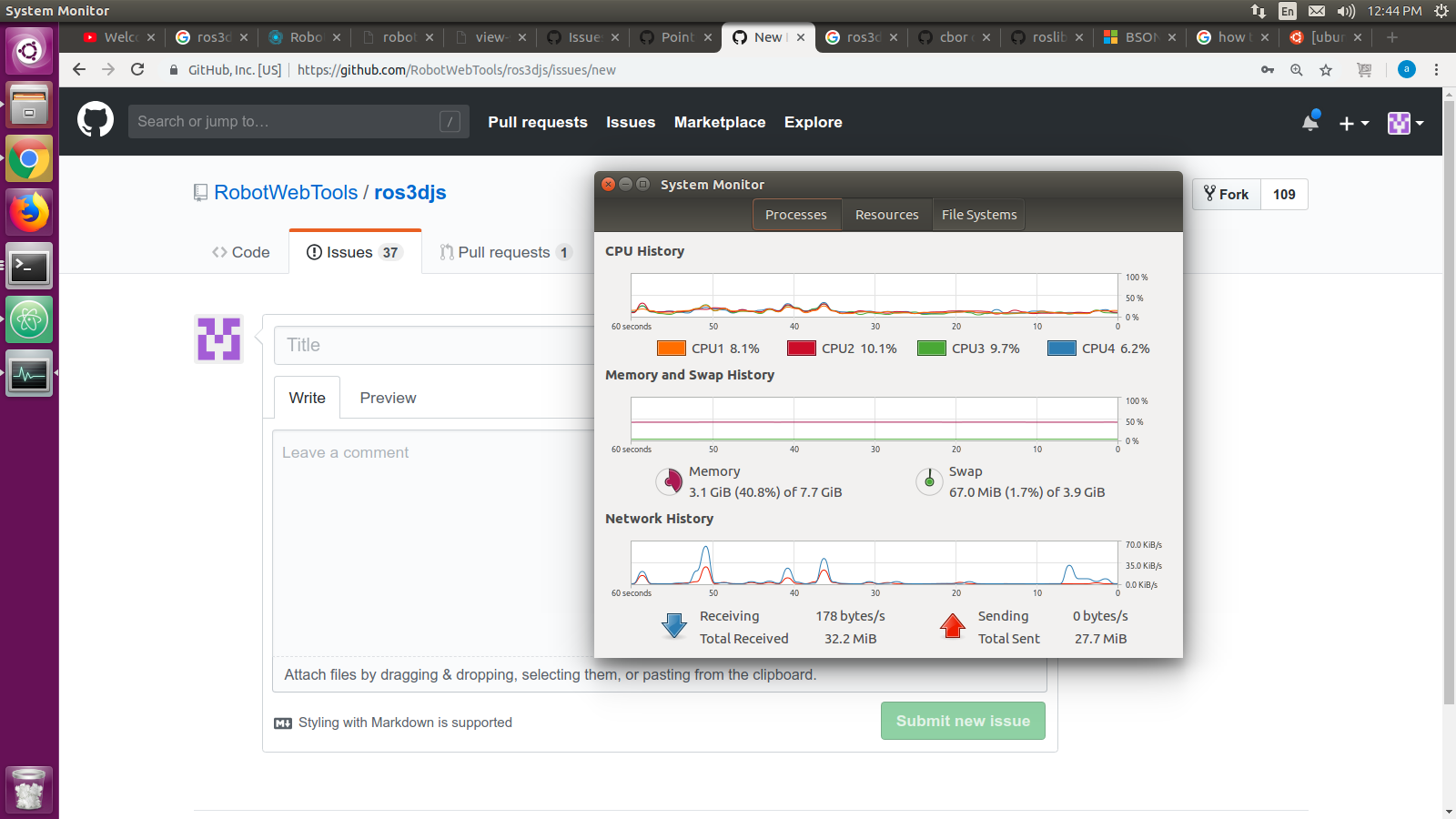
Ram usage before running app:
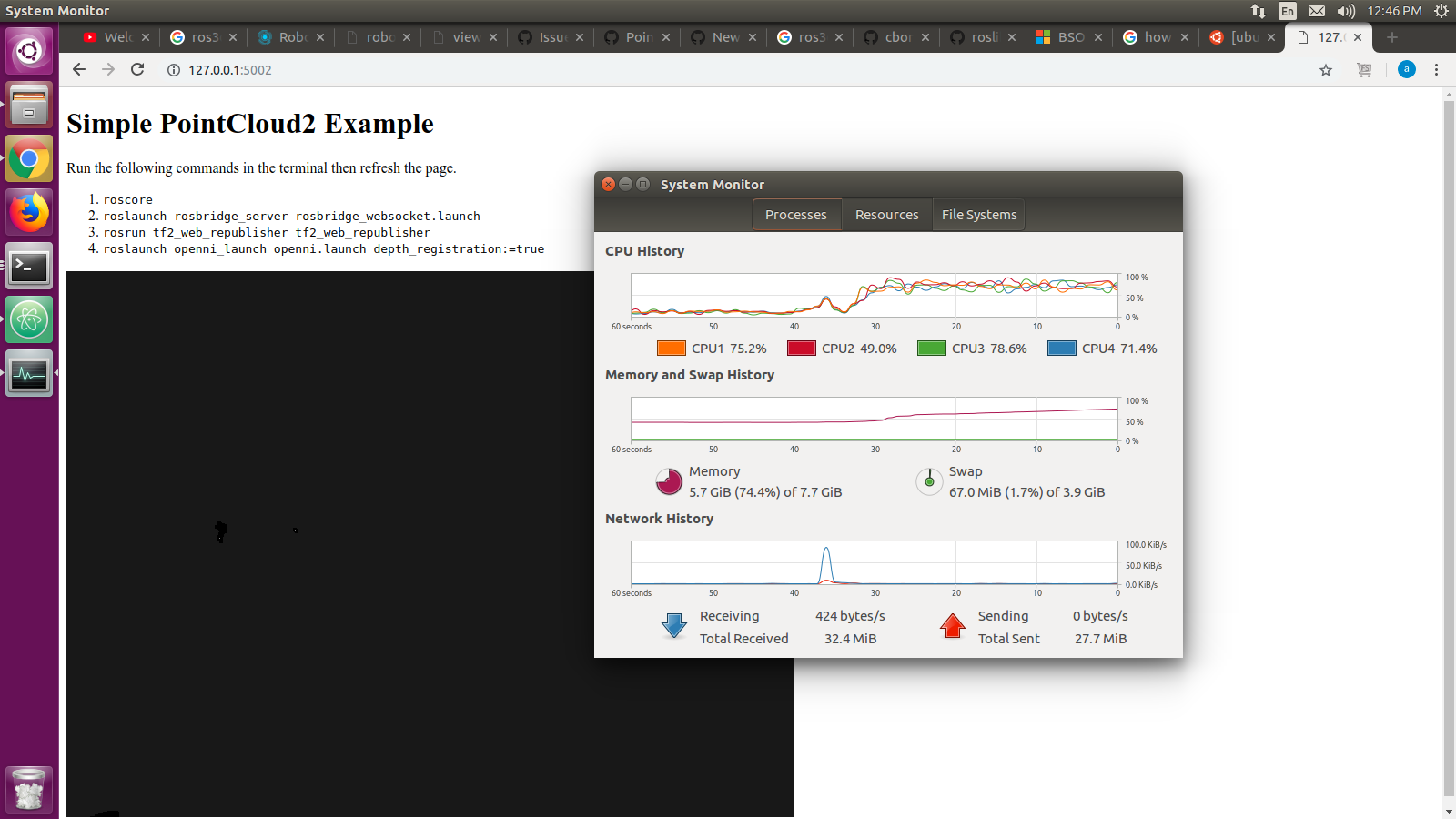
Ram usage after running app:(still increasing and after sometime system get stuck)
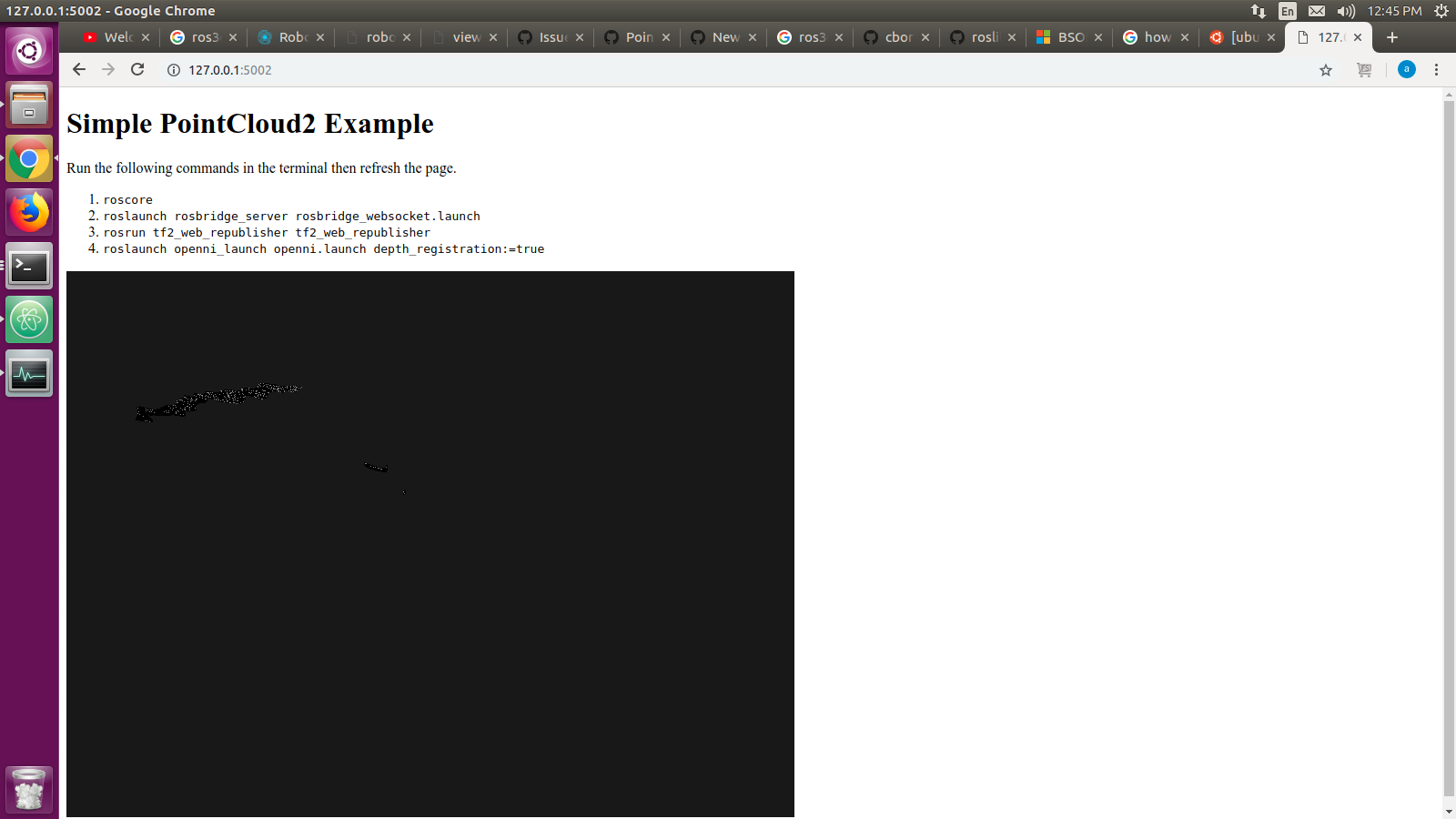
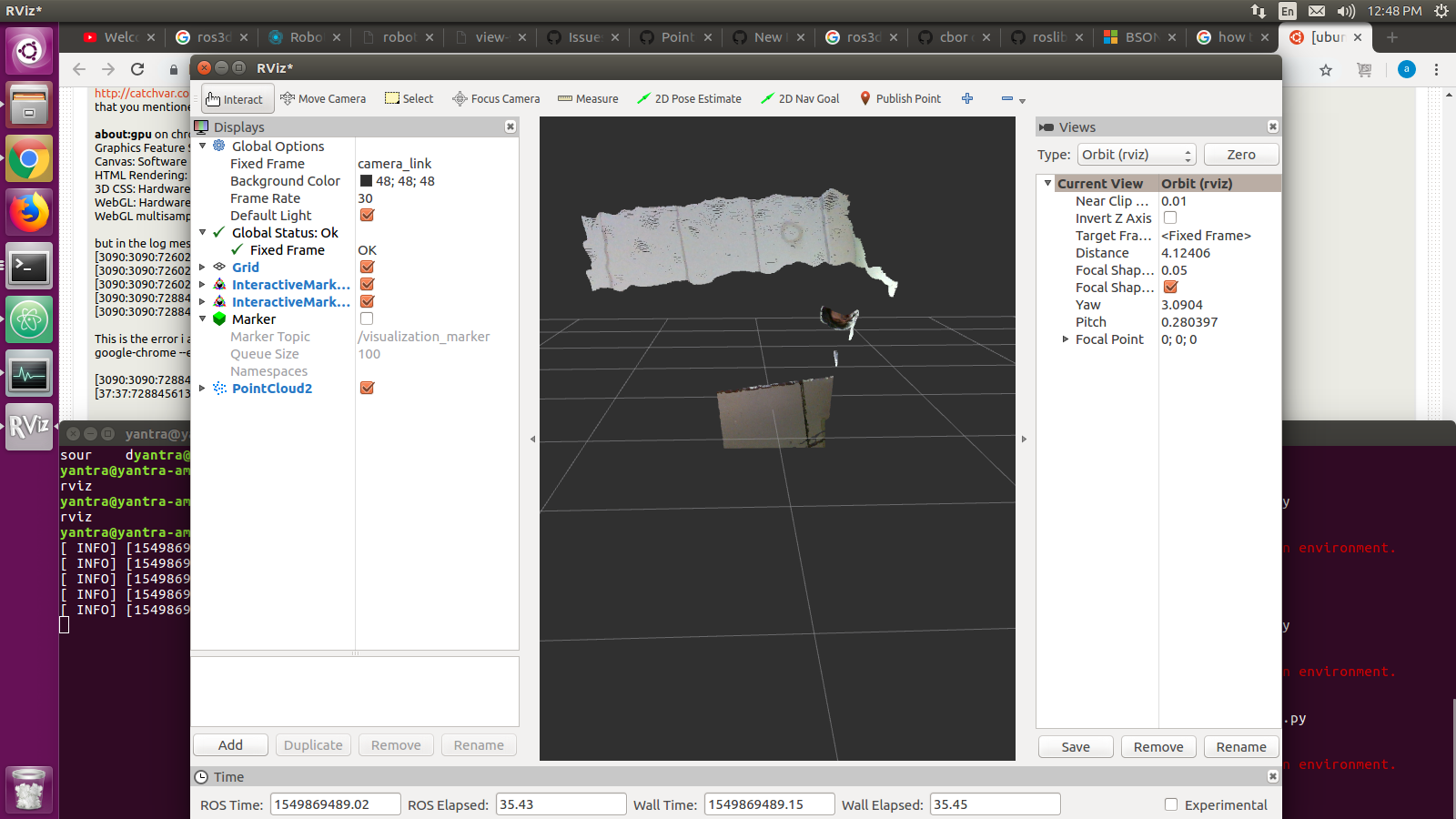
Another issue is , it not showing proper point cloud.
Point cloud in web:
Point cloud in rviz:
Any help with this issue would be greatly appreciated.

What versions of rosbridge_library, rosbridge_server, roslibjs, and ros3djs are you using?

I follow this repository: https://github.com/RobotWebTools/ros3djs/tree/develop/examples https://github.com/RobotWebTools/rosbridge_suite
hello ,
I found this issue when I run web page.
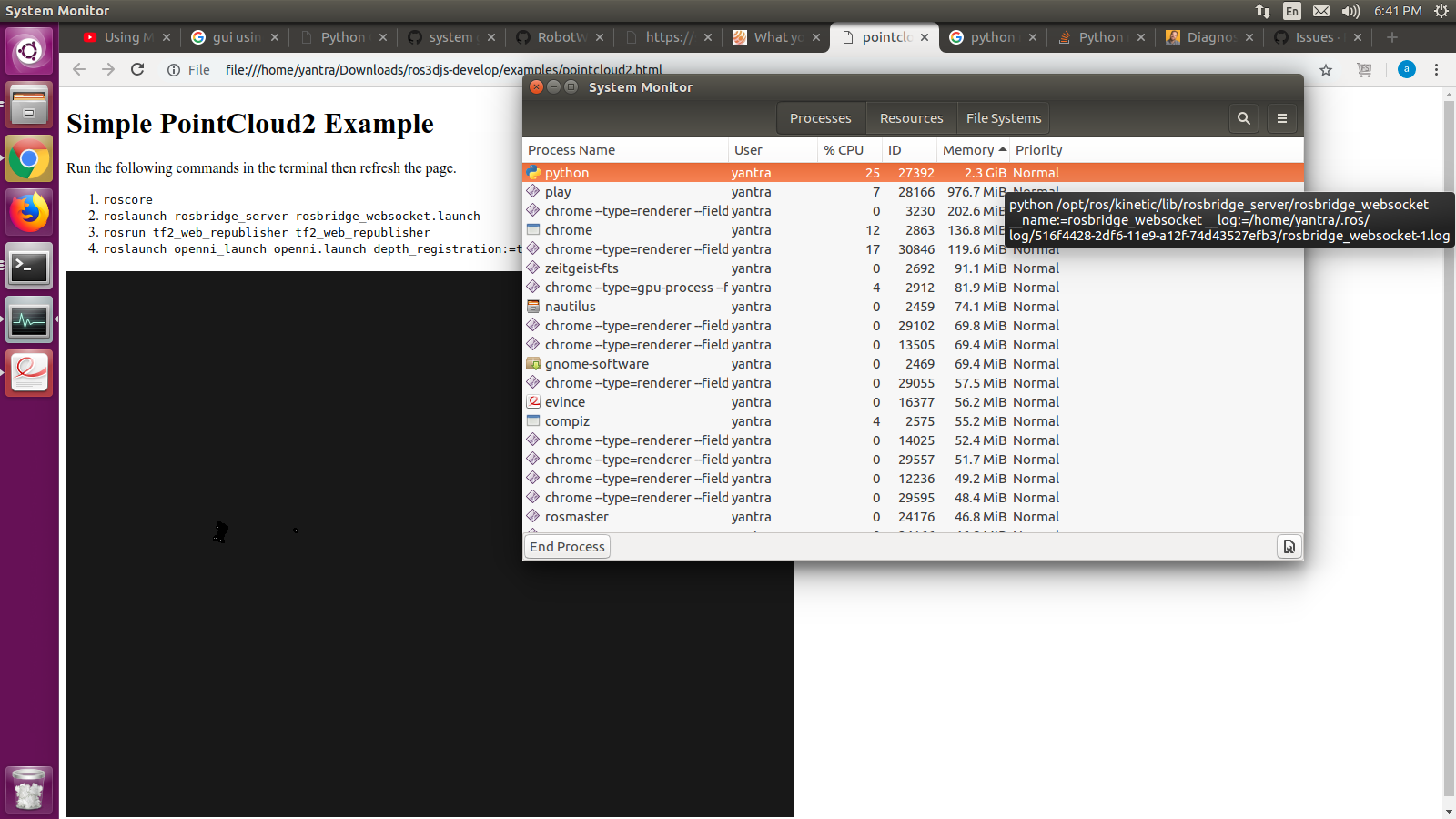
python usage rapidly increasing.(this is related to rosbridge) how I solve this.
@satputeamit I think I have the same broblem -> issues/225 My system does not get stuck (1080ti) , but it sure is working hard!
