

 Riverscapes
Value too high or too low for decimal
The Problem
What went wrong? A DOD between two clipped DTM did not work (in QGIS the DTMs difference works)
Reproduction steps
- I did this: import the survey and pre-existing DTMs
- Then I did that...: Star to make DoD.
Exception message
 --- Stacktrace ---
   in System.Decimal..ctor(Double value)
   in GCDConsoleLib.Histogram.BinId(Double val)
   in GCDConsoleLib.Histogram.AddBinVal(Double val)
   in GCDConsoleLib.Internal.CellByCellOperator`1.ChunkOp(List`1 data, List`1 outChunks)
   in GCDConsoleLib.Internal.BaseOperator`1.Run()
   in GCDConsoleLib.RasterOperators.BinRaster(Raster rInput, Int32 numberofBins, EventHandler`1 progressHandler)
   in GCDCore.Engines.ChangeDetectionEngineBase.Calculate(String dodName, DirectoryInfo analysisFolder, Boolean bBuildPyramids, UnitGroup units)
   in GCDCore.UserInterface.ChangeDetection.frmDoDProperties.cmdOK_Click(Object sender, EventArgs e)
 --- Exception Data ---
GCD = 7.5.0.0
Windows: Microsoft Windows NT 6.2.9200.0
Date: 22/02/2022 12:56:32

Paste the exception message you are getting from the app here. It really helps us.
Anything else?
Here two original DTM that did not works

@daveal81 thanks for sharing the data. I was able to reproduce the problem in:
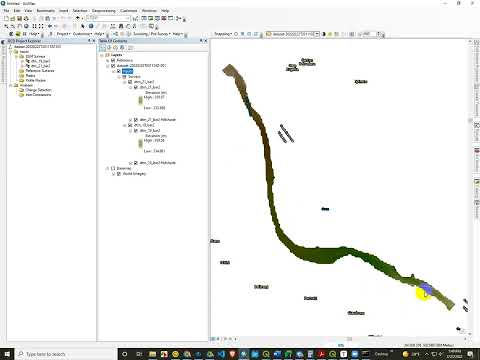
The problem is definitely associated with the 21 raster, and this is also the raster I point out in the video has poorly curated extents (see here for hints). I suspect that recreating that raster from the original data to be perfectly orthogonal with the 19 raster will fix the problem.
However, @philipbaileynar this is a new error we have never seen, so I am curious why. It is crashing out when creating the histogram (it seems to blow up), even though it is able to create the rawdod.tif. I tried seeing if I could make reference surfaces off of this or error models off of this and I was able to. I also looked at elevation ranges and there is nothing tell-tale in there. Anyhow, I'll be curious what you think.

Using a simple smooth filter (R=2=) of QGIS on 21 raster now it works. Thank you
@philipbaileynar and I have logged the issue still as a bug 🪲. Glad a workaround got you through.