RestyaPlatform
Feature request on associating cards
Hello,
I'm looking at Kanban Boards to satisfy the following type of workflow:
Have an asset management system & database, from which assets are kept synced as cards, with their info. Modifying this info in either system results in changes to the other. What would be ideal would be to sync the Assets from the database to a kanban board as assets. The assets could be synced into multiple "Boards" based on at least locations, but maybe other types of categories as well. Do you think this would be able to be made in to life with the API
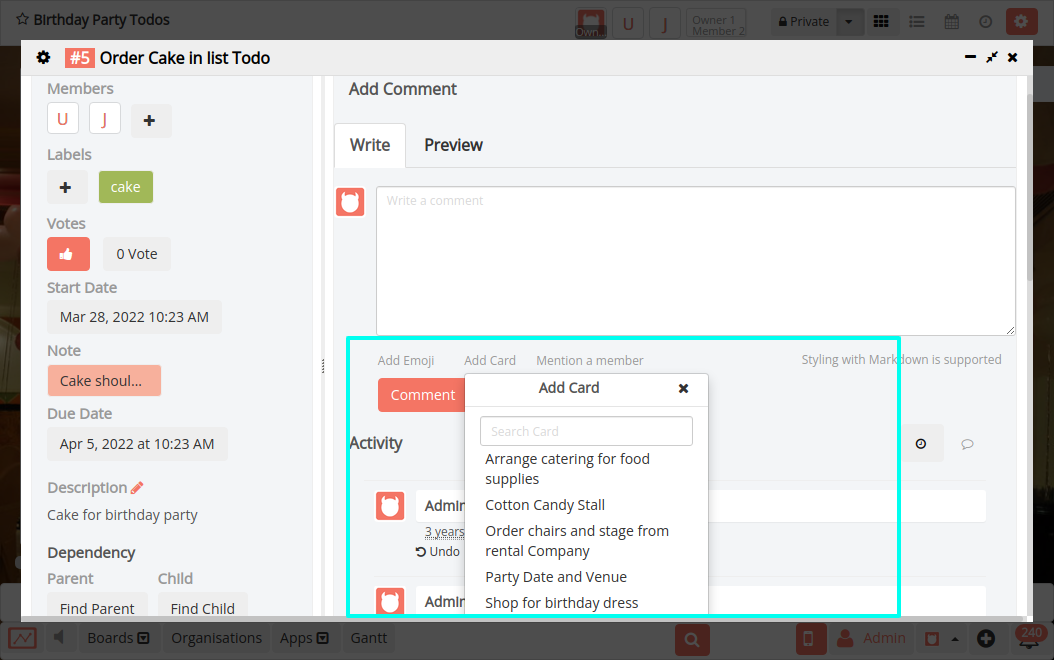
Now to the real feature request: The above would make possible keeping cards of assets and linking them to other cards/tasks. In the current demo it only seems to be possible to have cards associated one-way, where as what I would like to see being able to see an associated card from either card, to be able to determine asset or task location based on either.
Also an additional feature would be to link also the name of the card as well as the card number, which seems to be the only thing added currently.
Is such a request in the realms of possibility?

@rkantos Requirement is not clear. Can you please contact our support team and set up a call?

See Example here: http://board.demo.restya.com/#/board/936/card/8682,8681
From card #8682 I can see both Asset-named cards #8683 and #8681, but they are not associated or cannot be seen from the Asset #1 or #2 cards #8683 or #8681
Of course this can be achieved manually, but what I need is for it to be automatic after a "child" card is added to a parent.


@rkantos Perhaps you're looking for checklist?
Absolutely not since a checklist has no relation to anything. The thinking behind it is being able to see if an asset is in use in a specific task. From the task I want to see which assets are included in the task. Again, sure this could be done manually, but I need it to be automatic :+1:
@rkantos Sorry for the delay.
As in #233 do you want to "only" open related card? Or, do you want to "see" related cards?
If you want to see related cards, do you have any UI suggestion? Also, do you have any use cases here?
@rrjanbiah
There is no need to see the card on the card, though some additional features to also see the name and image that was added first could be handy.
So what is required
- Link cards from other boards and same boards
- Keep the link updated, even if the card is moved to other boards
- Add name after card link (in the comment field) (edited on OCT 5. 2017)
Not necessary but a bonus
- Add checkbox for selection if the name of the card is required to be added
- Add similar checkbox for adding a picture after the card link to the comment
- only present the checkboxes in the UI if user is adding a card link, e.g. make the checkboxes appear under the textbox in similar way to the text appearing now (Add Emoji, Add Card,Mention a member SubmitComment) I don't also mind if the option is text.
- Remember the options user set last time
Further ideas, not necessary immediately, but please do implement if not much extra work is required
- Add possibility to add the link to a card also to a checklist, and also have checkbox or other option in the comment -section for this functionality, so it is not necessary to add the card number to the checklist again.
This can of course get harder to implement, since now the option would need to be related to the number of cards that are being linked in the comment. For example when adding 5 card links to the same comment, I might only want to add one of them to the checklist at the same time, or all at once. An idea how this could be done simply at the beginning would be to uncheck the checkbox for adding card to checklist, if the user adds more than one card to the comment. Of course this would only happen if the user has checked the checkbox again. For this there could also be a prompt, or another checkbox, near the checkbox for confirming if the user wants to add all the cardlinks to the checklist also.
Of course implementing this functionality the same way as in the comment field, while still requiring manual addition of the card link to the checklist is still a way forward!
@rkantos Thanks a lot for your detailed notes. We'll discuss about this here and get back to you
In case it's helpful I think similar functionality now exists in Trello where you can reference other cards or boards from within a comment or checklist item:
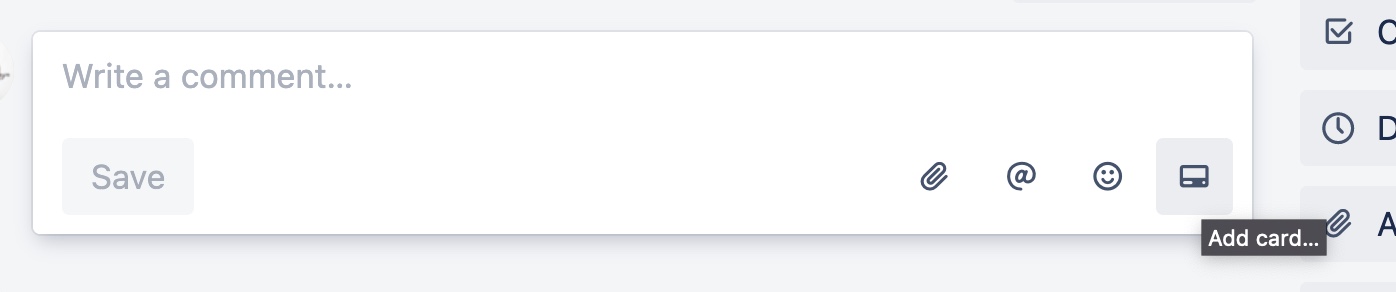
The "Add card or board" opens up a drop open list with a filter as you type (but you can also just pasted the URL to the card/board), then renders the URL of the card or board as a link when submitted:


@laryn In Restyaboard, in the card comment sections also, you can mention the cards within the same board