

 RSCPlus
Chat history window
Added a window which keeps a log of several types of chat messages. I'm aware that it's possible to run the RSC+ .jar/rsc_console.exe in order to see a similar chat log, but I believe this is a better experience for the user as it doesn't require directly running any executables which can be confusing for less experienced individuals.
Sorry for the large commits! When I started working on this, I didn't think it would get to a point where I would actually want to do a PR. I'm not all that experienced with writing Java apps!
Features:
- Keep a log of different types of chat messages
- Filter messages by type
- Configure window toggle keybind in "Keybinds" section in Settings (Default Alt+C)
Potential Future Features (WIP/TBD):
- Dedicated settings page
- Style options (colors, font size, etc.)
- Render RSC chat colors (ex: @gre@, @blu@, etc.)
- Search/filter by message content/username
- Timestamps
- Open window through UI element within RSC game client (clicking the Map icon opens the world map for example)
- Send chats from within the chat history window
Preview:
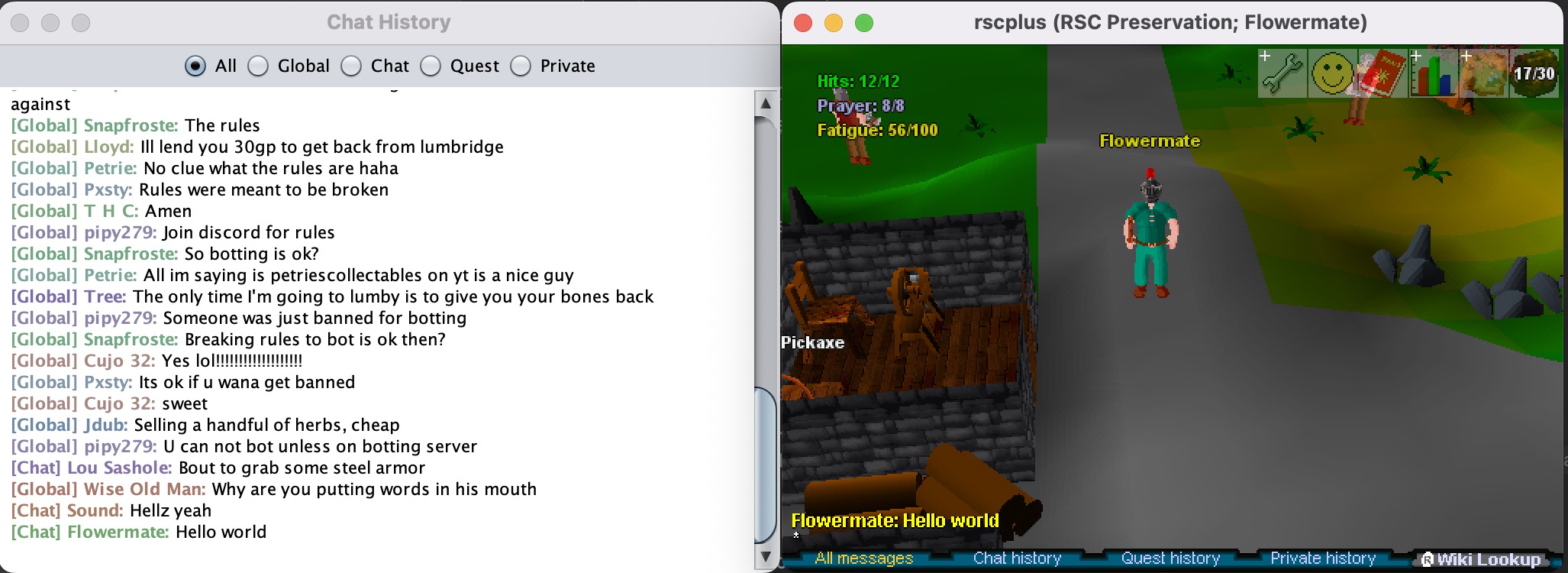
Keybind configuration:


Hi, thanks for this, there are a few revisions I would need to include this in the main RSC+ repo though.
-
Please run
ant format-source! There are some very large diffs from whitespace that got changed which can't be easily reviewed, and they also do not conform to the rest of the project. -
We are not a private server client, so we cannot support Open RSC's "Global" chat feature. The filter for "Global" would have to be removed. Philosophically, RSC+ is a 3rd party client and preservation platform for Jagex's official RuneScape Classic servers.
-
I would consider supporting @ style color codes to be non-optional. In order to blend the color codes more correctly, I would prefer a black background instead of a white background as well.

Hi, thanks for this, there are a few revisions I would need to include this in the main RSC+ repo though.
- Please run
ant format-source! There are some very large diffs from whitespace that got changed which can't be easily reviewed, and they also do not conform to the rest of the project.- We are not a private server client, so we cannot support Open RSC's "Global" chat feature. The filter for "Global" would have to be removed. Philosophically, RSC+ is a 3rd party client and preservation platform for Jagex's official RuneScape Classic servers.
- I would consider supporting @ style color codes to be non-optional. In order to blend the color codes more correctly, I would prefer a black background instead of a white background as well.
Hey, thanks for taking a look at this.
- I've gone ahead and run the
ant format-sourcelike you suggested. That seems to have cleared up the insane commit size! Going forward, we might want to update the "Contributing" section in the README as it currently doesn't mention anything about code style/formatting. - I've removed the "Global" chat filter for OpenRSC, and any special handling around "Global" chat messages.
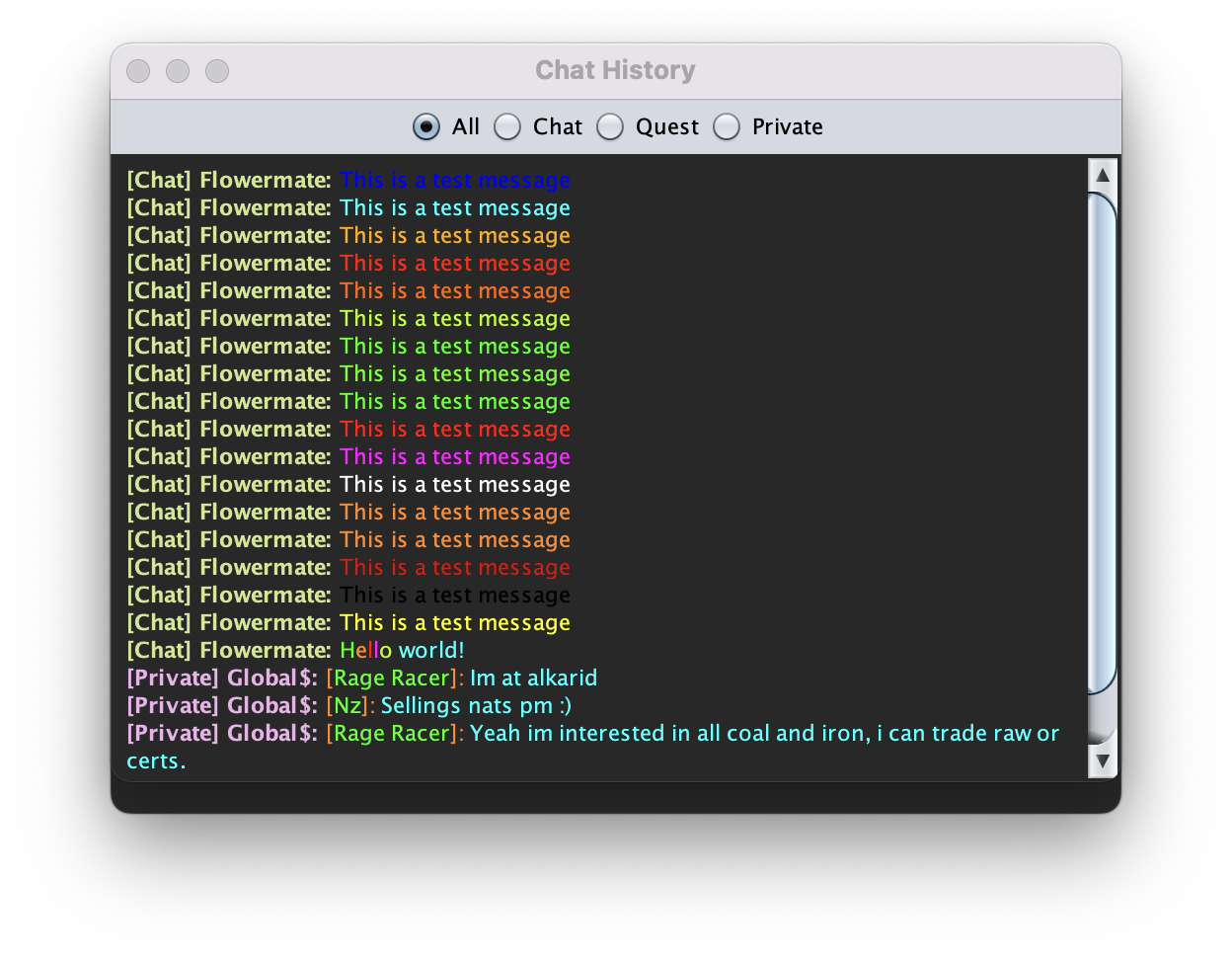
- I now have the @ color codes working! Unfortunately, the "ran" color code will not be able to be supported, at least with the current implementation of the chat history window. I am using a JTextPane and writing to it's Document instance in order to display chat messages. Changing a messages color rapidly (as "ran" does) would require re-rendering the entire document which would mess with the current scroll position, and may lead to flickering of all message. We could possibly just pick a random color and render with that if we come across an "ran" color code. In my opinion I don't think it's necessary, but I'm open to hearing what you think.
Here is an example of all supported color codes rendered, plus an example of a few "Global" chat messages (which have several color codes inside each message). I've gone with a darker gray background rather than just black so that you can see all color codes, including "bla". I'm open to suggestions on other colors if you're not satisfied.
Wow that was quick. It's looking better. I'd like to actually suggest some pretty drastic interface changes though.
And if you don't feel like taking on this work, that is okay. We can work this in and make changes on top of it later. But I'd like to give you the opportunity to work on it more first, since it's your feature and you put in a PR for it first.
A few contributors have had this idea of incorporating the chat history window, which is only available through the terminal, directly into the client before. So we have existing ideas on how to do it, and how to make it nice, and when we launch this feature, it would be good to have all the functionality there already.
Basically, we would like to replicate HexChat's interface.
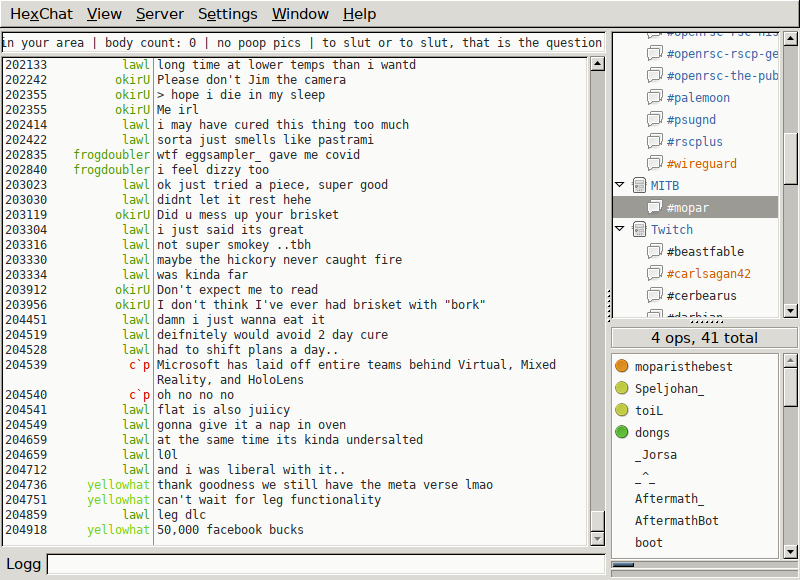
Main Chat Area
Your implementation is already nearly what we have imagined. However, it should have an (optional) timestamp, and it could separate out the Username, similar to Hex Chat.
Dynamic "Channel List"
Instead of the list of #channels on the side, it would be
- All Messages (in this mode, messages are prefixed with their Type, similar to existing implementation in RSC+ when launched from a Terminal)
- Chat (Message Type 4)
- Quest (Message Type 3)
- Private (Type 5 only, (login/logout messages)) ** Friend1 (Types 1 and 2 pertaining to communications with this friend only) ** Friend2 (Types 1 and 2 pertaining to communications with this friend only)
- Other (Encompassing chat types 0, 6, and 7).
The Private header should have an arrow next to it, like in HexChat next to IRC servers, that allows you to collapse that subheader. The Private Header will dynamically add tabs for Users that have messaged you, or you have messaged them. For example, the username "Global$", would get its own tab for messages sent to and from that username. But also, your friend "Zezima" or "Andrew" would get their own sections to filter on.
Friend's List
A friend's list could be incorporated at the bottom right, like in HexChat. This would allow you to private message a friend from the Chat window.
Text input field
Self explanatory, allows you to send a Chat or Private message, depending on the context.
Sorry to spring all this on you. I know I'm asking for a lot here, and I'd like to emphasize again that you do not need to take this on if you would not like to. But it is what we would eventually like the feature to look like in RSC+, and how I would like to launch it.
These are all great ideas. Most of these changes seem like adding/rearranging UI elements which doesn't seem all that difficult. The parts I'm more concerned about are finding the right methods/hooks to do things like send messages, get the users friends list, etc.
I would love to be able to work on some of these things, but it will obviously take a much more significant amount of time than my last update. I'll try to keep you updated and ask questions when needed.
Thanks!
Glad to hear. :-) Definitely let me know if you get stuck on something. And feel free to join the RSC+ discord, where we have a developer chat and more real-time communication.
https://discord.gg/jNXapT5
Hey @Hubcapp! I apologize for leaving this PR going for so long with no update. I'm going to be honest, I haven't been working on this much at all in the past month. Work got really busy and I haven't had much time to play RSC in general.
Anyway, I just pushed an update with some of my changes. The chat window is definitely not finished, but I believe I have most of the UI worked out pretty well. The last I remember, I was trying to find the right places to do things like grab the player's name, friends list, send a message, etc. I think I will need some help with some of these things, but I'll likely reach out to you on Discord when I get there.
Here's a preview of the new interface:
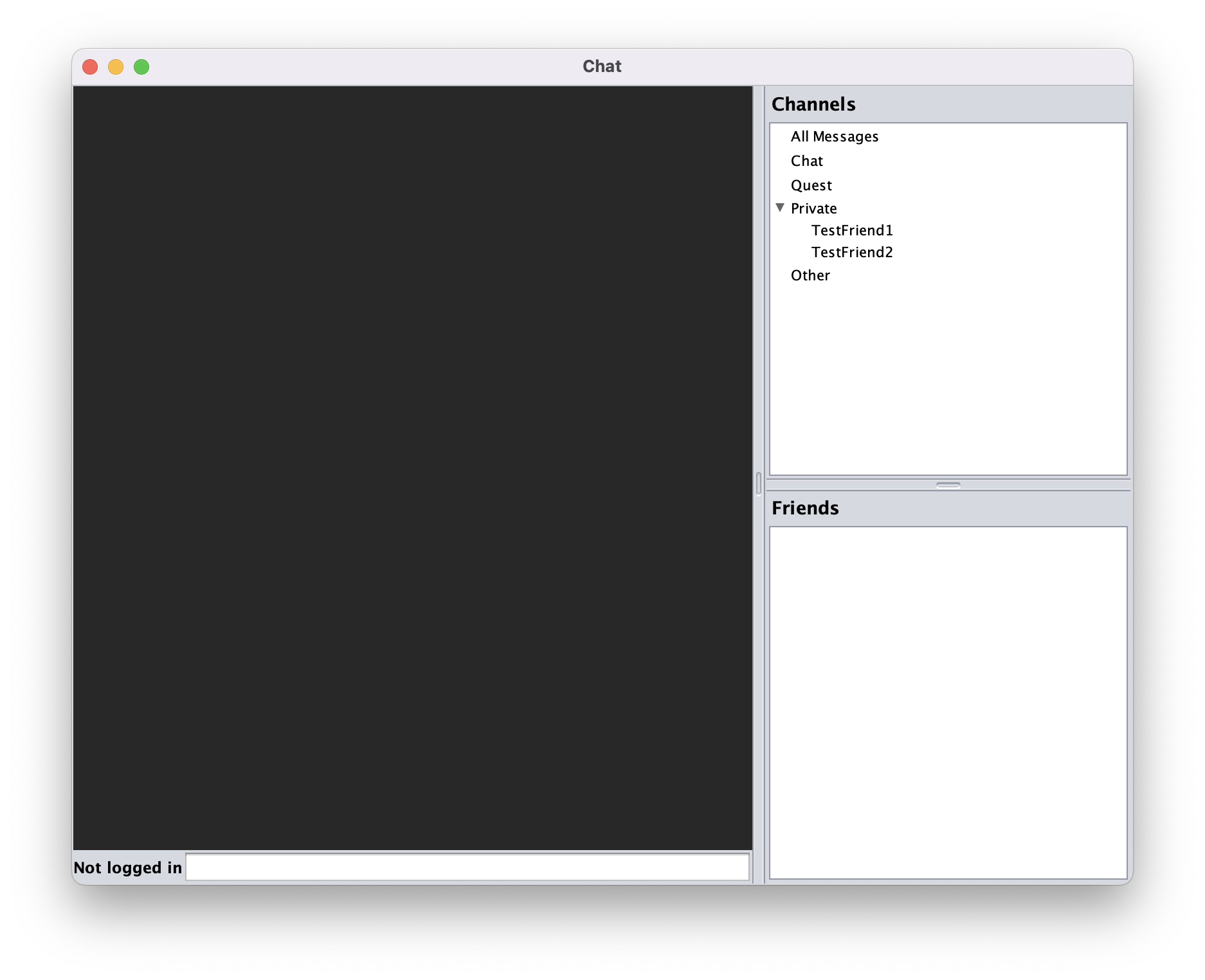
Something else that needs to be done is to build a new renderer for the chat messages. Before, I was using a JTextPane for the "chat" section of the window, but that eventually became a bit limiting. I tried with tables too, but performance was really poor as I had to calculate the table cells width when resizing the window to handle text wrapping. In the end, I went with a JEditorPane as it supports HTML/CSS which is something I'm way more familiar with. The problem now though is the original renderer (for showing color tagged messages) which I built for the JTextPane will no longer work. I'm sure I can basically do the same thing, but rendering HTML tags instead. I just haven't gotten around to doing it yet.
As a side note, I ran into some issues with code formatting. I saw that the ant format-source command used the google java format style so I tried to set up a "Code Style" in IntelliJ IDEA so that I could easily format on save with the correct style. Well that totally screwed things up because it didn't like that there were many places in the code where, for example, if statements didn't use curly braces. I tried my best to clear up those formatting inconsistencies up, but I think it might not have worked out the best. If you'd like me to re-create this PR, I could definitely do that. Just let me know your thoughts.