

 RPTools
[Bug]: MapTool 1.11.4 aborts abruptly after starting server when launching Token Editor or clicking macro buttons for macros that cause no issues in MapTool 1.10.4
Describe the Bug
While using MapTool 1.11.4 with my framework (I'll shortly attach one you can use to reproduce the problem), BEFORE starting the server, the macro buttons work as expected -- but AFTER starting the server, when I click on apparently any macro button, MapTool aborts abruptly. There's no error message. MapTool just disappears -- actually leaving behind what I think is called a zombie process. But the UI is gone. Uninstall can't shutdown the zombie process. It has to be killed through the Windows 10 Task Manager.
MapTool 1.10.4 has no trouble with the same campaign saved as a backup before migrating to MapTool 1.11.4.
To Reproduce
- Start MapTool but don't start the server.
- Load the example campaign (which I'll upload shortly).
- Select a token on the example map and click the "Melee Attack" button (near the top of the Campaign Window).
- Notice that the macro launches a dialog. Cancel the dialog.
- Start the server.
- Repeat step 2. and notice that MapTool aborts.
Expected Behaviour
MapTool should not abort regardless of clicking on any macro button anywhere in the campaign.
Screenshots
No response
MapTool Info
MapTool 1.11.4
Desktop
Windows 10
Additional Context
The same campaign works perfectly in MapTool 1.10.4.

This is a simple example campaign where this problem can be reproduced with MapTool 1.11.4.
Unzip the file. I zipped it so I could upload it here. Yes, I know *.cmpgn files are zip files -- but I zipped it anyway.
This is the same example which works in MapTool 1.10.4.
Unzip this. The *.cmpgn file is inside. I know, I know ... :)
Example works in MapTool 1.10.4. but not 1.11.4.zip
I believe the same issue can be reproduced for many or all of the other macro buttons.
Loaded 2nd campaign file into 1.11.4 and started server.
Tried a variety of macros with the Cultist token selected. No errors. No crashing. Nothing in logs.

Tried it in a windows 11 sandbox (so essentially clean windows 11 install), it crashed for me (as described above) Fails in 1.11.2, 1.11.3, 1.11.4. Interestingly enough if you start the server first then load the campaign it does not abort.

Interesting. Tried loading campaign both before starting server and after starting server with no issue.
Last week we used MapTool 1.11.3 with a copy of this campaign with no problems. This week when we had trouble with 1.11.4, we tried to go back to 1.11.3 and used the 1.11.3 copy of the campaign but had the same problems as 1.11.4.
I always load the campaign before starting the server.
However, it's possible that last week I may have accidentally loaded the wrong campaign, first. I've been working on our next campaign and may have been thinking of that and loaded it by accident. Then, I would have subsequently loaded the current campaign after quickly realizing what I did. I have been doing that with the PDF files, for sure.
Accidentally closed while adding a comment on my cell phone.
Too late! No take-backsies!

I'm just confirming that MapTool 1.11.4 works with my campaign if I start the server, first, as a work-around -- and then load the campaign.
@adventuremagic123 are you able to narrow down where the actual crash is happening? That would be really helpful if you can
Tested again with both campaign files above on MT 1.11.4. Both campaigns load and various macros worked without issue whether loaded before or after a server had started. In all four tests, MT was freshly started before testing.
@adventuremagic123 are you able to narrow down where the actual crash is happening? That would be really helpful if you can
Follow the steps to reproduce above exactly using "Example works in MapTool 1.10.4. but not 1.11.4.zip" (above) using MapTool 1.11.4.
I just reproduced it, again. Should be easy to do.
I've also reproduced this problem by using "Example works in MapTool 1.10.4. but not 1.11.4.zip" (above) using MapTool 1.11.4 and the following steps:
- Start MapTool 1.11.4.
- Load the campaign zipped inside "Example works in MapTool 1.10.4. but not 1.11.4.zip".
- Start the Server with these options (sorry, this was probably important):
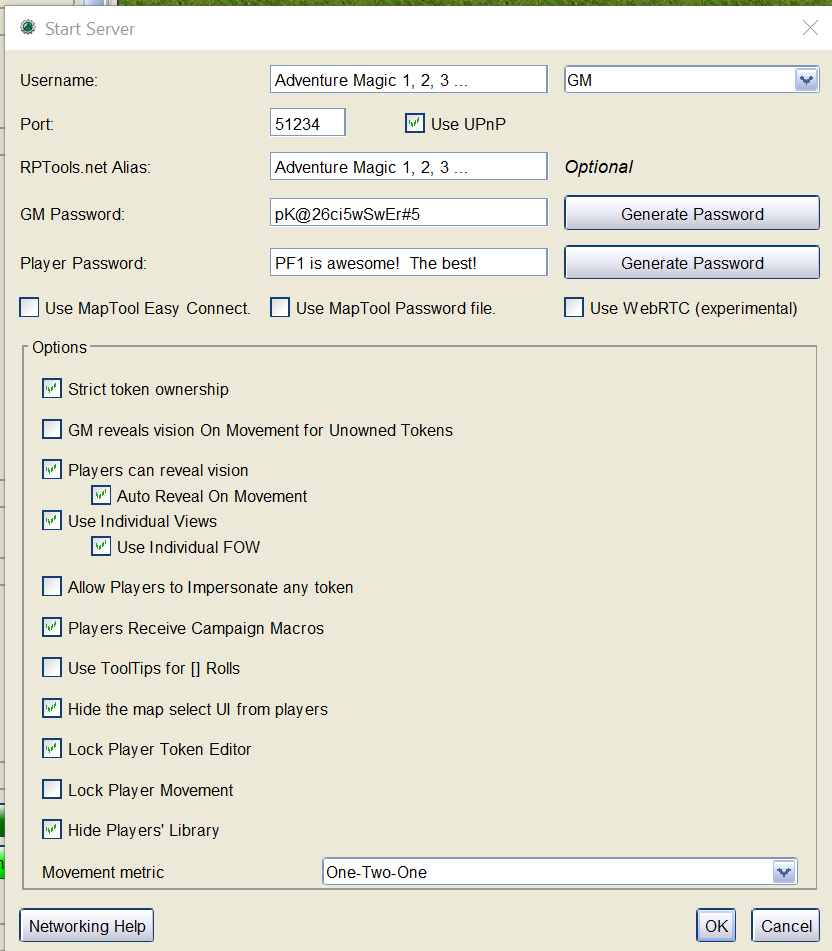
- Then, select the Cultist token and click "Melee Attack".
- MapTool 1.11.4 aborts immediately with no error message.
Note: I also used these settings in Preferences:
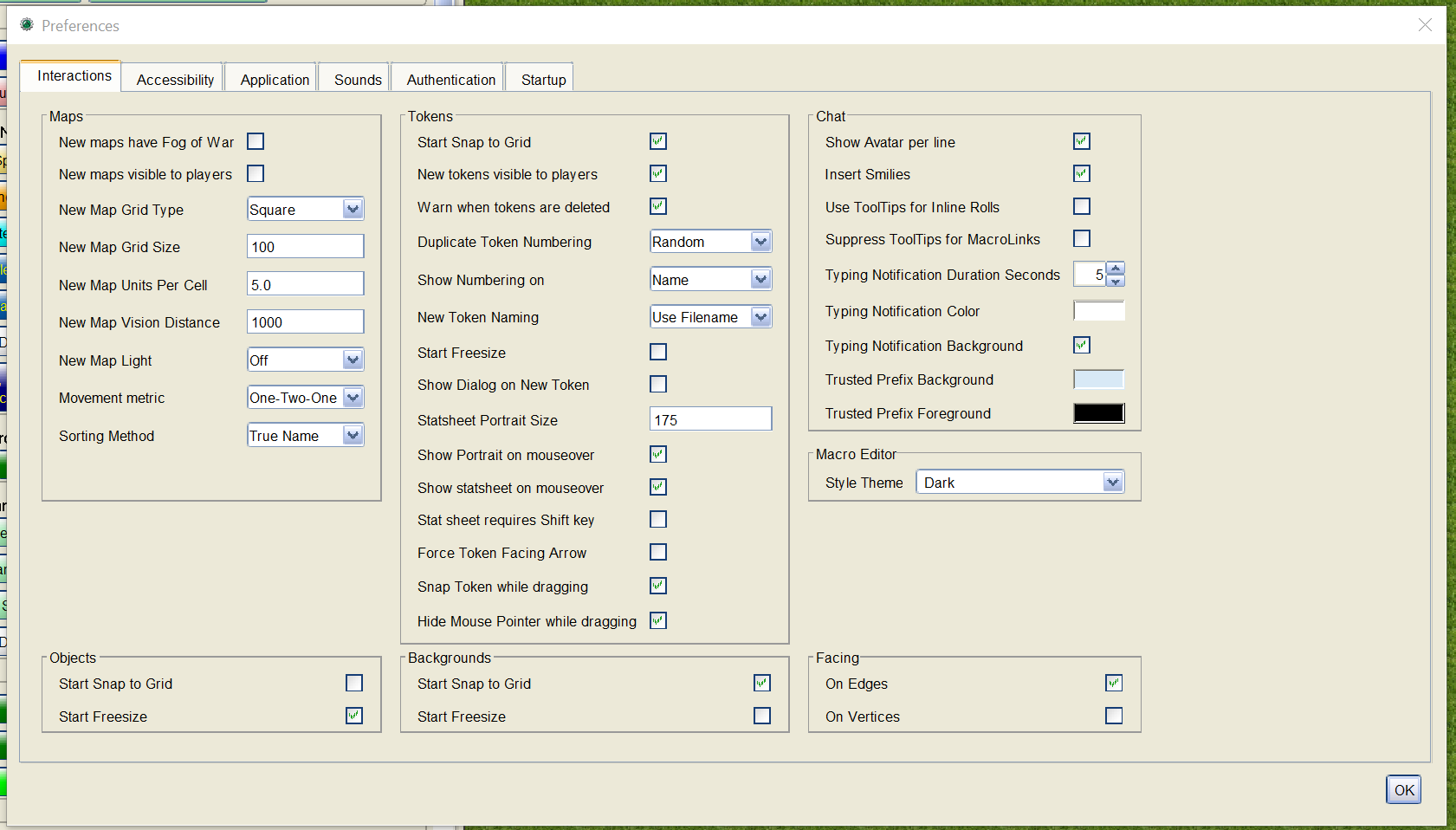
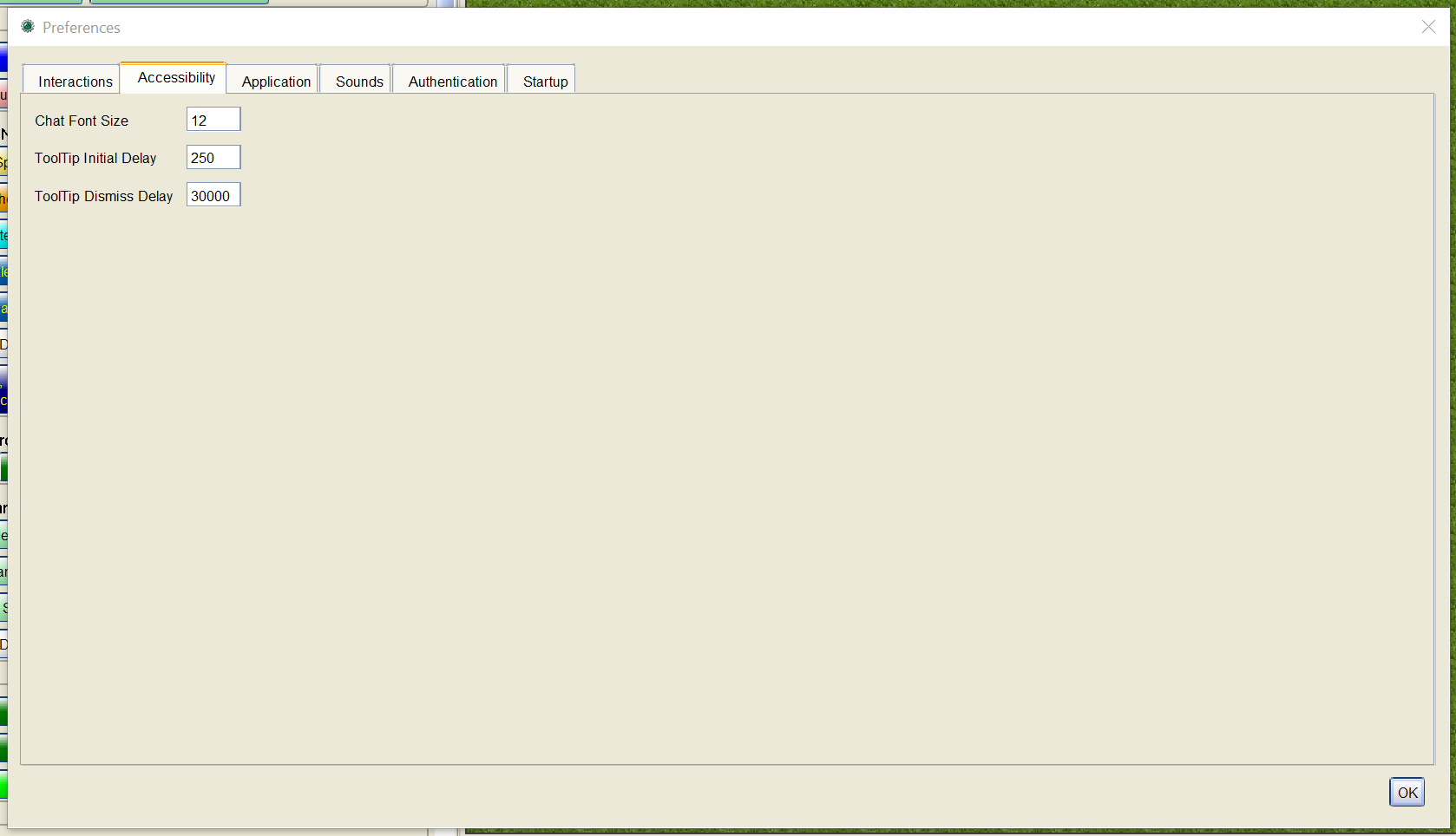
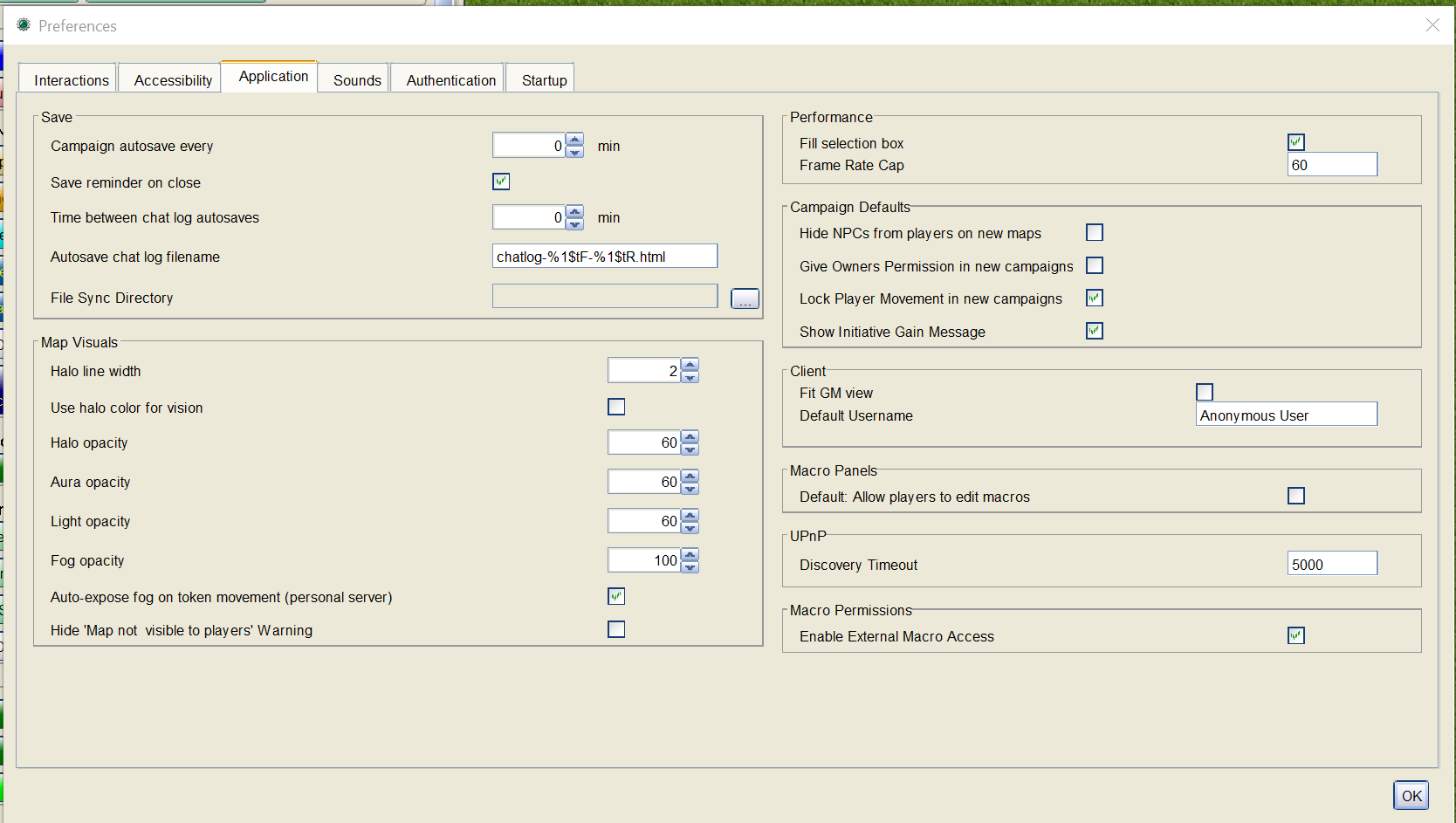
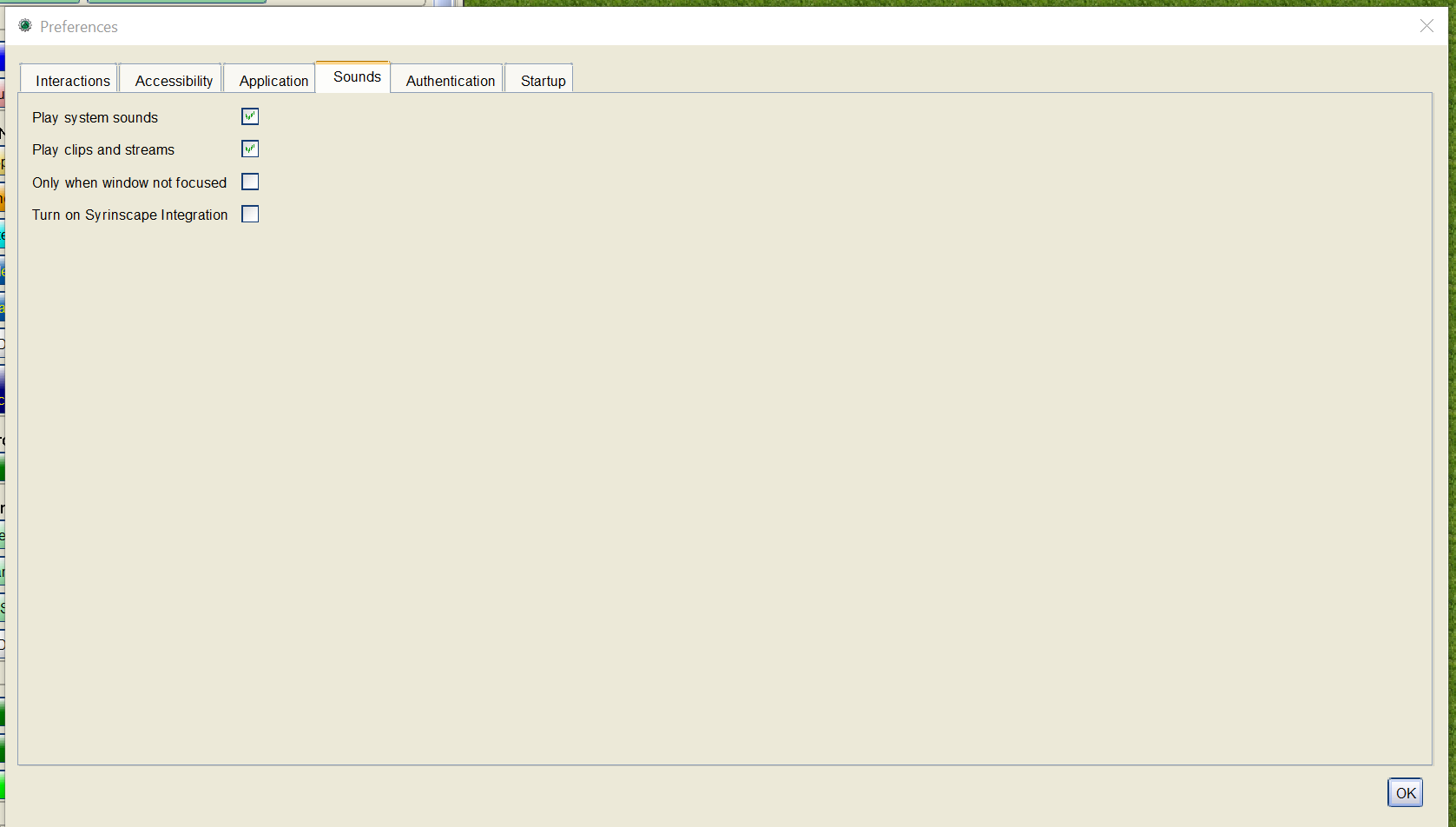
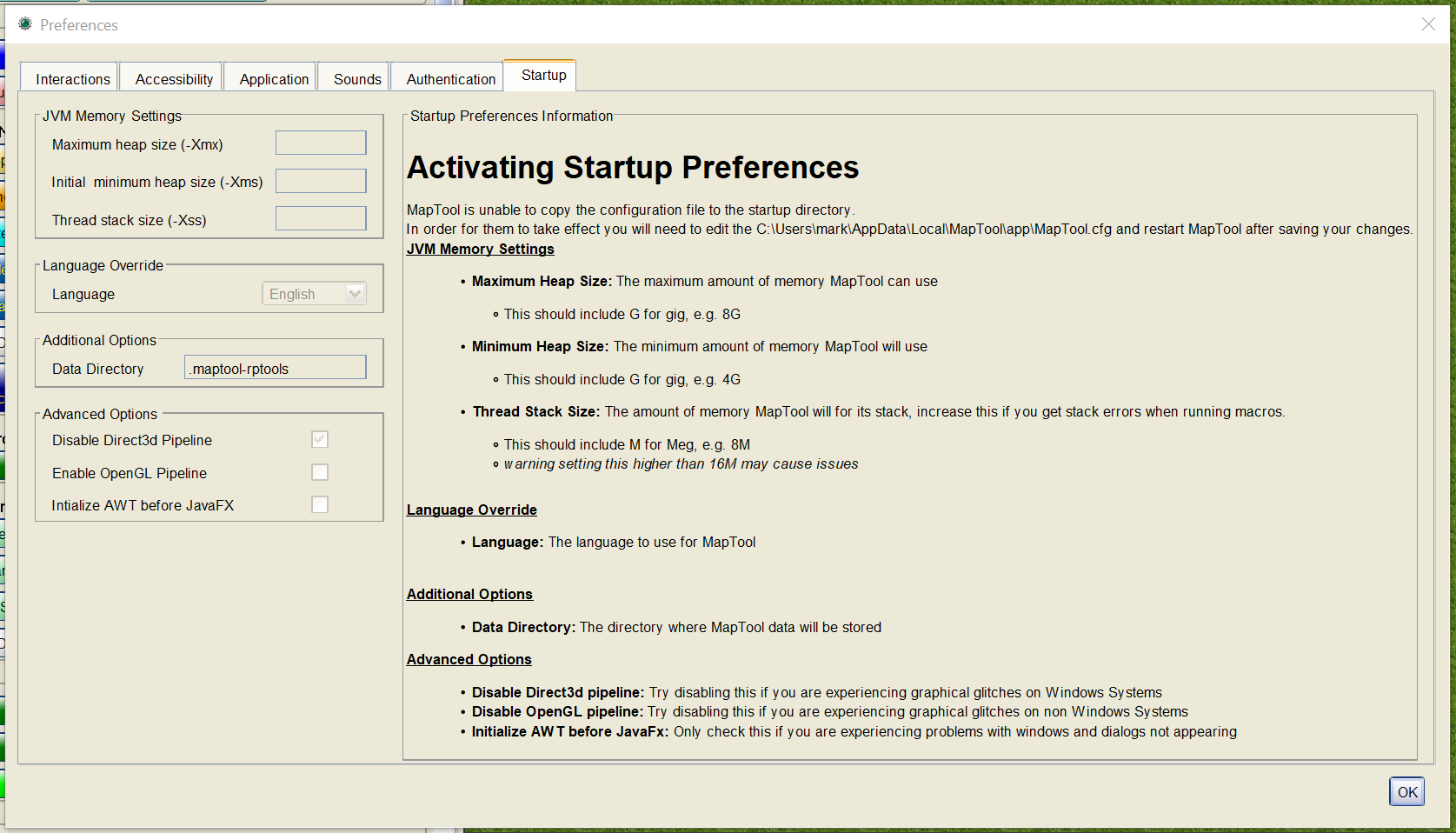
And my MapTool.cfg: MapTool.zip
I hope that helps. Please let me know if it doesn't, but I'm not sure what else to do.
@adventuremagic123 are you able to narrow down where the actual crash is happening? That would be really helpful if you can
Follow the steps to reproduce above exactly using "Example works in MapTool 1.10.4. but not 1.11.4.zip" (above) using MapTool 1.11.4.
I just reproduced it, again. Should be easy to do.
I can reproduce it, there is just a lot of macros I don't know anything about to reduce it to the part that is actually failing since I can only reproduce it with the installed version and not when debugging
@adventuremagic123 are you able to narrow down where the actual crash is happening? That would be really helpful if you can
Follow the steps to reproduce above exactly using "Example works in MapTool 1.10.4. but not 1.11.4.zip" (above) using MapTool 1.11.4. I just reproduced it, again. Should be easy to do.
I can reproduce it, there is just a lot of macros I don't know anything about to reduce it to the part that is actually failing since I can only reproduce it with the installed version and not when debugging
I see. It's not the macros that are the problem. However, I'll provide something simpler that will hopefully reproduce the problem.
It is in one of the macros, its not in the Melee one, its on another somewhere I think the upgrade one, I would check again and let you know but I can't download MapTool to a new sandbox at the moment due to internet problems
I take that back. I'll investigate whether some macros reproduce the problem and see if others don't. If I take out some of my code from the "Melee Attack" macro, the problem doesn't happen. Must be something in the MTScript macro functions.
I'm actually surprised after using MapTool since 1.4.X that I haven't seen this type of problem before. Somehow, MapTool development must be testing the heck out of those functions.
Here's some more information I've collected. It seems like when you follow the steps to reproduce that something is reinitialized and now produces a NullPointerException.
Campaign Window
Examples of macros causing MapTool 1.11.4 to abort immediately:
Hero Lab(TM) Stat Block Melee Attack Combat Maneuver Cast Spell
Examples of macros NOT causing MapTool 1.11.4 to abort:
Help Legal Information Calculate Distance d4
Examples of macros that present a dialog and then cause MapTool 1.11.4 to abort when using dialog:
Initiative -- click Yes and Okay. Then, aborts.
Examples of macros that now produce an error but worked in other MapTool versions:
Spells Cast Log produces:
ava.lang.NullPointerException: Cannot read the array length because " " is null error executing expression heroLabInfo = herolab.getInfo(). Error trace : TokenHeroLabSync@Lib:CharacterSheet <<< TokenUpdateToLatestMacroVersion@Lib:CharacterSheet <<< Spells Cast Log@campaign
Equip Item
java.lang.NullPointerException: Cannot read the array length because " " is null error executing expression heroLabInfo = herolab.getInfo(). Error trace : TokenHeroLabSync@Lib:CharacterSheet <<< TokenUpdateToLatestMacroVersion@Lib:CharacterSheet <<< Equip Item@campaign
Display Special Conditions
java.lang.NullPointerException: Cannot read the array length because " " is null error executing expression heroLabInfo = herolab.getInfo(). Error trace : TokenHeroLabSync@Lib:CharacterSheet <<< TokenUpdateToLatestMacroVersion@Lib:CharacterSheet <<< Display Special Conditions@campaign
Adjustments, Permanent & Temporary "Add"
ava.lang.NullPointerException: Cannot read the array length because " " is null error executing expression heroLabInfo = herolab.getInfo(). Error trace : TokenHeroLabSync@Lib:CharacterSheet <<< TokenUpdateToLatestMacroVersion@Lib:CharacterSheet <<< Add@campaign
I'll continue working on this tomorrow to try to find which MTScript macro call is causing MapTool to abort.
BTW, I believe this is some sort of reinitiallization problem affecting various predefined MTScript macro functions. My guess is that multiple are affect. I can only give a specific example.
BTW, there is another scenario that causes MapTool 1.11.4 to abort with no error message. I've done it now about 4 times or so. I've confirmed the steps to reproduce:
- Start MapTool 1.11.4.
- Drop the token below (unzip, first) onto the default map (my token came from Hero Lab and was imported to work with my latest framework for PF1e).
- Start the server.
- Start another MapTool 1.11.4.
- Connect it to the server from 1. as a player.
- On the server, double click the token to try to bring up the Token Editor -- the server abruptly aborts (I believe every time) with no error message.
If it bothers you that I don't make the map player visible, insert the following step (between step 3. and 4.):
3.5 Make the map Player Visible.
Step 6. still aborts.
However, if you switch 2. and 3. so that you have:
- Start MapTool 1.11.4.
- Start the server.
- Drop the token above (unzip, first) onto the default map (my token came from Hero Lab and was imported to work with my latest framework for PF1e).
- Start another MapTool 1.11.4.
- Connect it to the server from 1. as a player.
- On the server, double click the token to try to bring up the Token Editor -- and it works!
My hunch is that maybe if you fix this issue, the other issue exposed by my framework will also be fixed -- if not leave a comment here and I'll continue to work on this.
BTW, I'm not saying a token imported from Hero Lab(R) is necessary to reproduce this, only that it happens to be what I was using.
No. It was an accident. I must have done something wrong on my phone.
Followed the steps provided for the Talimina Forsway token with 1.11.5 and 1.12.0 beta 1 and could not reproduce crash.
My GM has recently been hit with this bug. Working with him tonight has narrowed it down somewhat. If he drags an HL token from his Library (one with the HL logo inside the gear) to the map and double-clicks on it, everything is fine... unless he has already started a server. In that case, it crashes.
He's also getting "corrupted" campaign files when he attempts to load a campaign that has had one of those HL tokens dropped on a map. The macOS crash report shows that the GC thread is what caused the crash. It seems to me that it shouldn't be possible for Java to produce objects that crash the GC (at least, I wouldn't expect it to be possible). Does that make this a Java bug rather than an MT bug?
The crash I received involved an NPE in the C code; see thread 22 in the full crash report in the attached text file. I don't believe this is related to #3591 as the problem is not that the HL token can't load the HL data, but that the HL token crashes MT. I'll grab a copy of 1.12.2 to see if the problem is corrected, but our group doesn't like the new flat look and probably won't upgrade; knowing to start the server first should help in the short-term.
