

 REditorSupport
search option in data viewer is bugged?
Describe the bug I'm currently often working with datasets that contain >200 columns and 3-10 thousand rows and mostly text data. Tried switching from RStudio to VSCode and I really appreciated that search includes column names as well, but I noticed that very often the search option fails to show any results when it definitely should. This is really breaking my experience using R in vscode so I hope I can get some support on this.
To Reproduce Steps to reproduce the behavior:
- Load a data frame (probably needs to contain large number of columns and text data)
- Open the data viewer
- Try searching for some text that should definitely be in the data frame
- See if you find any results
Do you want to fix by self? (We hope your help!)
No (i dont know JS)
Expected behavior I expect the search function in the data viewer to properly find matching text.
Screenshots
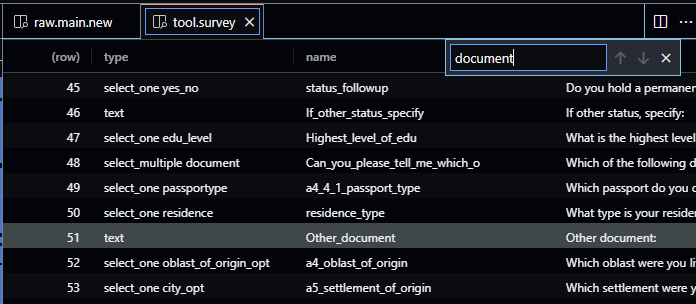
Environment (please complete the following information):
- OS: Windows
- VSCode Version: 1.69.2
- R Version: 4.2.1
- vscode-R version: 2.5.2
I have not changed any default vscode-r settings

Hey.
If you need to search something in a column, please, hover on the column name and click on the hamburger menu.
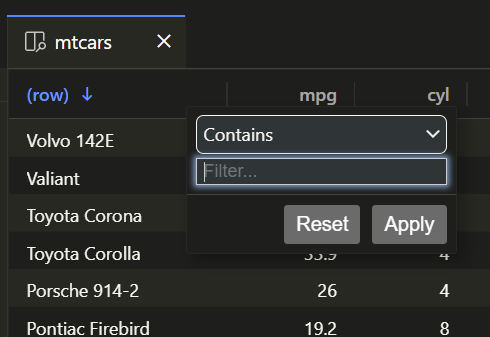
The component behind the scenes, is AG Grid Community: https://www.ag-grid.com/
Hope that helps.

This issue is stale because it has been open for 365 days with no activity.
![github-actions[bot] avatar](https://avatars.githubusercontent.com/in/15368?v=4 "Published by a pub.dev verified publisher")
This issue was closed because it has been inactive for 14 days since being marked as stale.