

 REditorSupport
Configurable terminal icon and colour
Is your feature request related to a problem? Please describe. The terminals in VSCode can be right-clicked to reveal "Choose icon..." and "Choose color..." options, which allow the icon's appearance to be customised. But this appearance isn't retained when the terminal is killed and another is made in the same way as the first.
This screenshot demonstrates a terminal icon that has been (temporarily) customised:
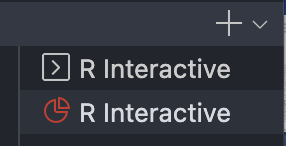
Terminal profiles that are configured by the user can be set to have a default icon and color, but I'm not sure if there's any mechanism for a terminal profile created by an extension (like this one) to have its color and icon configured by the user.
Describe the solution you'd like An exposed setting to configure the default color and icon of R terminals created by the extension.
