

 REditorSupport
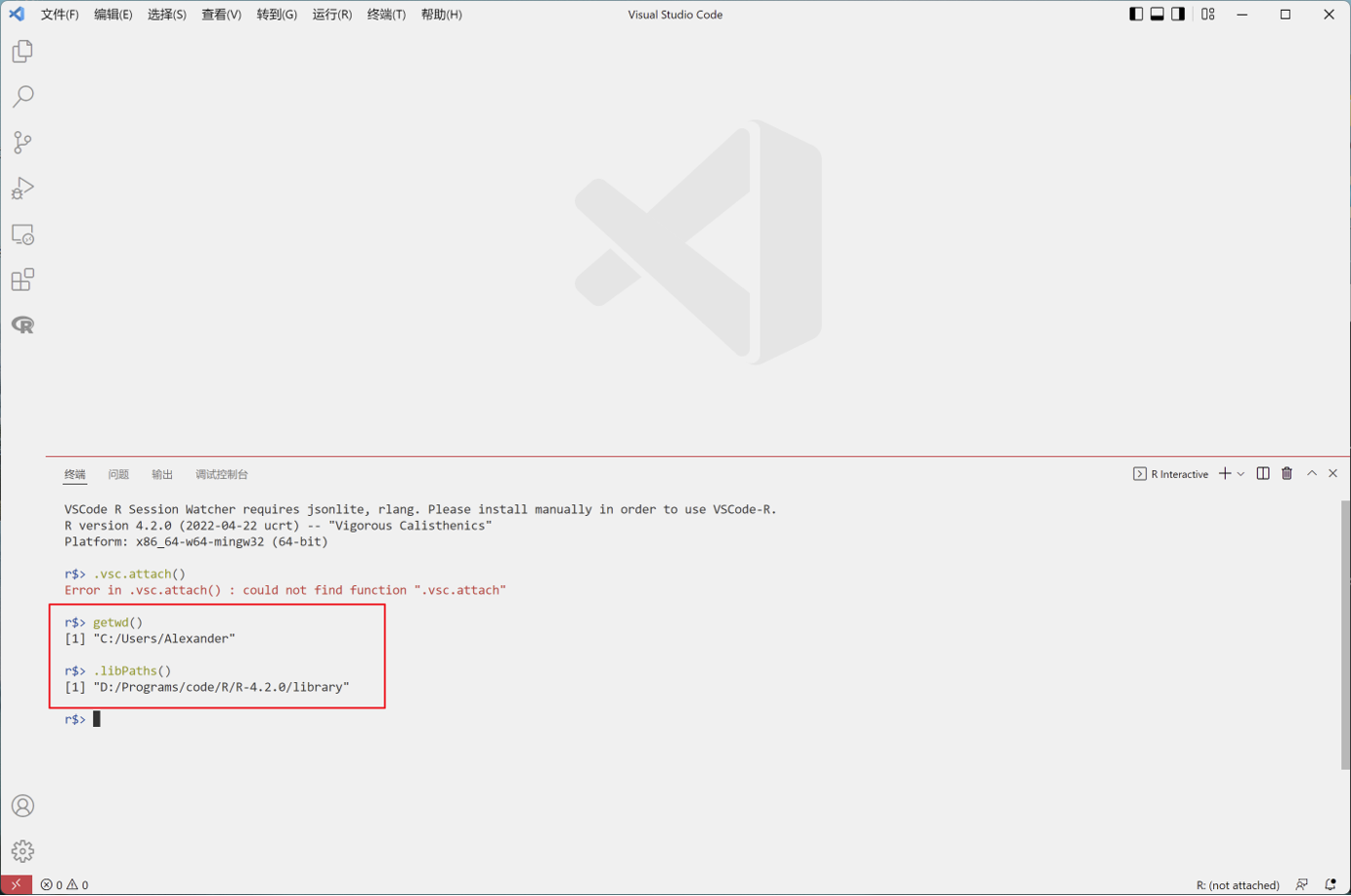
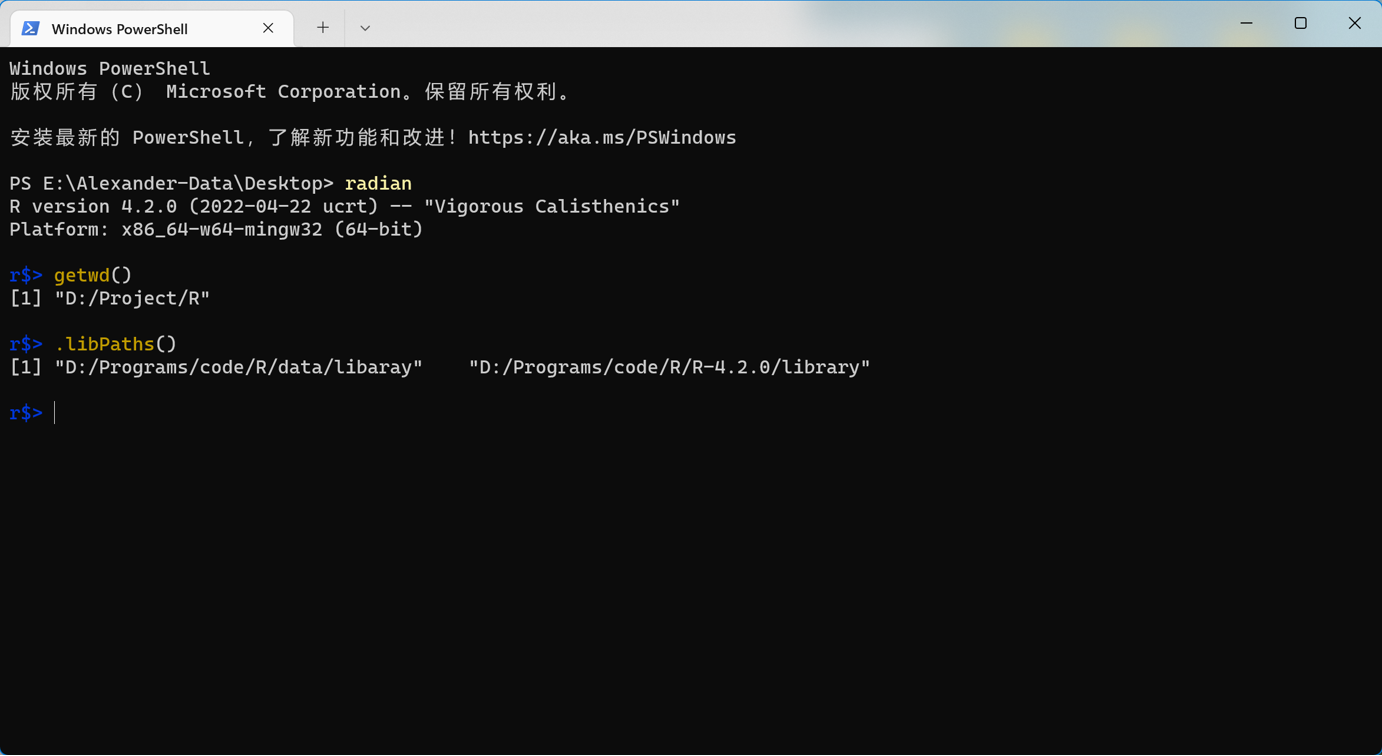
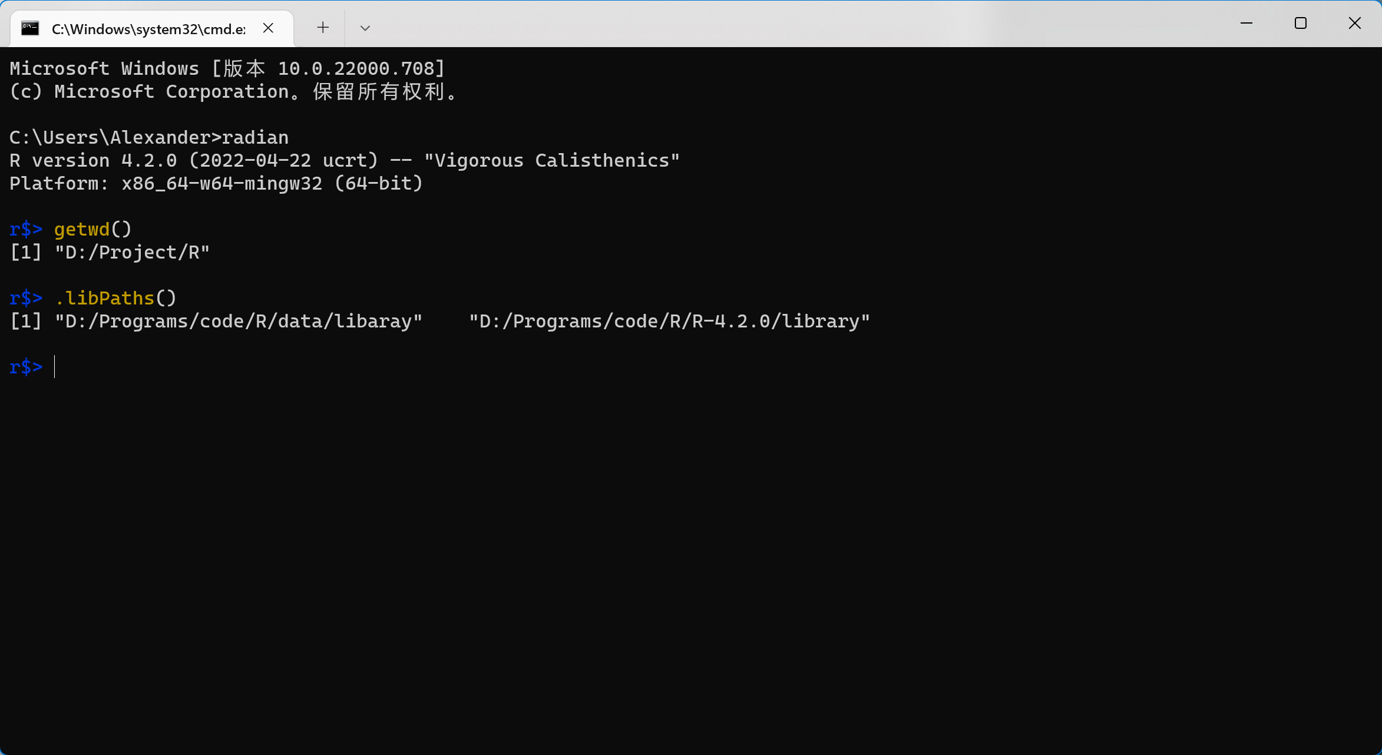
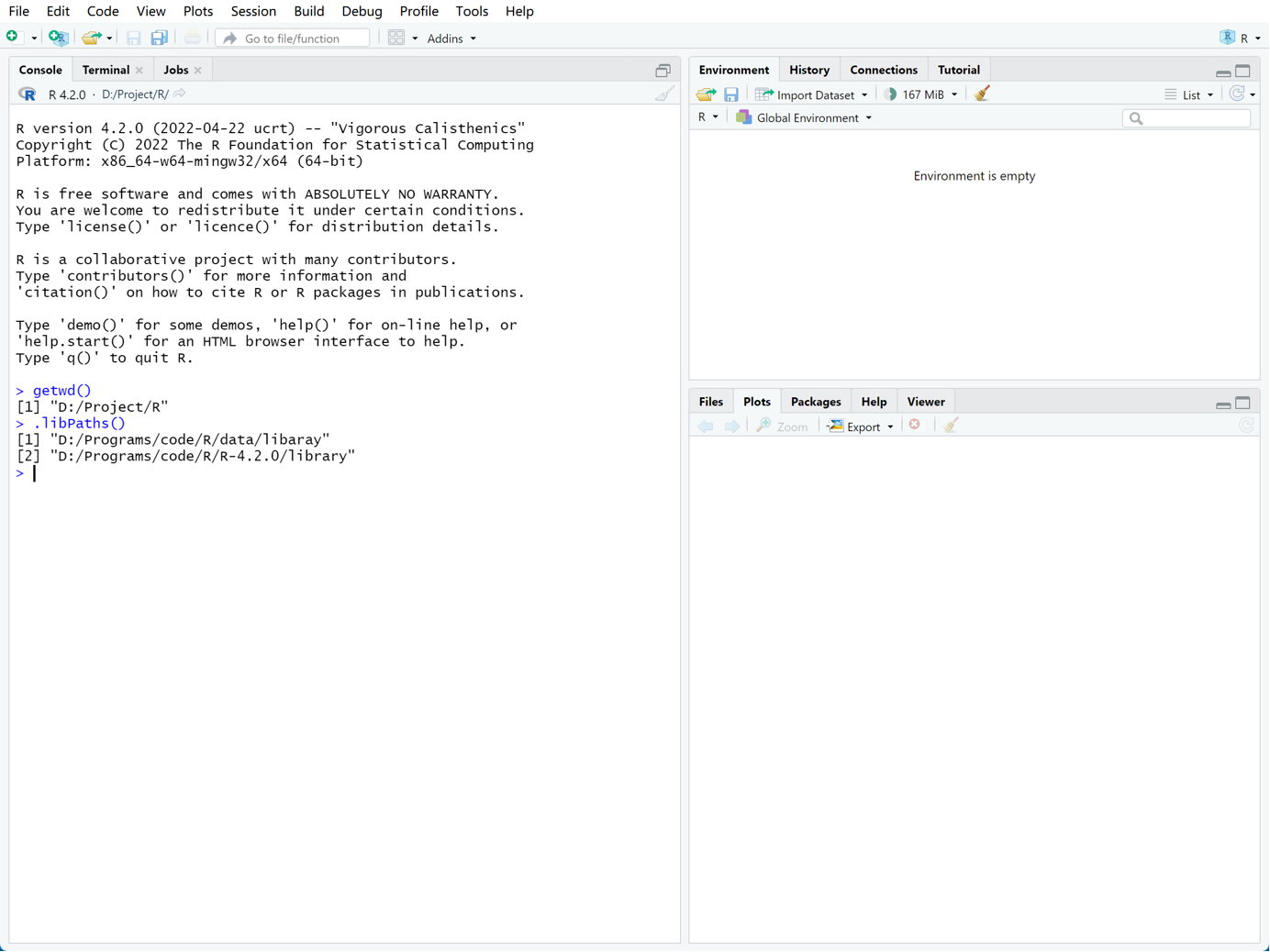
the radian in vscode could not recognize the directory that I set in ‘Rprofile.site’
Most of time, the radian only in vscode could not recognize the directory that I set in ‘Rprofile.site’. It recognized successfully only once, but I don’t know why, because I didn’t change any settings. Here are some relating screenshots. I am looking forward to your reply.
Radian in vscode:
Radian in windows terminal (powershell and cmd):
R studio:
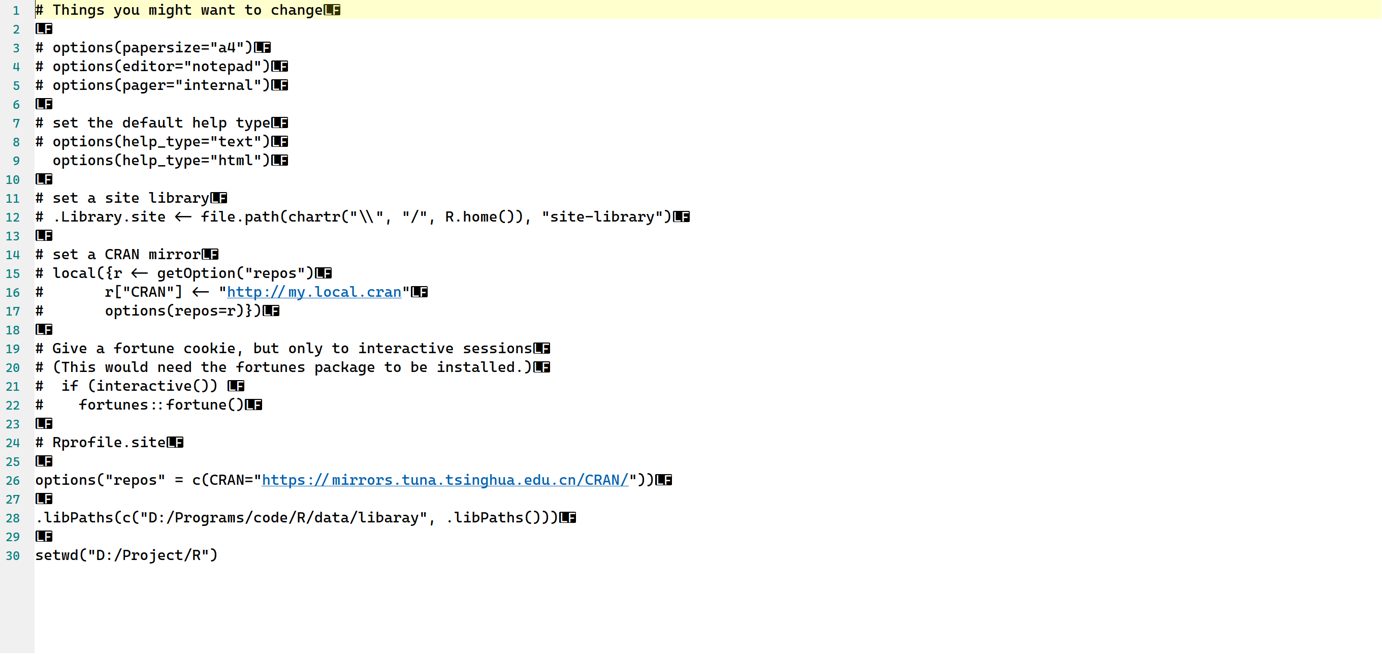
Rprofile.site:
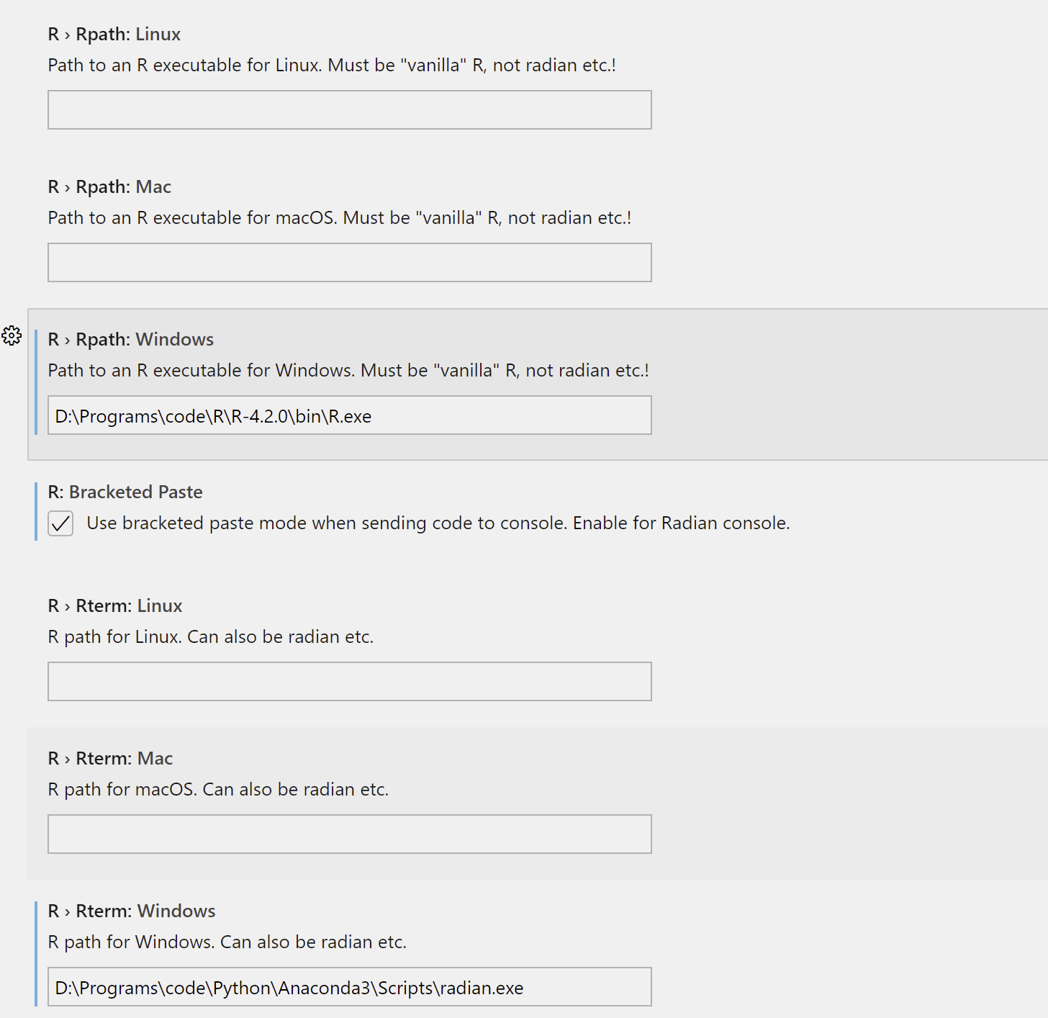
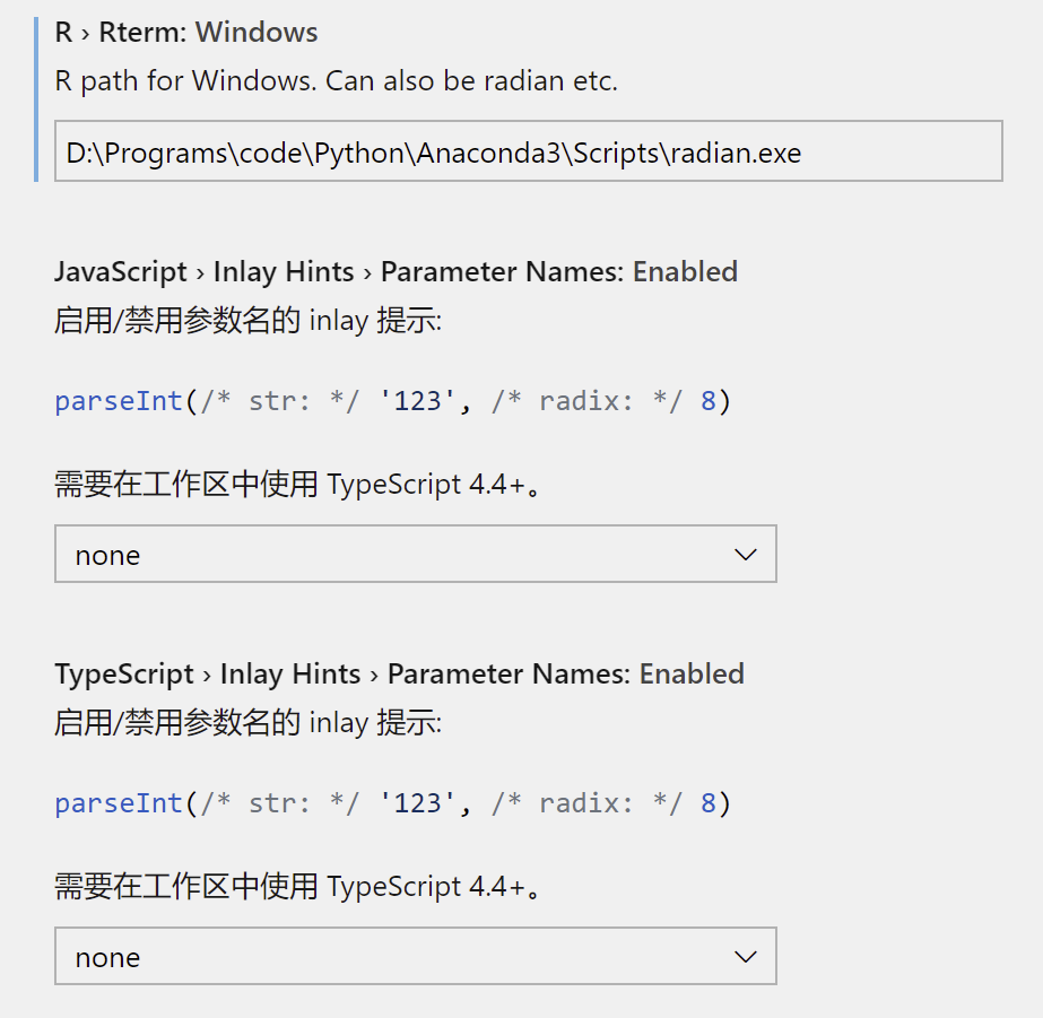
Settings relating radian in vscode:
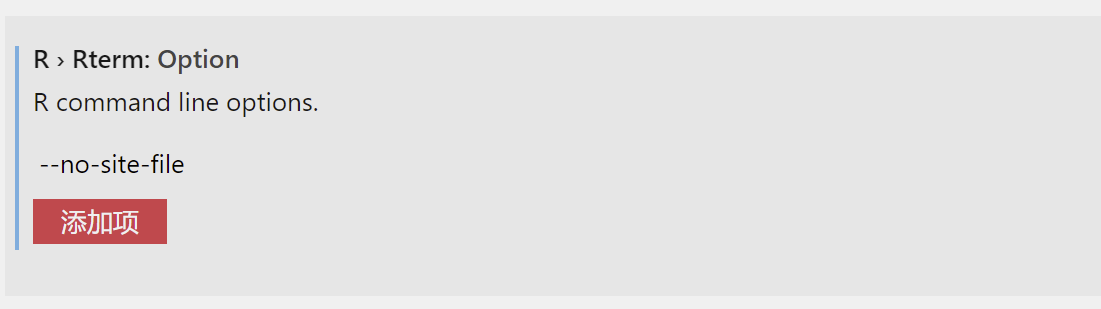


Is your Rprofile.site located at the site directory? Since your r.rterm.options specifies --no-site-file, it will not be sourced on R session startup.
Is your
Rprofile.sitelocated at the site directory? Since yourr.rterm.optionsspecifies--no-site-file, it will not be sourced on R session startup.
It is located at R\R-4.2.0\etc\Rprofile.site, indeed. So,how can I solve this problem?
Is there a reason not to use
.Rprofilein your case?
Probably no. I am just used to change the setting in Rprofile.site
Does it work if you use ~/.Rprofile to specify the same settings?
As you specifiy --no-init-file in your vscode setting r.rterm.option, your site file will not be removed. You should use the default value of that that setting unless you intend so.
I will have a try, But I am not familiar with .Rprofile, is there any way use Rprofile.site?
You should restore the default value of r.rterm.option in your vscode settings. Looks like --no-init-file prevents R session from sourcing Rprofile.site on startup.
You should restore the default value of
r.rterm.optionin your vscode settings. Looks like it is--no-init-fileprevents R session from sourcingRprofile.siteon startup.
I have changed the .Rprofile ,radian in vscode successfully recognizes the directory in R. Thank you very much!
And,
I followed the user guide of Radian, changed the r.rterm.option, removed --no-save and --no-store, then add '--no-site-file'. In your opinion, I shoud restore the r.rterm.option, re-add --no-save and --no-store ? or just remove the '--no-site-file', change r.rterm.option to blank?
Does it work if you use
~/.Rprofileto specify the same settings?As you specifiy
--no-init-filein your vscode settingr.rterm.option, your site file will not be removed. You should use the default value of that that setting unless you intend so.
I have changed the .Rprofile ,radian in vscode successfully recognizes the directory in R. Thank you very much! Here I have another problem, I run the rscript in windows ternimal with radian could display the plot I need, but there is no plot displaying while I run the same rscript in vscode with radian.
We recommend using httpgd to show plot. You might want to install httpgd and turn on r.useHttpgd in your vscode settings.
We recommend using httpgd to show plot. You might want to install
httpgdand turn onr.useHttpgdin your vscode settings.
I have already done those.
Does session watcher attach to your R session successfully? You could check out by running ls.str(.vsc) in your R terminal.
Are you using
R: Create R terminalto start a new R terminal?
no, just radian
Then you should follow the steps at https://github.com/REditorSupport/vscode-R/wiki/R-Session-watcher#advanced-usage-for-self-managed-r-sessions to make session watcher work with self-managed R terminals.
Are you using
R: Create R terminalto start a new R terminal?
I have set the PATH environment variable of anaconda, install the radian through conda.
Then you should follow the steps at https://github.com/REditorSupport/vscode-R/wiki/R-Session-watcher#advanced-usage-for-self-managed-r-sessions to make session watcher work with self-managed R terminals.
OK, I will have a try, thank you.
Then you should follow the steps at https://github.com/REditorSupport/vscode-R/wiki/R-Session-watcher#advanced-usage-for-self-managed-r-sessions to make session watcher work with self-managed R terminals.
It didn't work.
I have appended the following code to the .Rprofile:
if (interactive() && Sys.getenv("RSTUDIO") == "") {
source(file.path(Sys.getenv(if (.Platform$OS.type == "windows") "USERPROFILE" else "HOME"), ".vscode-R", "init.R"))
}
Would you like to see the value of
file.path(Sys.getenv(if (.Platform$OS.type == "windows") "USERPROFILE" else "HOME"), ".vscode-R", "init.R")
and see if the file exists?
If so, what if you manually source the file in a new session?
Would you like to see the value of
file.path(Sys.getenv(if (.Platform$OS.type == "windows") "USERPROFILE" else "HOME"), ".vscode-R", "init.R")and see if the file exists?
If so, what if you manually source the file in a new session?
Yes, it locates 'D:\Program Files\Microsoft Visual Studio Code\data\extensions\reditorsupport.r-2.5.0\R\session\init.R' but I don't know how to manually source the file?
Then you could try starting a new R session, and run
source("D:\\Program Files\\Microsoft Visual Studio Code\\data\\extensions\\reditorsupport.r-2.5.0\\R\\session\\init.R")
Then you could try starting a new R session, and run
source("D:\\Program Files\\Microsoft Visual Studio Code\\data\\extensions\\reditorsupport.r-2.5.0\\R\\session\\init.R")
still not work.
but I find that, if I start a new terminal in vscode, and copy the rscript in it and run, there will be a window to display the plot.
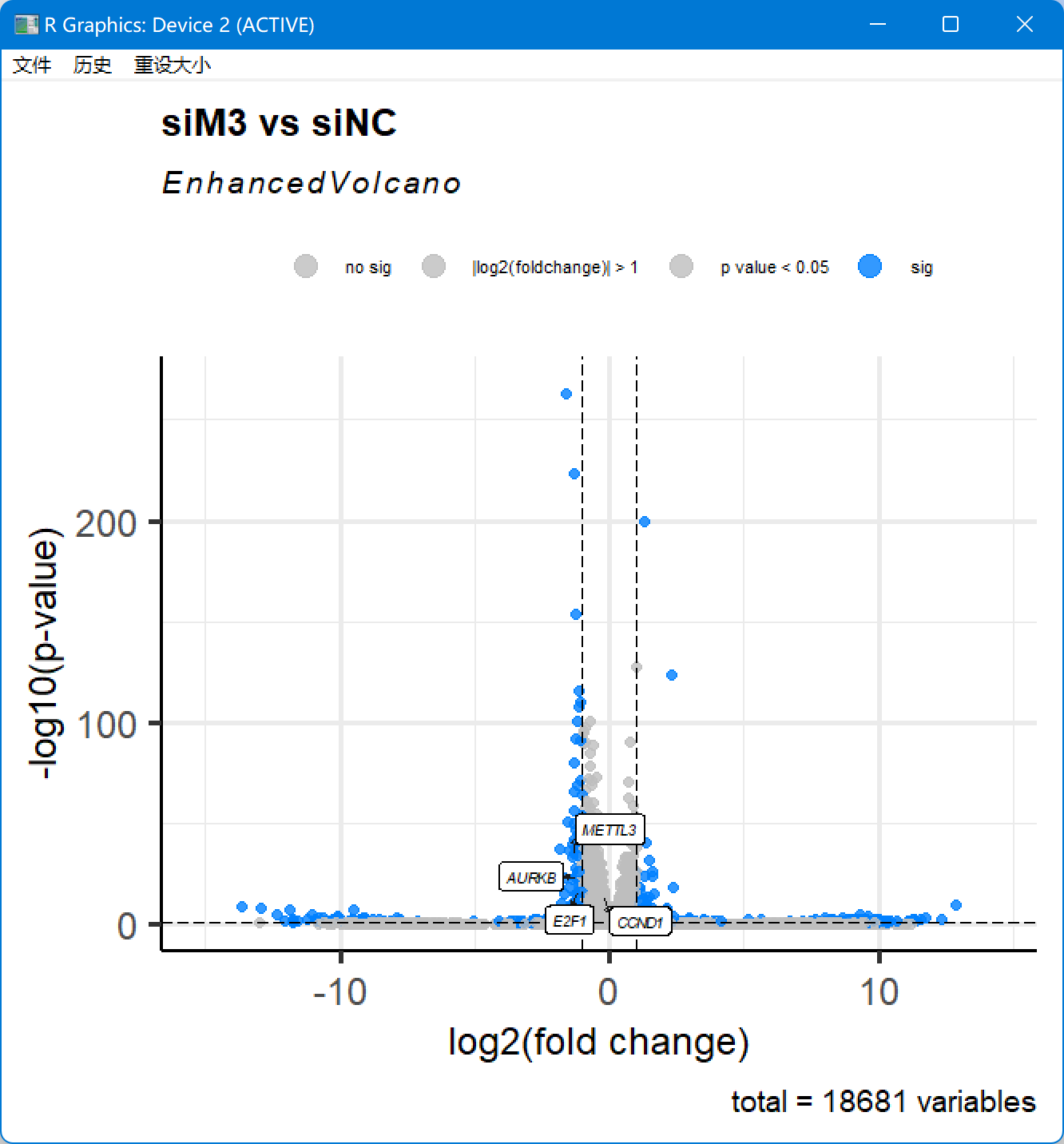
if I use ctrl+enter in the r file in vscode, there will no windows
It is strange that your USERPROFILE does not point to a user folder but the installation location of the extension.
It is strange that your
USERPROFILEdoes not point to a user folder but the installation location of the extension.
maybe there are some errors in the path.
By the way, does this picture come from httpgd? mean that the httpgd was successfully applied?
It is R's built-in plot window, not from vscode-R or httpgd.
emmm, so it failed again.
and I found this, does it have influences?

This issue is stale because it has been open for 365 days with no activity.
![github-actions[bot] avatar](https://avatars.githubusercontent.com/in/15368?v=4 "Published by a pub.dev verified publisher")