QwikDev
qwik-react: How to use react lazy() and Suspense?
Qwik Version
0.12.1
Operating System (or Browser)
macOS, Chrome latest
Node Version (if applicable)
v18.11.0
Which component is affected?
Qwik React
Expected Behaviour
My react-component import contains the side effect of accessing the window object, so I want to wrap it in a lazy function, so that the doesn't work, I would like to know how to handle this case in qwik?
example code
// integrations/react/lexical.tsx
/** @jsxImportSource react */
import { qwikify$ } from "@builder.io/qwik-react";
import { Loader, MantineProvider } from "@mantine/core";
import { lazy, Suspense } from "react";
const App = lazy(() => import("~/components/lexical-playground/App") )

export const LexicalPlayground = qwikify$(() => {
  return (
    <MantineProvider theme={{ colorScheme: "dark" }}>
      <Suspense fallback={<Loader />}>
        <App />
      </Suspense>
    </MantineProvider>
  );
});

// routes/lexical/index.tsx
import playgroundStyles from "~/components/lexical-playground/index.css?inline";
export default component$(() => {
  useStyles$(playgroundStyles);
  return <LexicalPlayground client:visible />;
});
Actual Behaviour
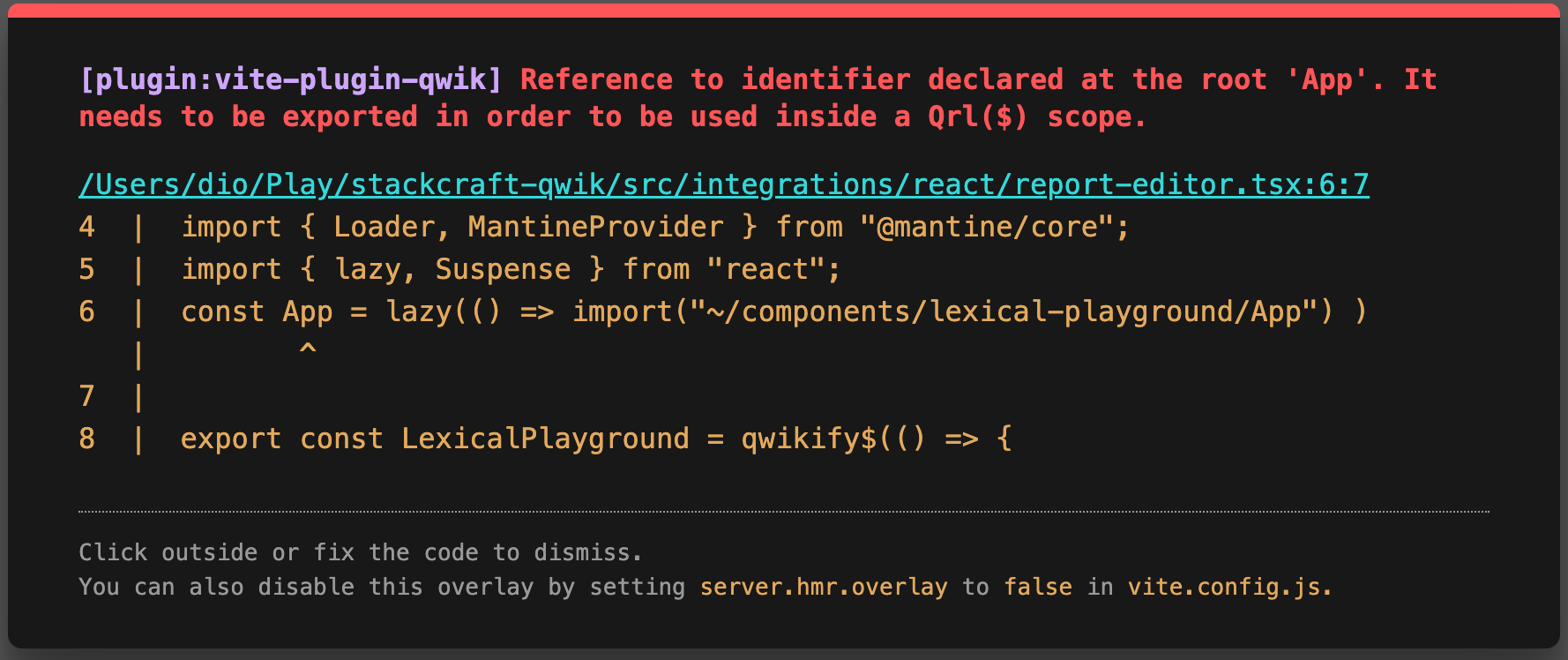
Additional Information
No response

I don't know if this works for your use case but I believe putting the App declaration inside the LexicalPlayground component will solve your qwik error. I'm running into a similar problem. If you are worried about re-importing the App I think you can wrap the import in a useMemo.

I believe this should work now as the new Optimizer automatically adds export keywords.
If still not working create a new issue with a repro => http://qwik.new.