

 Quaver
Add Snap Color Panel to Editor
What is the purpose/use of this panel?
The way the snap color panel works is by allowing mappers to manually change the color of notes to a set snap color out of the snap colors available, for the purpose of extra representation in a chart, zero hassle.
What I mean by zero hassle, is that currently you are able to pull off this technique using new timing points and a little bit of math, but it can be quite annoying to use and not many people are aware of the plugin BeatSnapColorOverride created by kusa for it.
It is a niche concept used by a handful of active mappers here but will be greatly appreciated by the ones who do.
The Panel is able to be toggled in the View tab of the editor, and by default it will be off, as it is quite an advanced concept to be using as a new mapper.
Overall I think this needs a bit of work mainly on the visuals and i'm willing to make any necessary changes that might be needed to see this implemented.
Here is an example usage of the Panel and how it works: https://user-images.githubusercontent.com/31227094/185970433-509f3d41-25c6-4b93-a43f-bd2eeeffedd6.mp4
Another PR has been opened for the API to add the Color field to the HitObjectInfo, which you can find here
If you have any feedback, suggestions or requested revisions let me know

I think the panel should list the snap values instead of (or alongside) the colors, as different skins could have different colors assigned to different snaps.
Maybe something like: 1/1 (Red) 1/2 (Blue) 1/3 (Purple) 1/4 (Yellow) ...etc
with the colors used in the panel somehow being reconfigurable in the case that the skin uses different colors
~~or maybe use the snap values and color the text of the snap values a representative color~~ i see it already does that on hover

Also having keybinds for this would be nice, the plugin had qwert asdfg bound to n = 1,2,4,8,16, 3,6,12,24,48(?) so that mappers could recolor notes more quickly, although those keybinds conflict with other shortcuts for saving the map and whatnot
@Illuminati-CRAZ if anything those should be keybinds for switching the current snap divisor on those keys as (at least for me) you switch snaps more often than you switch colors, and then add a modifier like alt to change the color of the note

imo, instead of having SnapColor be defined across 0-8, I think it should instead just use ints 1,2,3,4,6,8,12,16,(24,32,)48 so that 1/n is just the beat snap, as it's more intuitive to understand
it would also be easier to preserve backwards compatibility with old maps, as notes would default to Color = 0, which wouldn't be in the range of values that would be defined to cause a snap color override
toggling the setting to open color override panel doesn't immediately toggle the panel, rather currently you need to close and reopen the editor for it to show up or disappear
This feature for now is in a finalized state
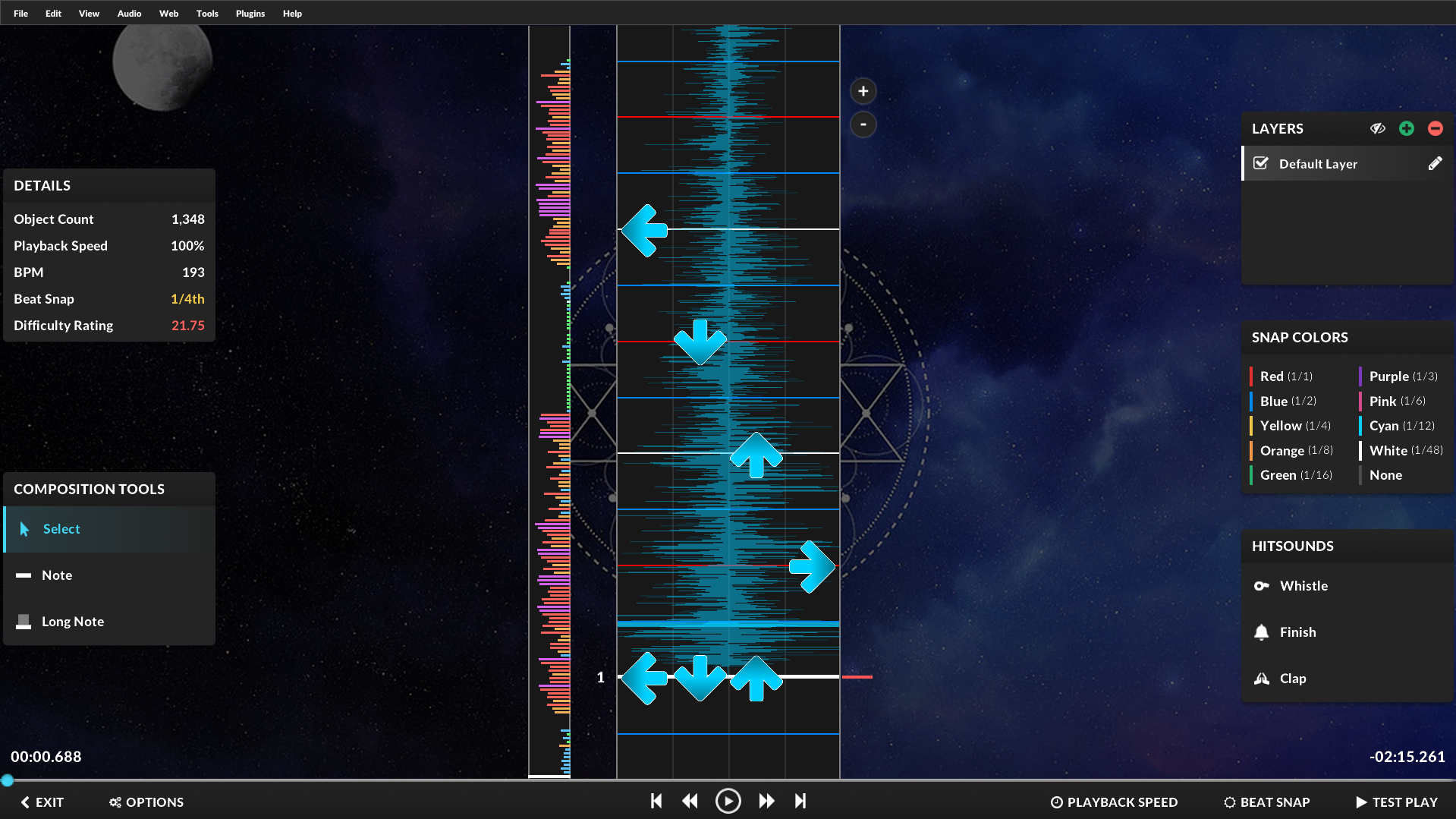 Here is how it looks now (Courtesy of Ice for design/implementation).
Undoing and redoing a bunch of snap color overrides doesn't result in the same map, it seems the last override action doesn't redo properly after being undone.
This branch needs to have Quaver.API updated to commit 042fb5e0f656aa9f2fb471ac90b754aee5d9313b, currently the branch uses a version of Quaver.API without the SnapColor enum