

 ProxymanApp
Option to hide request column in the dock
Hi,
Due to my work I'm mostly interested in response view, so my question: is it possible to implement an option to hide the request column to make more room for response? Marked it with arrow on screenshot.

Thank you.

There are a few things you could try to improve this. First, I'd suggest changing Preferences > General > Content Layout to Horizontal. The content will be wider and you can resize the panes to minimize (but not hide) the Request section.
Other options you could try are:
- Putting the dock on the bottom: View > Toggle Dock to Bottom Window
- Or moving it to a separate window: View > Detach Content Windows
The default toolbar layout has buttons for these on the right side of the toolbar.

Thanks @crankygeek It's the solution that you can get a big size of the Response panel 👍
Since this feature is asked about a few times, I guess it's time to implement it.
My idea is:
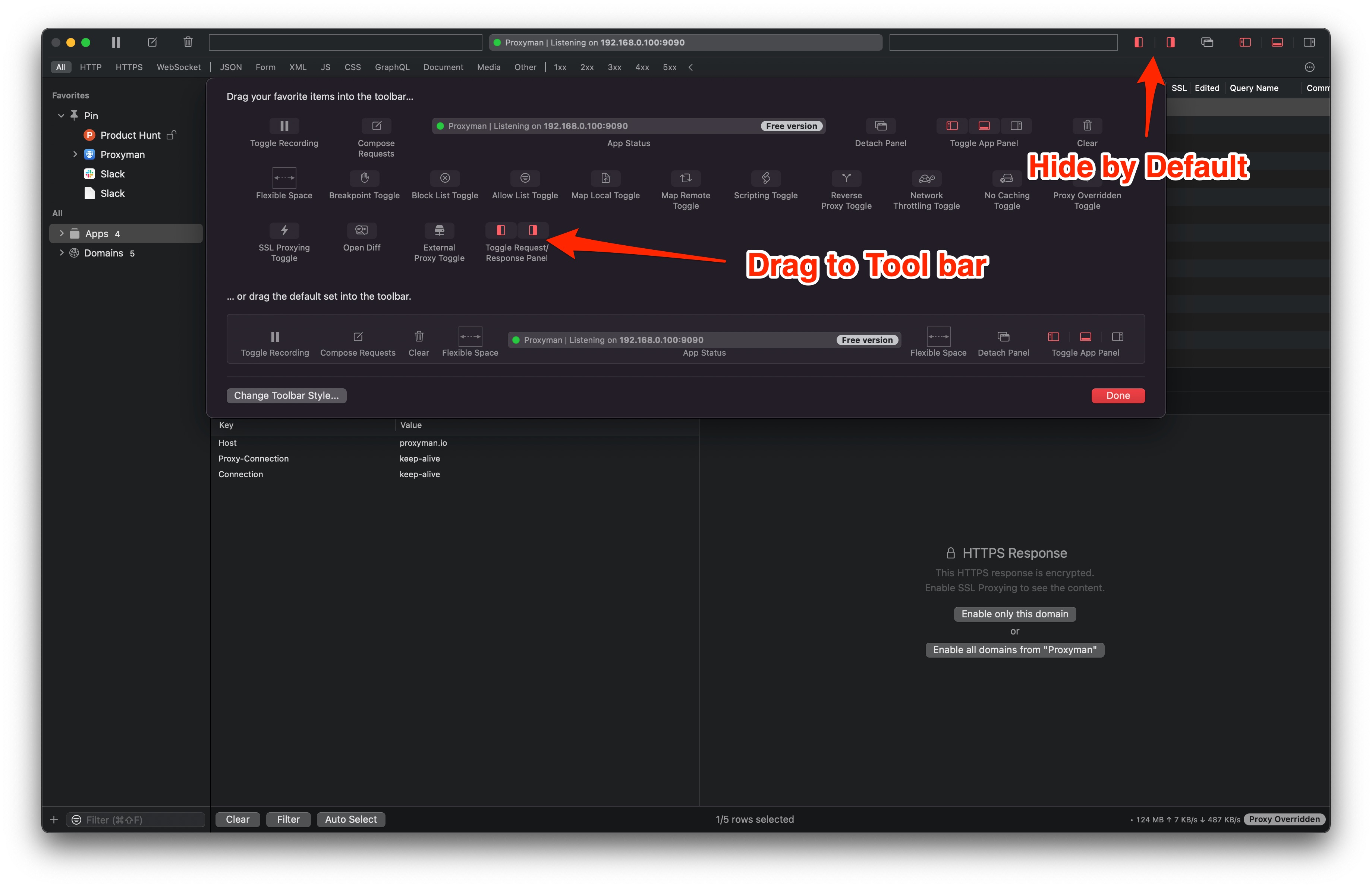
- Introduce the Toggle button on the Customize Palette Toolbar
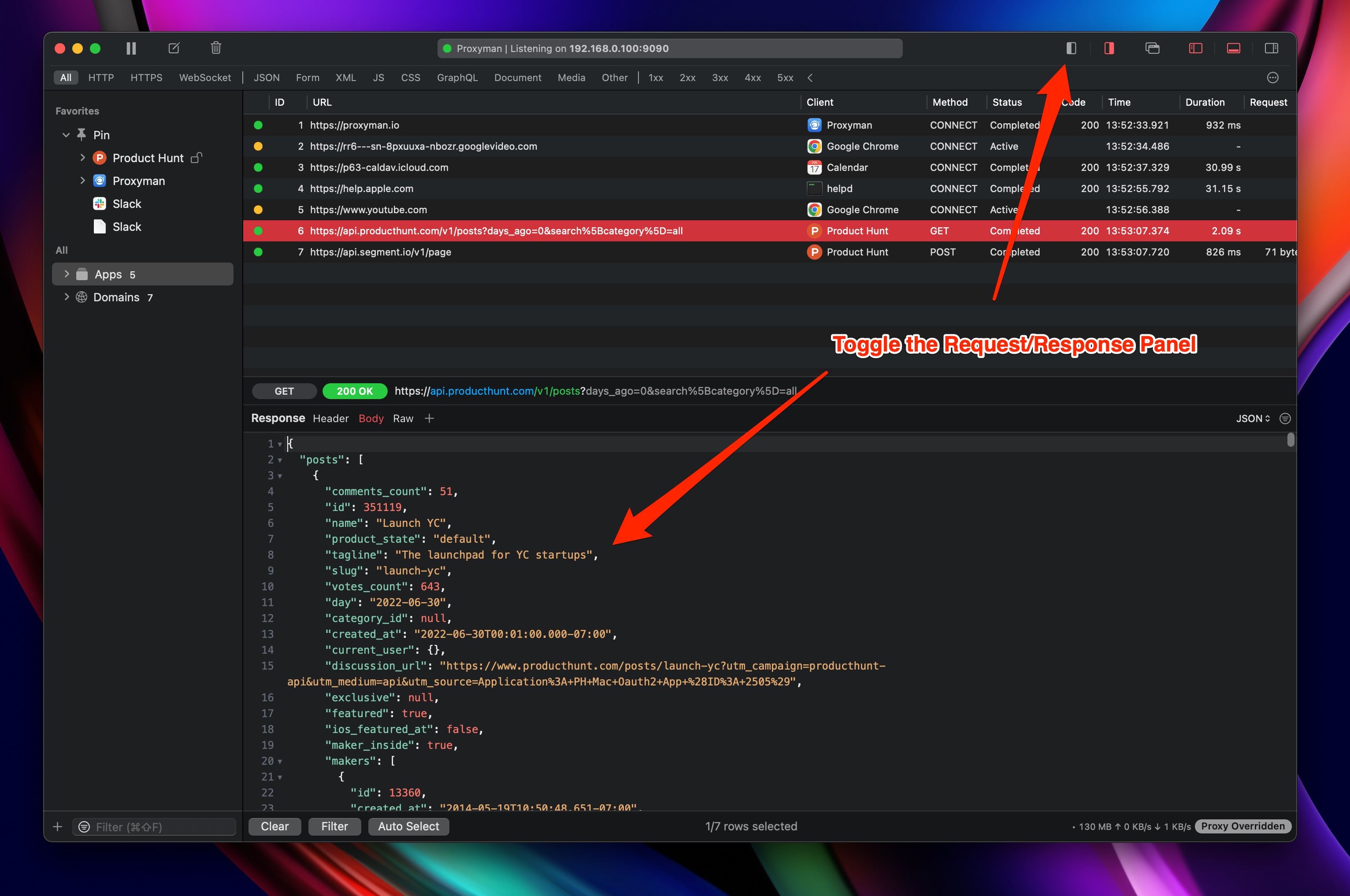
- If someone needs to hide/display the Request/Response Panel, they can drag it to the main toolbar
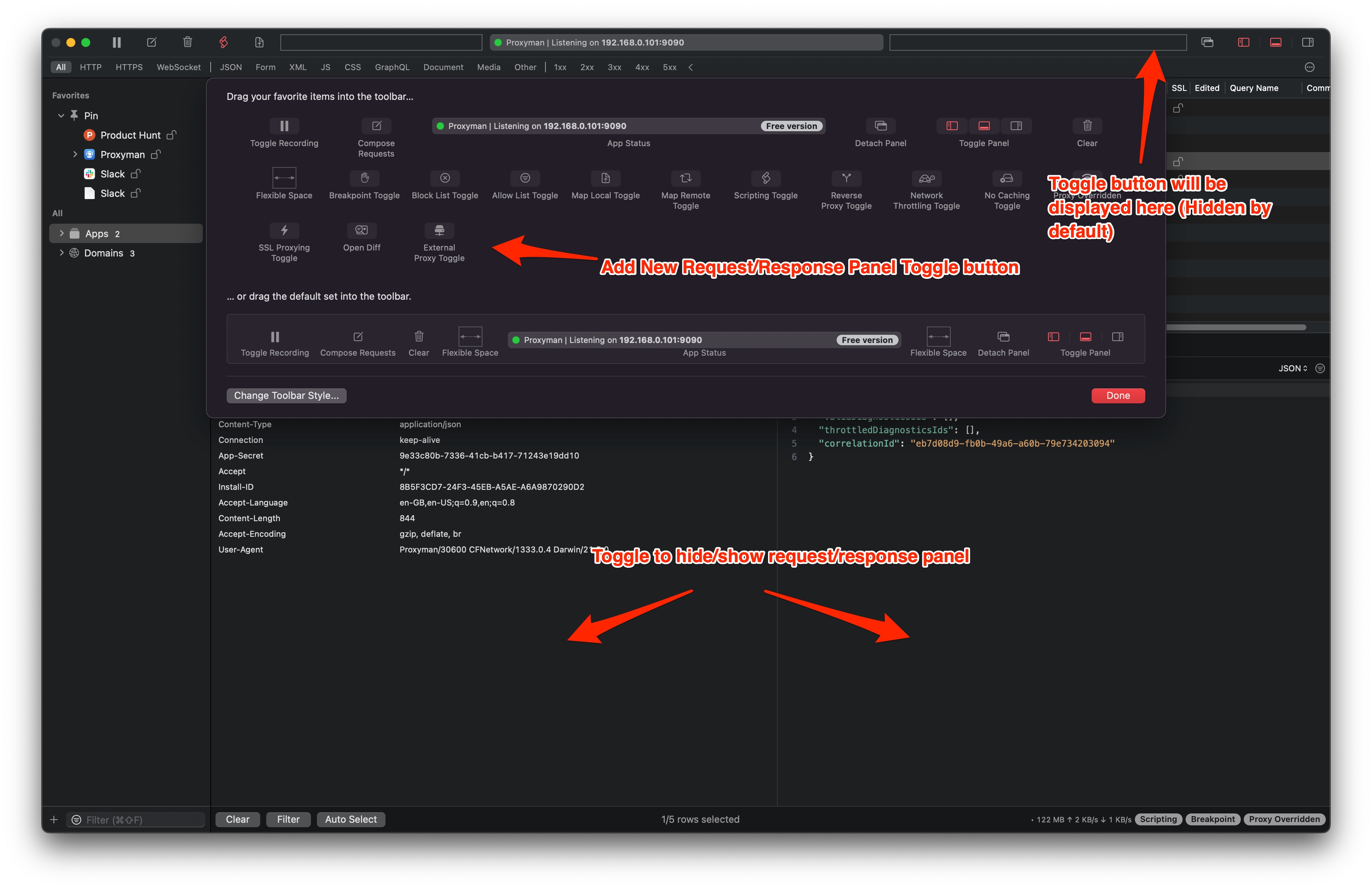

@crankygeek @chilikasha please check out this build: https://proxyman.s3.us-east-2.amazonaws.com/beta/Proxyman_3.6.0_Display_Hide_the_Request_Response_Panel.dmg
By default, the toggle button on the toolbar is hidden, you have to open the Customize Palette Toolbar.
Screenshot
LGTM!
Neat idea. It never occurred to me to want something like this, but I do mainly focus on responses, so I just may keep using it.