

 ProxymanApp
Issue with Map Local and Hidden Folders
Hi, we make heavy use of proxyman's Map Local Tool, but half our team can't point it to hidden folders like .tmp. I'm at a loss as to why.
Proxyman version? (Ex. Proxyman 1.4.3)
3.5.0
macOS Version? (Ex. mac 10.14)
Mac OS 11.6.4 and 10.15.7.
One user on Mac OS 12.4 does not have the issue, although it's not clear if that's related since it used to work for both of the machines above.
Steps to reproduce
Set up a map local, point to a folder with a . prefix at it's name. On some machines, this works. On others the folder is not found.
Expected behavior
It should accept the folder and serve files out of there.
Screenshots (optional)
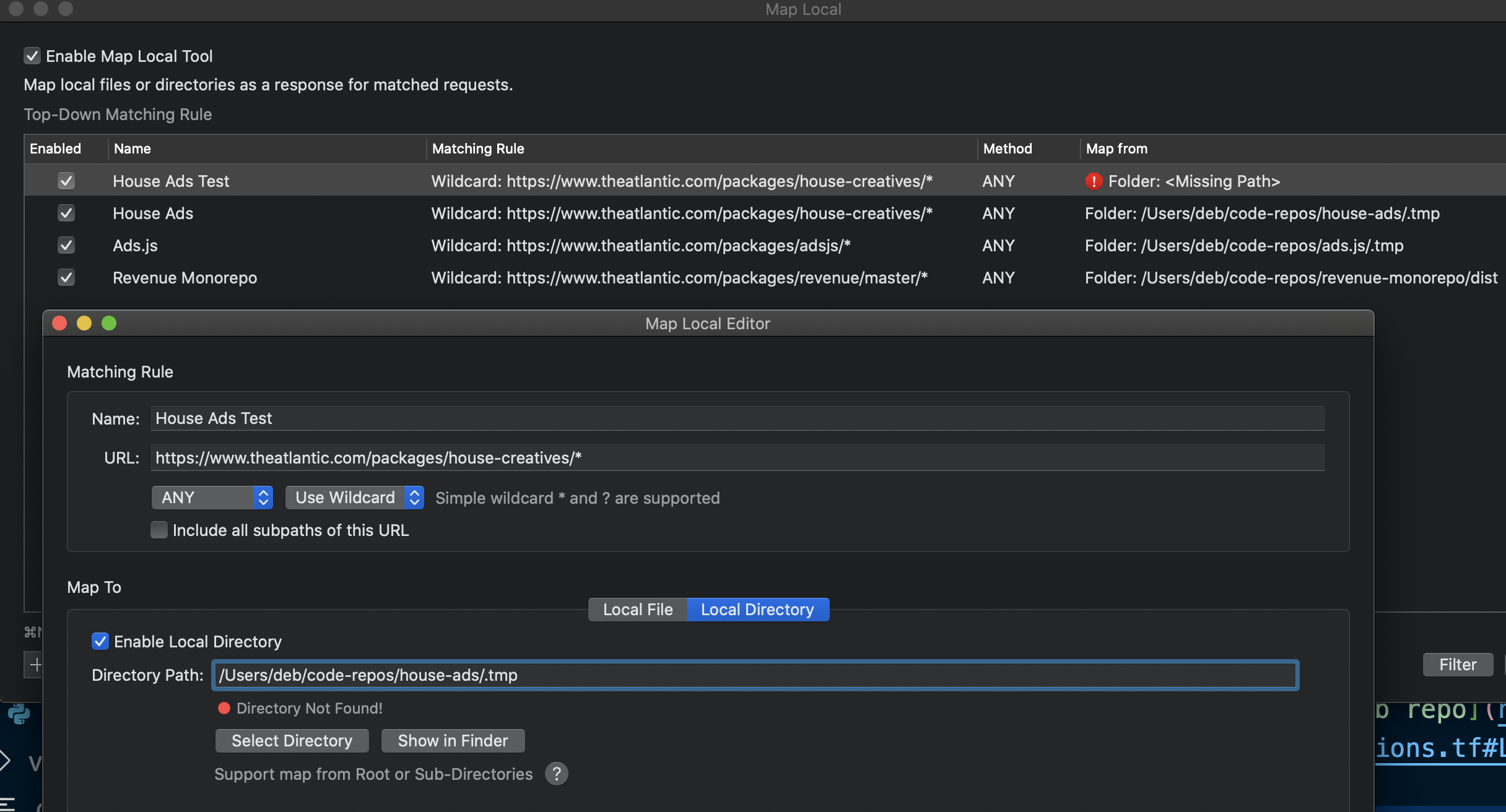
The folder exists, but for some reason, Proxyman can't see or accept it.

I'm experiencing this problem. To clarify the issue: Importing hidden folder paths via the settings config file works, but entering hidden folder paths via the UI does not. (Also, I'm on Mac OS 10.15.7.)


@dfelsent @whatisjasongoldstein please try this Beta build: https://proxyman.s3.us-east-2.amazonaws.com/beta/Proxyman_3.5.0_Fix_Map_Directory_with_hidden_files.dmg
From now, you can select the hidden folders or manually enter them in the text field (and hit Enter). It should work 👍
@NghiaTranUIT the beta works well for both me and my colleague! As you say, we can either select hidden folders, or we can manually type them in and hit Enter after. Thank you for the fast response.